
Gaming is no longer easily described as a simple hobby. It has, over time, acquired the habits of a wider culture of consumption, where new tools and accessories appear with regularity and invite attention. Where once a player required little beyond a seat and a machine, it is now common to think in terms of a “setup” that is something assembled, adjusted, and revised as new devices become available.
This steady expansion, however, brings with it certain confusion. The number of options is large enough to make even a careful buyer hesitate. There are controllers made to resemble older models, pedals intended to take on extra inputs, and a range of small devices whose purpose is not always immediately clear. One may spend a great deal of time comparing such things without arriving at a firm decision.
Even so, it would be wrong to dismiss all of them outright. Among the many unnecessary additions, there are some that prove useful in practice and do not demand unreasonable expense. For those who wish either to improve their arrangement or simply to introduce some variation, a few well-chosen items can serve the purpose. They are not indispensable, but they are practical enough to make their purchase seem sensible.
1. AmpliGame Stream Controller
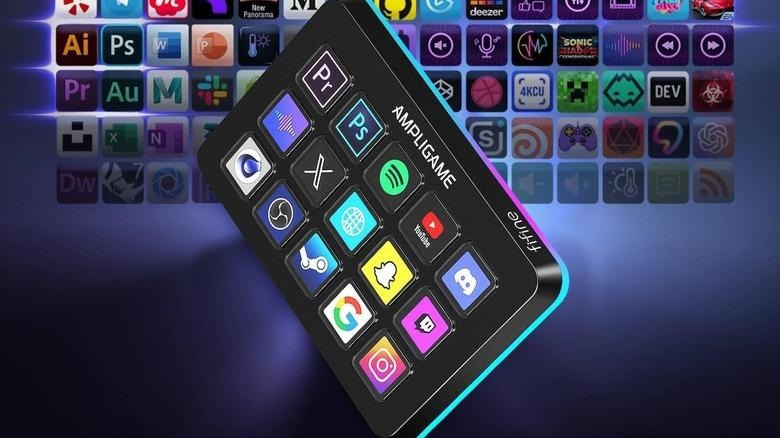
Some of the more useful gaming devices begin in a narrow corner. They serve a small group at first. Over time, they spread, and their use becomes common. The Fifine AmpliGame Stream Controller fits this pattern. It follows the idea set by the Elgato Stream Deck, but it does so at a lower cost. It offers the same number of programmable keys, yet asks for far less money. In practice, it helps the user work faster and manage several tasks at once.
Its use is not limited to streaming. It can serve in ordinary play as well. A user may assign commands for different games and reduce the need for repeated inputs. The device has gathered a large number of reviews online, and most of them speak in its favour. Many describe it as dependable and worth the cost. Others go further and call it essential for both work and leisure.
There are also small touches that add to its appeal. The controller includes adjustable RGB lighting along its edge, which allows for a degree of personal choice. It supports custom icons that users can obtain from online marketplaces such as Etsy. Setup is direct and does not require much effort. One can begin using it without delay, which, in a device of this kind, is no small advantage.
2. iKKEGOL USB foot pedal
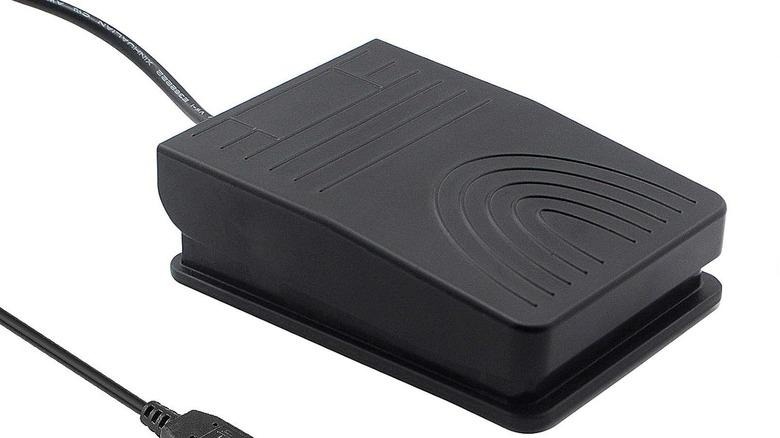
The next device may seem trivial at first glance. It does not look like something one needs. Yet it proves useful in practice. Those who spend long hours on PC games, and rely on voice chat through programs such as TeamSpeak or Discord, often face a small but constant inconvenience. They must mute, unmute, or trigger certain commands at the right moment. A foot pedal offers a simple solution. It allows the user to handle these actions without shifting their hands from the keyboard or mouse.
One could assign such controls to existing keys. Many do. But this often leads to clutter or confusion. The pedal avoids this. It serves a single purpose and does so clearly. There are costly versions, such as the Elgato Stream Deck Pedal. Yet cheaper options exist, and they perform much the same task. The Ikkegol USB Foot Pedal Switch stands as one example.
It sells at a much lower price, yet it has drawn a large number of reviews. Most of them are favorable. Buyers report that it works as expected and does not demand much effort to install. It pairs well with tools like Clumsy and Joy2Key, which makes it suitable for more specialized uses, including flight simulation. For a device that costs so little, it offers a clear and practical benefit.
3. GameSir G8 Plus mobile game controller
Mobile gaming has grown at a rapid pace in recent years. Much of this comes from games that now run across different platforms. Titles such as “Genshin Impact,” “Where Winds Meet,” and “Minecraft” no longer belong to a single device. Yet playing them well on a phone still presents a problem. Touch controls often feel awkward and imprecise. For this reason, many turn to a device like the GameSir G8 Plus. It allows the user to fit a phone into place and begin at once, with little effort.
Devices of this kind have gained favor for a simple reason. They restore a sense of control that the touchscreen lacks. The player no longer needs to rely on tapping glass. Instead, they can use familiar buttons and sticks. The GameSir G8 Plus also extends beyond mobile use. It can connect to a Nintendo Switch, and it supports Xbox play through cloud services. This gives it a wider purpose than one might first expect.
Those who have bought it speak well of its design. They note its comfort and ease of use. Many consider it good value for the price. When set against more familiar options, such as the Backbone Pro, it offers much the same function at a lower cost. Its build also meets expectations. In this case, the device does not promise more than it can deliver, which is reason enough to regard it with some approval.
4. Wireless N64 Switch Online Controller
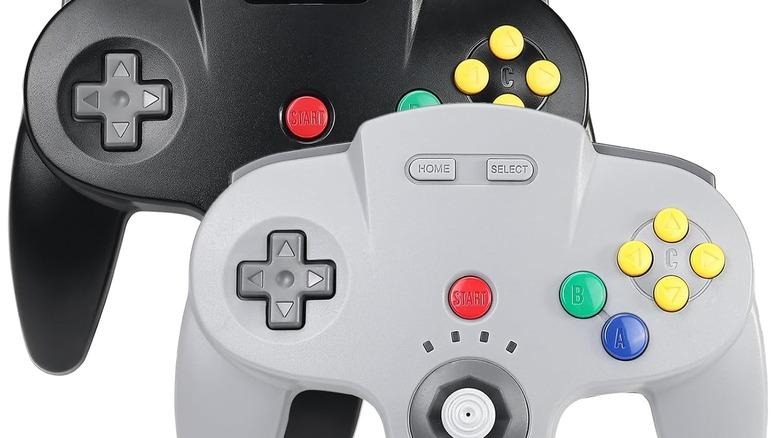
The next device will appeal to a particular kind of player. It suits those who favor older games, and especially those tied to Nintendo. The Switch, whether new or old, gives access to many of these titles through its online service. This is convenient, though not always cheap. Still, there is a way to make the experience feel closer to what it once was. One can use a controller shaped after the original design. The Wireless N64 Switch Online Controller by Saffun serves this purpose.
The price may give some pause. It stands higher than that of many similar devices. Yet those who have bought it tend to judge it kindly. Reviews are largely positive, and many rate it highly. Users say it resembles the original in both look and feel. It is light in the hand, yet it does not seem fragile. Some report that it withstands drops without harm, which adds to its appeal, especially in a household with children.
There is also a certain pleasure in using the proper tool for an old game. It restores something that modern designs often overlook. For those who enjoy returning to earlier titles, this controller offers a simple way to do so. It can, in effect, turn the Switch into a device devoted to the past. That alone may be reason enough to consider it.
5. SteelSeries Arctis Nova Pro Wireless
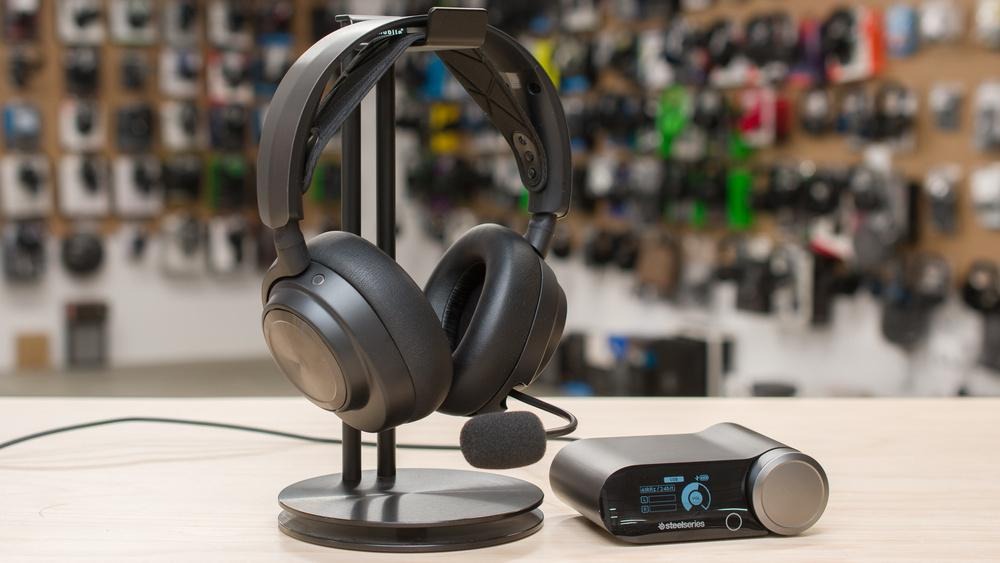
This headset marks a clear change in design. It moves away from earlier models and adopts a simpler, more practical form. The headband uses adjustable arms that extend with ease. The earcups are slimmer and fit a wider range of users. The result feels deliberate rather than decorative.
It also addresses a common problem with wireless devices. The battery can be replaced at once, without delay. This means the user does not have to stop and wait for a charge. For those who play often, this matters. The headset connects without trouble. It uses a 2.4GHz dongle as well as Bluetooth, and both can run at the same time. This allows it to work across different devices with little effort.
The sound features serve a clear purpose. The noise control reduces outside disturbance to a noticeable degree. Spatial audio helps the player judge direction, which can prove useful in competitive play. There is also room for adjustment. One can alter the sound profile and balance chat with game audio through the SteelSeries GG app. These options do not complicate matters. Instead, they give the user a greater sense of control, which is the point of such a device.
6. Logitech G Pro X2 SuperStrike
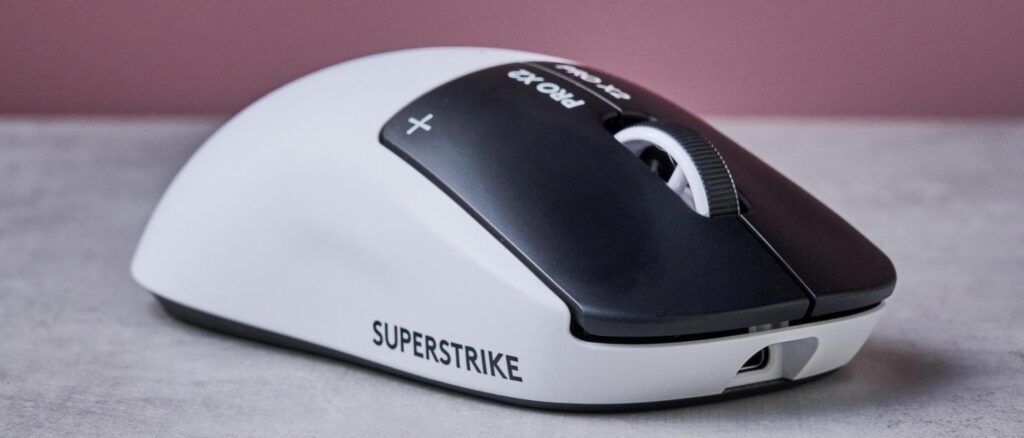
The Logitech G Pro X2 SuperStrike is a gaming mouse that, in a sense, can be described as a complete gaming mouse. It is designed with gaming in mind, specifically competitive gaming. It is light, fast, and accurate, but it is not exclusive in its use. It can be used in regular usage, which makes it a good option for most people.
The first notable aspect of this gaming mouse is its performance, which is evident right off the bat. The mouse responds to movement without any delay, which is a result of a new system called HITS. This system measures the distance a button travels before actuating and gives a confirmation with a small movement whenever a button is pressed. This distance can be minimized to a small margin, which helps reduce delay and provide a sense of control.
There is another system called a rapid trigger, which is different from other systems in that there is no specific point of actuation. It relies on a change in motion, which helps provide quicker action, especially in games where quick repetition is required. This is aided by a Hero 2 sensor, which provides high precision in tracking movement and responding to action.
Despite these changes, the mouse remains simple in design. It is light enough for use over long periods of time without discomfort. The design itself feels familiar. It accommodates different styles of holding. The battery lasts for a decent length of time for wireless use. If not, there is the option of a wired connection. Ultimately, it offers speed and comfort, which are the essential features for most users.
7. Xbox Core Controller
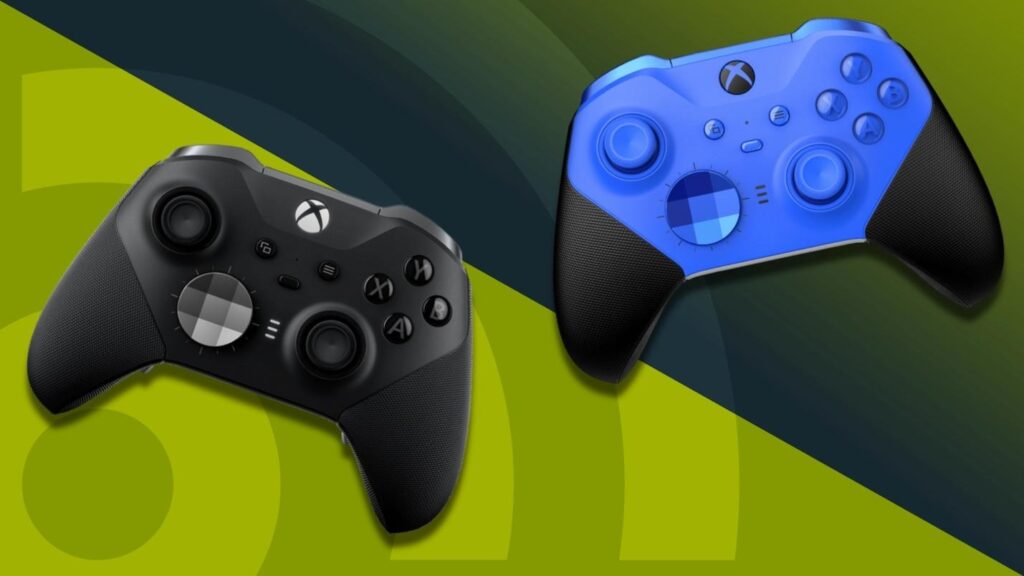
A lot of gamers just don’t trust controllers; they stick to their keyboard and mouse, insisting on that extra precision. Honestly, they make a good point most of the time. But there are times when a controller makes more sense. Everything’s right there under your fingers, and you can play for hours without your hands cramping up. The Xbox Core Controller takes this idea and gets it right, without trying anything flashy or strange.
It has the classic look: asymmetrical sticks, a D-pad that clicks nicely, and you can remap buttons if you want. The grips and triggers are solid, so you won’t lose your grip even when things get intense. It feels sturdy, like it’s built to last through many gaming sessions. Connecting is easy. Just plug in the USB-C for a wired setup or switch to Bluetooth for wireless play.
The Xbox Wireless adapter reduces lag even more. But here’s the frustrating part: in wireless mode, you have to use AA batteries. That feels a bit outdated and is somewhat annoying, especially since the rest of the controller seems so well-designed.