
Resource management is evolving fast, and businesses are realizing that a smart resource management software is no longer optional—it’s essential. From tracking workloads to optimizing team productivity, these tools help managers make informed decisions in real time. Pairing them with a reliable time tracking app can unlock previously impossible insights, ensuring every project runs efficiently.
What is Resource Management Software?
Resource management software is a digital tool that helps organizations plan, allocate, and track their resources efficiently. Resources can include employees, equipment, budgets, and time—anything critical to delivering projects on schedule. Instead of relying on spreadsheets or manual tracking, businesses can get real-time visibility into workloads, availability, and project demands.
With this software, managers can easily balance team capacity against project requirements, spot bottlenecks, and make data-driven decisions. Many platforms also integrate with time tracking apps, ensuring that actual hours align with planned schedules. Essentially, resource management software acts as the central hub for optimizing productivity, reducing conflicts, and improving project outcomes.
6 Best Resource Management Software
1. eResource Scheduler- Enterprise Resource Management & Scheduling Software
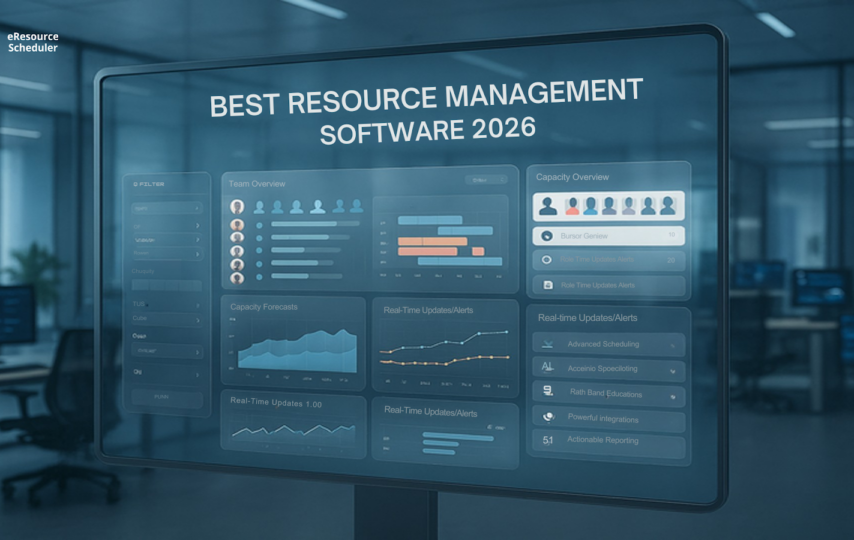
eResource Scheduler takes resource management to a whole new level. It’s designed for organizations that need precise visibility, seamless scheduling, time tracking, capacity planning, financials, and maximum utilization of talent across teams. From small consultancies to large enterprises, eRS adapts to any workflow while keeping everything simple and actionable.
Key Features:
- Live Resource Visibility: See who’s available, workloads, and time-offs in real time.
- Smart Scheduling: Drag-and-drop, bulk edits, and recurring bookings streamline project assignment.
- Integrated Timesheets: Track planned vs. actual work to improve billing accuracy and forecasting.
- Custom Workflows & Integrations: Automate approvals, connect with project management, HR, and finance systems.
What You Might Miss Without It:
- Real-time insights into team capacity and utilization.
- Seamless cross-team resource allocation.
- Smart alerts to prevent overbooking and conflicts.
- Automated reporting that drives data-backed decisions.
2. Float
Float is a visual resource scheduling tool for small to medium-sized teams. It focuses on simplicity while offering a clear view of team availability and project timelines. Its intuitive interface makes it easy to plan workloads without overwhelming complexity.
Key Features:
- Drag-and-drop scheduling for quick adjustments.
- Real-time availability updates.
- Integration with project management tools like Trello and Asana.
- Capacity heatmaps to spot underutilized resources.
Cons:
- Limited advanced reporting capabilities.
- No in-depth timesheet tracking.
- Customization options are minimal.
- Lacks detailed forecasting for multi-project teams.
3. Resource Guru
Resource Guru combines calendar-based scheduling with resource management intelligence. It’s designed to minimize conflicts and maximize efficiency for creative and professional services. Teams can easily book resources while managers get an overview of workloads.
Key Features:
- Color-coded schedules for quick resource identification.
- Instant conflict alerts.
- Vacation and time-off management.
- Cloud-based access for teams anywhere.
Cons:
- Reporting features are basic.
- Limited integration with accounting systems.
- May not scale well for large enterprises.
- No built-in project cost tracking.
4. Teamdeck
Teamdeck focuses on time tracking and resource scheduling for small to mid-sized organizations. Its strength lies in its simplicity and the combination of timesheets with planning tools. The dashboard makes it easy to keep projects on track and manage team workloads effectively.
Key Features:
- Real-time team availability.
- Automated timesheet collection.
- Project budgeting and tracking.
- Notifications for schedule conflicts.
Cons:
- Lacks advanced resource analytics.
- Limited reporting customization.
- Integrations with external tools are restricted.
- Not ideal for very large teams or enterprises.
5. ClickTime
ClickTime is a versatile resource management and time tracking platform. It emphasizes billable hour tracking alongside resource scheduling. This makes it suitable for agencies and consultancies looking to optimize productivity and profitability.
Key Features:
- Timesheet and expense tracking.
- Custom reporting dashboards.
- Employee workload visualization.
- Project budgeting tools.
Cons:
- UI can feel dated.
- Advanced scheduling options are limited.
- Integrations are fewer compared to competitors.
- Some users find reporting setup complex.
6. Hub Planner
Hub Planner is designed for agencies and project-driven companies needing clear visibility into resources and schedules. It blends project planning with resource allocation, making it easier to manage multiple clients and timelines. Its simple drag-and-drop interface enhances planning speed.
Key Features:
- Gantt chart-based scheduling.
- Real-time availability tracking.
- Customizable reporting templates.
- Resource utilization heatmaps.
Cons:
- Limited mobile experience.
- Complex pricing for larger teams.
- Some features require additional add-ons.
- Timesheet features are basic.
Choosing the Right Tool for Your Team
Selecting the best resource management software depends on your team size, the complexity of projects, and reporting needs. While tools like Float and Resource Guru shine in simplicity, eResource Scheduler stands out for comprehensive functionality, advanced reporting, and seamless cross-team collaboration. Combining these platforms with a time tracking app ensures every hour is accounted for, and projects stay on schedule.
Conclusion
In 2026, the right resource management software can be a game-changer for teams of any size. From ensuring workloads are balanced to giving managers real-time insights, these tools help organizations work smarter, not harder.
While platforms like Float, Resource Guru, and Teamdeck have their strengths, eResource Scheduler offers a comprehensive solution that combines scheduling, reporting, and integration capabilities in one place.
Pairing such software with a time tracking app further boosts visibility and accountability. Investing in the right system today means fewer conflicts, higher productivity, and smoother project delivery tomorrow. Book a personalized demo today!
FAQs
1. What is resource management software?
Resource management software is a tool that helps organizations plan, allocate, and track their resources—such as people, equipment, and time—across projects. It provides real-time visibility into workloads, availability, and project demands, helping managers balance capacity, prevent conflicts, and optimize productivity. Many solutions also integrate with time tracking apps to compare planned hours with actual work, improving forecasting and decision-making.
2. Can resource management software integrate with other tools?
Yes, most modern tools, including eResource Scheduler, offer integrations with project management, HR, and finance systems.
3. How does a time tracking app enhance resource management?
It provides visibility into actual hours worked vs. planned, improving forecasting, billing, and utilization insights.
4. Is cloud-based resource management software safe?
Top-tier platforms use encryption, secure authentication, and comply with industry standards to protect your data.
5. Can large enterprises benefit from these tools?
Yes, eResource Scheduler is scalable for large teams, while platforms like Hub Planner can also accommodate multi-project workflows with some limitations.