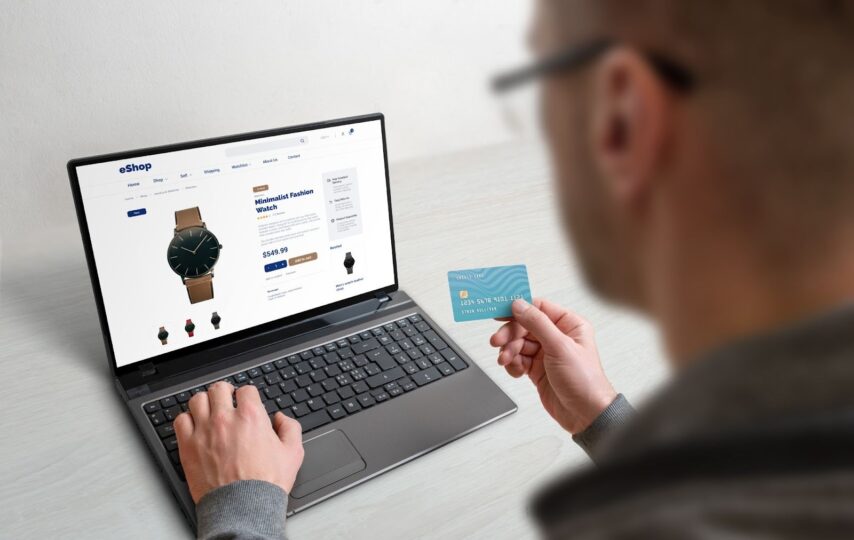

Most businesses obsess over product pages and homepage design, but ignore their checkout page. It may have tiny text, a confusing layout, and a payment form that looks even more confusing. Customers move to other sites as a result.
Here’s what nobody wants to admit. Your checkout page does more heavy lifting than any other page on your site. It’s where browsers become buyers. And when it’s badly designed, it’s where you lose people who are ready to buy from you.
Let’s talk about why improving your checkout page design must be your prime focus now.
1. A Messy Checkout Feels Sketchy
Your checkout page is where people hand over credit card numbers and personal info.
Complicated layouts can irritate your buyers. They won’t like too many pop-ups, weird fonts, and confusing navigation. Even if your business is completely legitimate, such poor design makes you look a bit shady.
That’s why clean design builds trust among customers. Your page must have clear sections, plenty of white space, and security badges near the payment form. Such a layout seems reliable and makes people complete the purchase.
A clear design also helps speed up the purchase, as people aren’t getting confused anymore.
2. You’re Ignoring Mobile Shoppers
Your customers are probably shopping on their phones. So, if your checkout doesn’t work smoothly on their devices, they’ll leave in seconds. Mobile users don’t want to zoom in to tap a tiny checkbox or type their address again as your form’s autofill doesn’t work.
They’ll just quit.
This is what mobile shoppers usually expect from checkout pages:
- Big, thumb-friendly buttons with clear CTAs like “Buy Now” or “Proceed to Payment”.
- Forms with an autofill facility so they don’t have to enter vital details every time.
- Input fields designed for phone keyboards, and everything important within easy reach of their thumbs.
So, desktop-first design doesn’t cut it anymore. If your checkout makes people zoom and struggle, they’ll find someone whose checkout actually fits their screen.
3. Every Extra Step Loses People
Each additional thing you ask customers to do is another chance for them to quit.
Does your checkout form force people to create an account before they can buy? Major turnoff. 19% of shoppers in the US left their carts due to this in 2025. It’s because they don’t want another password to manage. They just want to complete this one purchase.
Then, see if you’re making them click through five separate pages when it could be one. Each new screen is a moment where they might just get annoyed and leave.
How to fix all this through better design? Progress indicators can help because they set expectations. When people see “Step 2 of 3,” they know what’s coming.
The best checkouts get out of the way fast. Include minimal steps with a guest checkout option. Because every “one more thing” you add is costing you actual money in lost sales.
4. Slow Checkout Pages Lose Sales
If your checkout page loads slowly, buyers will leave. It doesn’t matter how affordable or great your product is. A spinning loading icon at checkout kills the momentum. They may feel like something is wrong with the page and pause the purchase.
Fast checkout pages will need optimized images and clean code to offer a smooth, quick experience. This is how you can go about it.
- Remove unnecessary images and scripts.
- Optimize file sizes and use lazy loading.
- Enable browser caching and choose fast, reliable hosting.
Remember, every extra second of loading time costs you customers. They came this far, so don’t lose them because your page can’t keep up with their decision to buy.
5. Repeat Customers Don’t Want to Start Over
Suppose someone bought from you before. They liked it enough to come back. Now you’re making them fill out every field again, like it’s their first time.
That’s not what return customers expect. They want their shipping address saved, payment info stored securely, and their email already filled in. When they have to manually enter everything again, it feels like you don’t value their time.
But how to tweak the design to retain loyal customers? Start by saving their payment and shipping info securely. Then, enable one-click checkout and autofill fields for logged-in users. Show order history. Make reordering simple.
The Bottom Line
A confusing checkout doesn’t just frustrate people. It actively costs you money. Every abandoned cart is a customer walking out, as your checkout process is tricky.
You can hire certified Checkout Champ experts like CodeClouds if you need help with checkout page customization. They’ll find out your page’s issues, offer solutions, and enhance the experience.
The good news? Fixing checkout design isn’t rocket science. A clean layout, fast loading, mobile-friendly buttons, and fewer checkout steps can improve things. Also, remember loyal customers and help them with autofill forms. It’s that simple.
Make buying easy and watch your conversion rates climb!