
Keeping up with new apps and games is harder than it ought to be. There is always too much of it, and most of it does not last. Each month brings another wave, and each wave looks much like the last. To make things simpler, I have picked out a few Android apps and games that seem worth your time. This month’s selection leans toward the practical. Some will help if you travel. Others deal with the small but constant trouble of working with PDFs.
We can begin at once. Here are some of the better new Android apps and games to try in April 2026.
1. Adaptive Theme: Smart Auto-Switching Themes Based on Ambient Light
- Price: Free
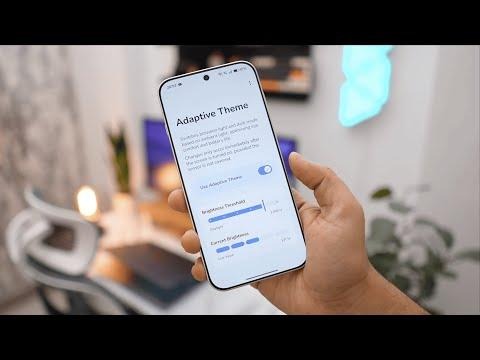
Adaptive Theme does not try to impress you. It does one thing and leaves it at that. The app uses your phone’s ambient light sensor to switch between dark mode and light mode. You decide the point at which the change happens.
The design is simple, and that works in its favor. When the room grows bright, the phone shifts to light mode. When the light fades, it returns to dark mode. The change happens without fuss. You do not have to think about it once it is set.
This makes it useful for anyone who moves between different lighting conditions during the day. It also suits those who work in places where the light is never steady. In such cases, it removes a small but repeated task. That is reason enough to use it.
2. PaperKnife+: A Powerful Yet Simple All-in-One PDF Toolkit
- Price: Free
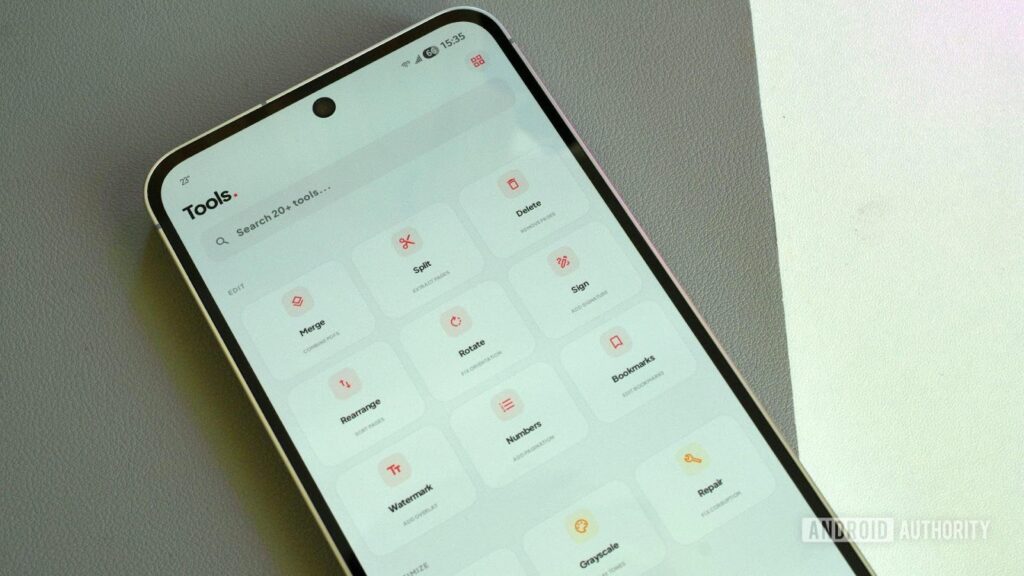
There are many poor PDF apps on the Play Store. You do not have to search long to find them. I have spent years looking for one that does the job properly, without gaps or needless clutter. At last, I have found something that comes close.
PaperKnife+ is named with some honesty. It acts as a kind of all-purpose tool for PDFs. You can sign documents, join files, or break them apart. It lets you save pages as images, turn them, rearrange them, and shrink their size. It can unlock files and convert them into text. It covers most of what you are likely to need.
I do have one complaint. The interface feels cramped. The elements sit too close together, and it can strain the eye. This may be due to my display settings, but I do not see the same issue in other apps on my phone.
Even so, the fault is a minor one. The app does its work well, and it does it without fuss. That is more than can be said for most PDF tools on Android.
3. The Wreck: A Story-Driven Experience About Loss and Reflection
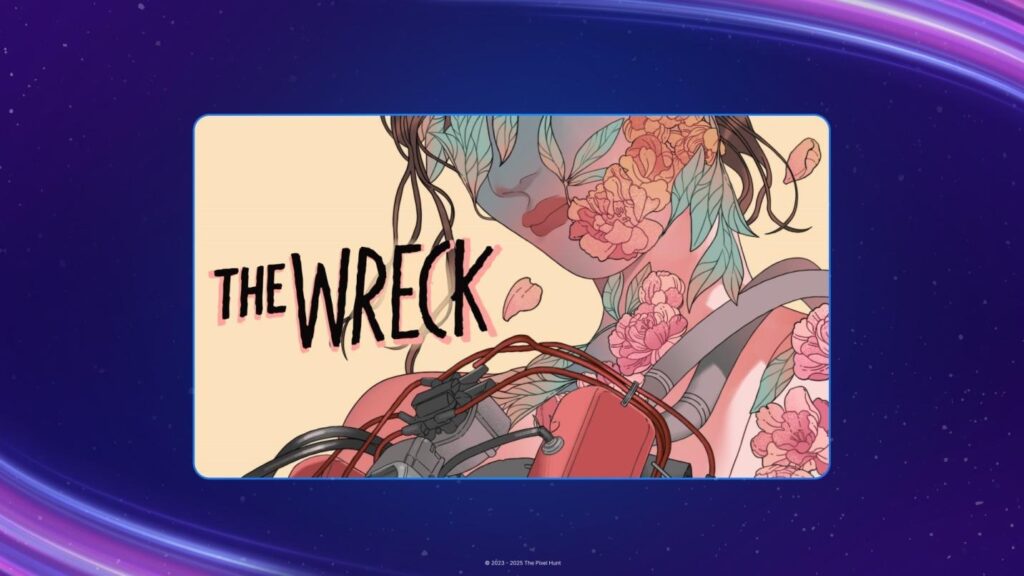
A brief warning is needed. This game centers on a road accident, and it does not treat the subject lightly.
I do not often play visual stories that deal with grief, strained relationships, and the weight of family ties. Most avoid such matters or soften them. The Wreck does not. Users play as Junon, a woman trying to make sense of a day that has gone badly wrong. It is best not to say much more, as the story depends on what is revealed, and when.
While playing, I was reminded at times of other narrative games, though this one takes a more direct and sober approach to inner conflict. It does not hide behind spectacle. It asks you to sit with what it shows.
The art style is bright, almost cheerful at first glance. This stands in clear contrast to the subject it carries. The game itself is not long. You can finish it in a few hours. It is free on some platforms, and worth adding to your collection, if only to see how such a story is told.
4. Morecast: Route-Based Weather Planning for Travelers
- Price: Free version available
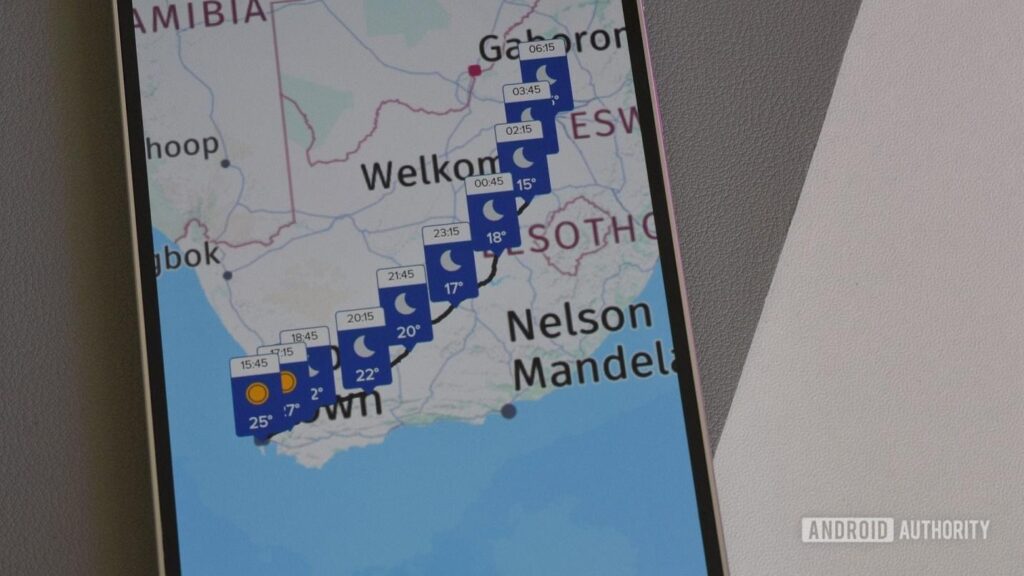
The weather apps I have used so far share a common gap. They tell you the forecast for a place, but not for the journey between places. This matters more than it seems. When you plan a road trip, you need to know how conditions change as you move, not just where you begin or end. It affects when you leave, and how long you stay. Morecast, to its credit, attempts to solve this.
The feature itself works well. It lets you follow the weather along a route, rather than at a single point. That alone sets it apart. Yet the rest of the app does not meet the same standard. The layout feels wasteful, with too much empty space. You cannot choose a data source. You also cannot adjust the date for the route view, which limits its use.
Even so, it would be unfair to dismiss it. Few weather apps try to do what this one does. If you need to track conditions along a drive, it is worth trying, if only for that reason.
5. The Division Resurgence: A Familiar Shooter Returns on Mobile
- Price: Free-to-play
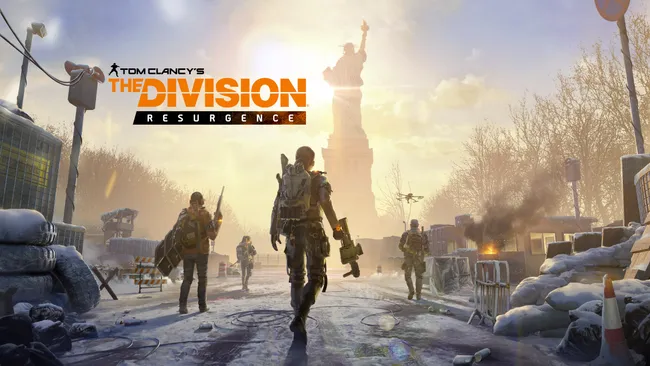
The Division was once a source of simple amusement in the early days of the PS4. It did not seem built for anything beyond that moment. Few players in 2016 would have guessed that, ten years later, it would appear again on a mobile screen. Yet that is now the case.
The Division Resurgence does not follow the exact path of the earlier Division games. Still, Ubisoft places it in the same world. The setting returns to New York City, which will be familiar to those who played before. The game includes several modes. There is player-versus-player, player-versus-environment, and the usual system of upgrades. It entered pre-registration at the end of March. The full release will follow in time.
6. Listy: Organise What You Want to Watch, Read, or Play
- Free version available
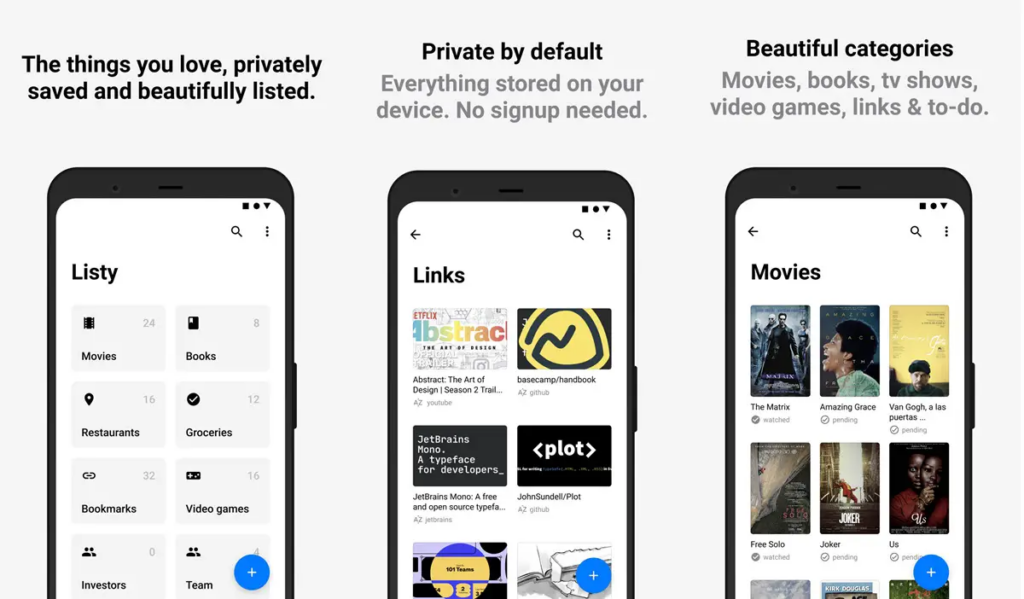
There is no shortage of to-do list apps. Most do the same things, and do them in much the same way. Listy takes a slightly different approach. It focuses on what you plan to watch, read, or play, rather than on daily tasks.
The app lets you organize films, shows, books, and games into clear lists. It also pulls in basic details about each title, so you know what to expect. You can track podcasts, links, and other items in the same way. It is simple in design, but wide in scope.
Some describe it in exaggerated terms, but that is not necessary. It works, and it keeps things in order. That is enough.
7. Non-Stop Radio: Global Radio Streaming Without the Clutter
- Price: Free
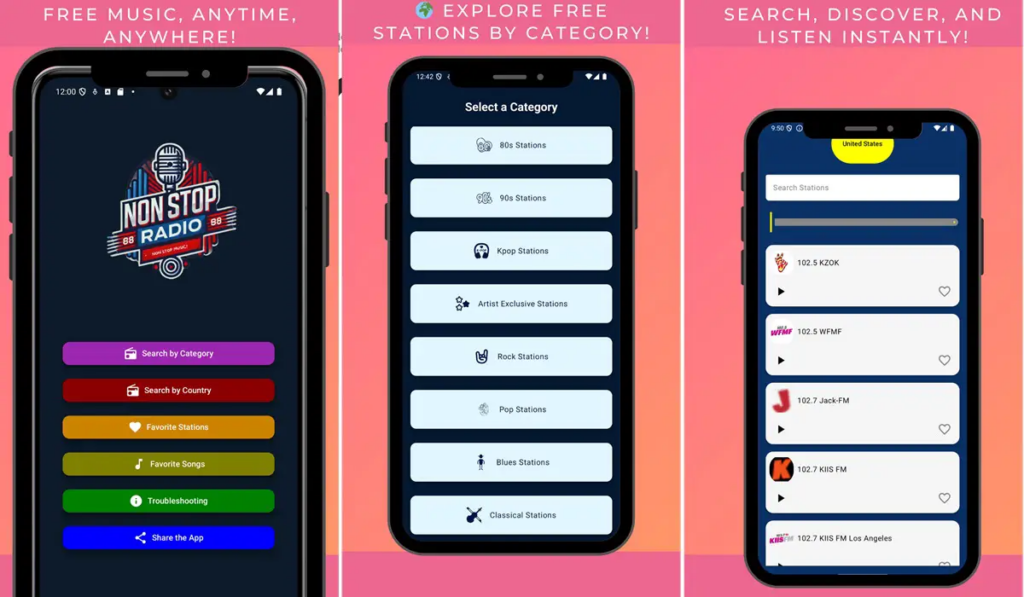
If you enjoy music, or grow tired of searching through crowded streaming apps, this may suit you. Non-Stop Radio offers a direct way to listen without delay. It gathers a large number of radio stations from different parts of the world. You can move from one style to another with little effort. One moment you listen to Thai music. The next, you switch to Brazilian tracks, or to K-pop.
The app does not make a strong first impression on the phone. The interface feels rough, and at times a little awkward. Yet this matters less when you use it in the car. On Android Auto, it becomes easier to handle, and more pleasant to use.
Its strength lies in its range. It lets you explore music across countries and genres without asking much in return. There are no sign-ups, and little to manage. You simply choose a station and listen. That simplicity is its main appeal.
Conclusion
Ultimately, the April lineup shows that Android still has a plethora of small, smart surprises in the app ecosystem. Other tools address some of the most common irritations, such as managing light settings or struggling with PDFs, whereas others provide entertainment that is both thought-provoking and globally radio-hopping. None of them will make you change your life overnight, and that is the beauty of it. They are not demanding or exhausting of patience, but they specialize in one thing. The thing that binds them is practicality.
You have a road trip to plan, a movie list to put together, or you just need to avoid another bloated utility, you will find something here that fits well in everyday life. And in any case, it is much less expensive than acquiring a new phone to give a few new apps a test run, but it might feel just as refreshing in the short term. That is enough to make this month picks worth trying.
FAQs
1. Are these apps completely free to use?
Mostly, yes. Some of the picks are free, but some of them also slip in optional in-app purchases. It means that you can put them to the test without any commitment. When you finally choose to pay, it is normally to add some features, not to eliminate a flood of pop-ups. Your wallet need not fret, at least not yet.
2. Which app is the most practical for everyday use?
The PDF utility and adaptive theme tool would be good competitors had practicality been a sport. They address the little irritations you have to deal with in everyday life.
3. Are there any apps here for entertainment rather than productivity?
Absolutely. The list contains a story-based game and a radio application that allows you to explore the world of music stations. One is an invitation to introspection; the other helps satisfy channel-hopping curiosity.
4. Do these apps require powerful hardware?
Not particularly. Majority of them are light and specialize in doing a single job. You do not have to have a flagship device to enjoy them. The lineup is good news to anyone who prefers to hold on to their phone longer than most technological trends, even with mid-range phones.