
Shizuku is an open-source tool that interposes between Android locked system layers and the applications that must obey it. It clears a small passage. It allows apps to access functions that are typically hidden. The user, on their part, is provided with a level of control which the system does not provide at will. This can seem like a minor detail. It is not.
To people who are concerned about the functionality of their device, Shizuku is important. But by itself it does not do much. It does not transform the system alone. It does not add any features that you can see or use directly. It relies on other apps to achieve its purpose. It cannot do anything without them. It is a tool that is to be employed, and that is all.
That is no big issue. There are many apps that make use of it. Others enhance the installation process of apps. They reduce the number of steps that are slow or unnecessary. Others are concerned with uninstallation. They delete applications more comprehensively, where the system would not. Tools that change the appearance and behaviour of Android are also available, as well as those that make minor but helpful changes to everyday use.
Below is a list of 10 such apps. They all use Shizuku effectively, and they all put something real into the Android experience.
1. Essentials
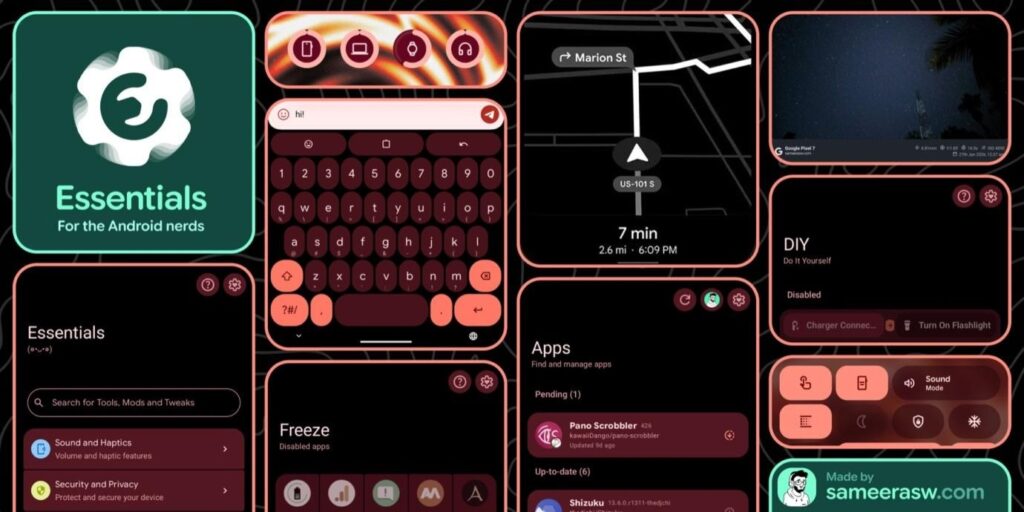
Essentials is a set of tools built for Pixel and other Android devices. It brings together small features that the system keeps out of reach. In some ways, it resembles Samsung’s toolkit. But it cares less about appearance and more about control.
With help from Shizuku, it opens settings that are usually hidden. I can fine-tune call vibration. I can see battery alerts for connected devices. I can use a simple widget to turn the screen off. It also allows changes to the status bar that the system would normally block.
There are other tools, too. Some are small, but useful. One tracks the distance to saved places in real time. Another brings features from newer Pixel devices, even to phones that do not support them. It goes further than expected, but it does so with purpose.
Essentials deserves closer study. Even so, its use is clear. It is a toolkit that gives the user quiet control, without excess.
2. Smartspacer
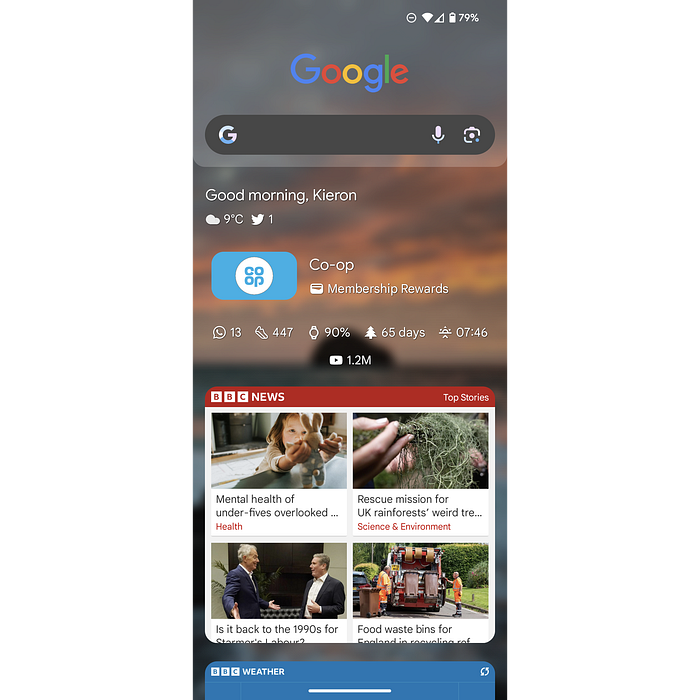
Some features remain limited to Pixel, and they create a divide. At A Glance is one of them. It sits on the home screen and shows timely, useful information as the day moves on. It is simple, but it works well.
Smartspacer takes this idea and extends it. It brings the same function to other devices, including Samsung devices. It also expands what the feature can do.
It supports more services. It can pull in details from apps such as Aftership and Tasker, along with other sources. The result is broader and more useful.
It does not merely copy the original. It improves it. More importantly, it makes it available where it was once absent.
3. Canta
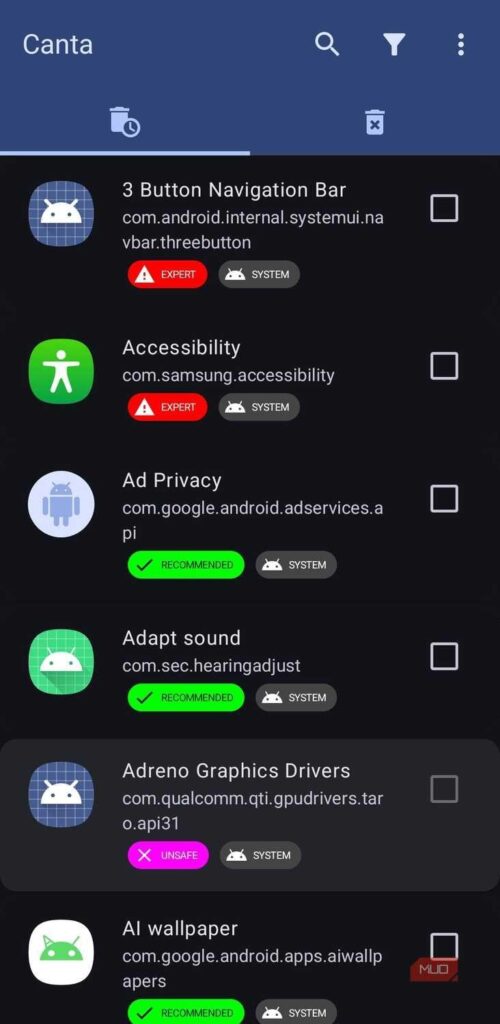
Android does not make it easy to remove its own apps. It resists the attempt, especially when the manufacturer has marked them as necessary. On a Samsung phone, this often includes the full set of Facebook services, whether one wants them or not. Canta cuts through this resistance.
With the help of Shizuku, it allows me to remove almost any app on the device. This includes both obvious bloatware and deeper system features. The process is not without risk. Removing the wrong app can cause trouble. Canta accounts for this. It points out which apps are safe to delete and which are better left untouched. It gives control, but it does not leave the user blind.
4. ColorBlendr
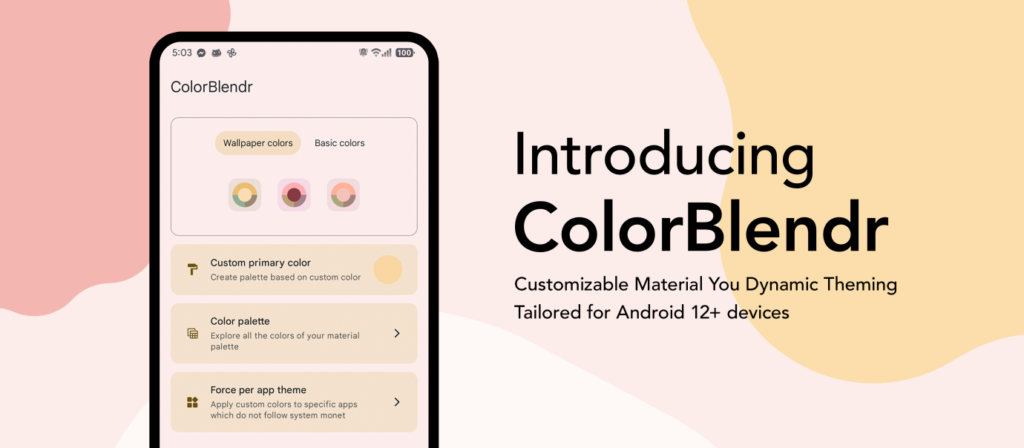
I do not mind variety in my surroundings. I do mind it on my phone. I prefer a single, consistent look. ColorBlendr serves that purpose well.
It uses Shizuku to reach deeper into Android’s colour system. It hands over choices that are usually fixed or limited. I can select colours from the wallpaper, choose from standard shades, or set a broader style such as monotone or vibrant. The change is simple, but it brings order.
It works best on Pixels, where design matters more than excess. It also works on Samsung phones. It does not add noise. It reduces it.
5. ShizuWall
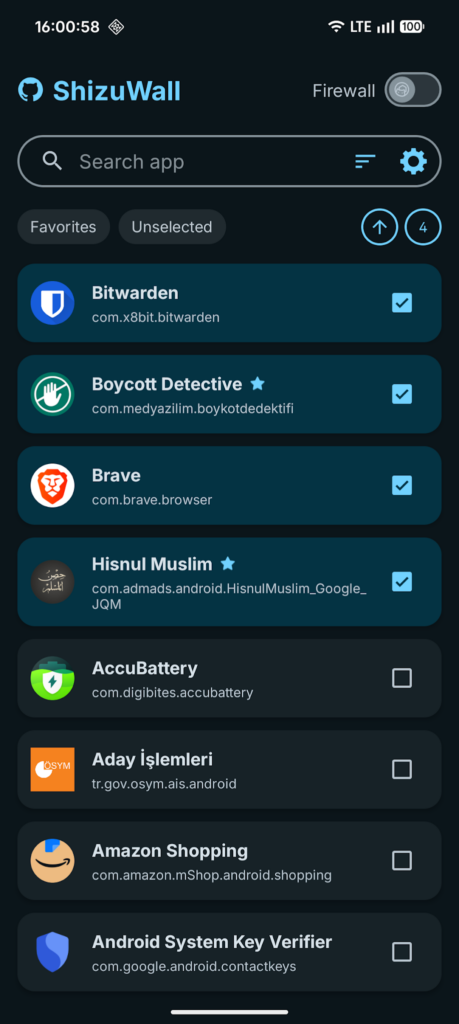
I came to ShizuWall late. Now I find it hard to do without it.
It acts as a firewall. It blocks selected apps from reaching the internet at all. There is no half measure here. If an app is denied, it stays silent. What sets it apart is its method. It does not rely on a VPN. It does not take over the Private DNS slot. With help from Shizuku, it works on its own. That is enough.
The app is simple to use. It does one job, and it does it well. It keeps trackers in check. It also restrains apps that try to send data when there is no need. It brings a sense of control that the system rarely offers.
6. aShell You
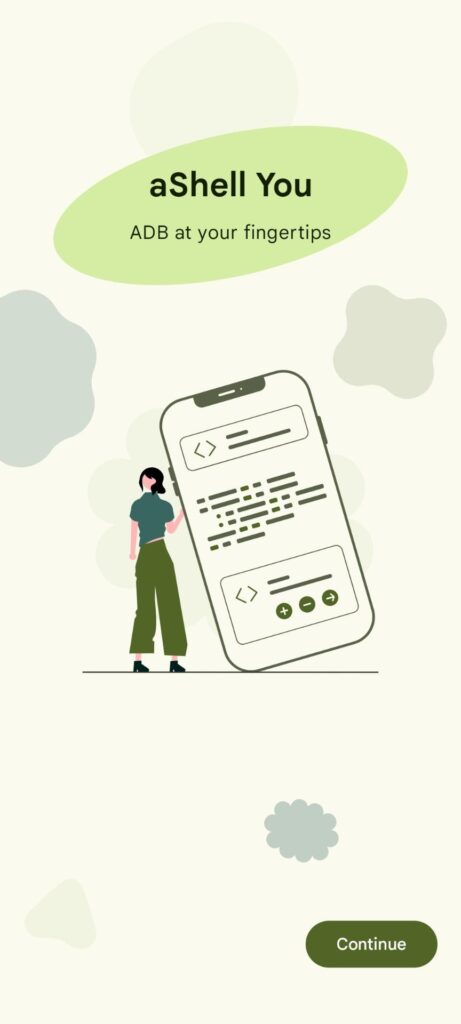
It is a little tool, yet an efficient one. It allows me to execute commands on the device. I do not require a computer. I do not require a complete terminal. The action occurs in the place where I am. I do not use it on a daily basis. Nevertheless, I still carry it around. It is preferable to possess it than not.
aShell You offers a list of pre-set commands. It also allows me to save the frequently used ones. This saves me the hassle of typing lengthy and precise lines every time. It is also able to store outputs. It is handy with checks and minor investigations. It is also designed with care. The outcome is clear and readable. It demonstrates that a tool can be simple and high quality.
7. Adaptive Theme
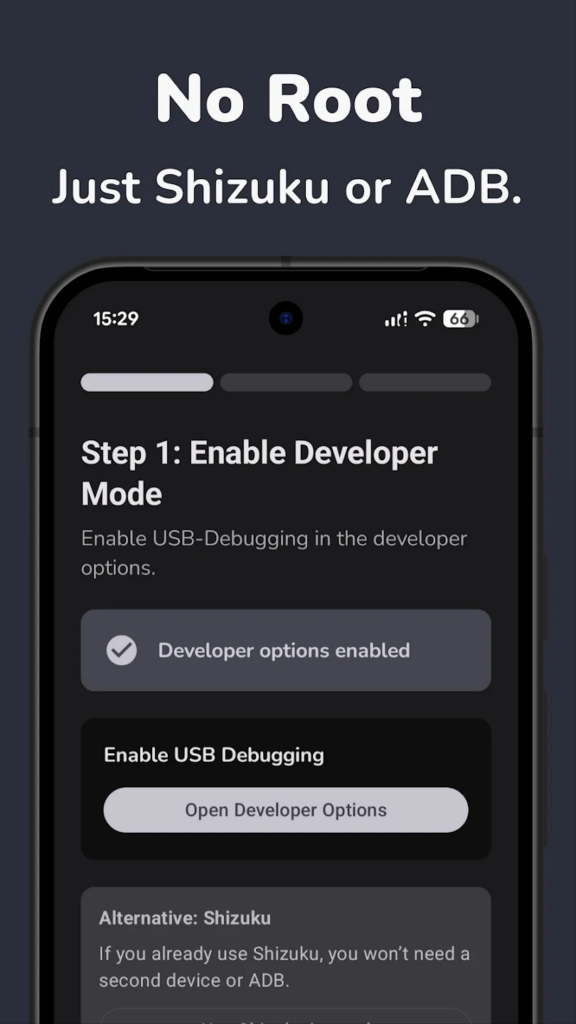
The default Dark Mode of Android has a restricted functionality. It is either manually operated, or has a predetermined program. This leaves very little to change. Adaptive Theme is an alternative. It relies on the ambient light to determine when to turn on or off dark and light modes. The transformation occurs automatically.
One does not have to set time or to remember to do so. You might thing that you don’t need it at the beginning. But when it is put into use, it is worth it. As I leave a dark room and enter the sunshine, the screen changes immediately. It feels natural. It eliminates a little yet steady task, and that is sufficient to matter.
8. Shappky
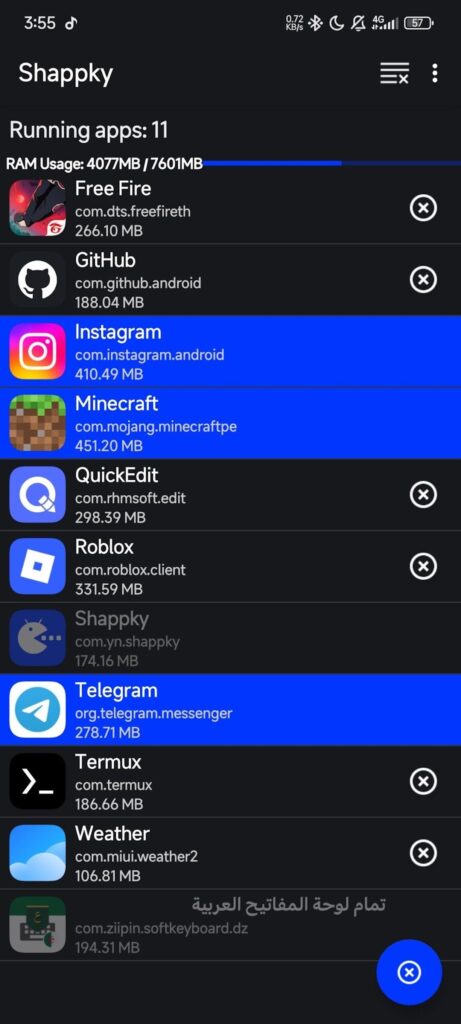
Last comes Shappky. It is a straightforward device, and it adheres to that concept. It is named after Shell App Killer. It enables me to pause any running application in the device. This comprises applications that the system would prefer to keep alive. No complicated procedure is necessary. I choose the apps, and take action. That is all.
It also provides a little bit of choice. I can display system apps or conceal them. I may add persistent applications, or omit them. There is the control, but it is not overwhelming. It has been long since it was updated. That can be an issue to some users. Practically, it is not as important as it appears. The tool works, and it works well.
9. Install With Options
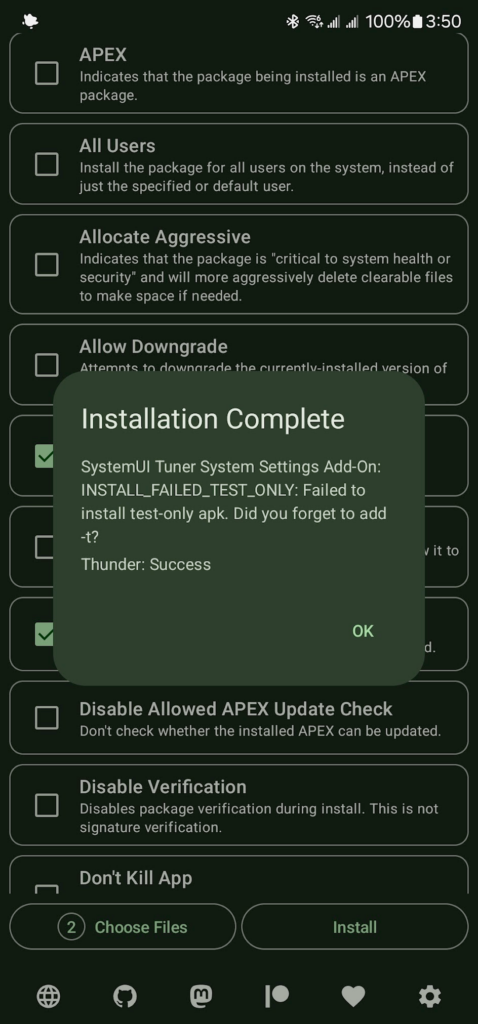
Android does not make the installation of advanced apps easily. It anticipates the user to turn to it in anything out of the ordinary. That is not necessarily a convenient process. Install With Options lessens this load. It enables apps to be installed with an added level of control with the assistance of Shizuku. I am able to avoid SDK restrictions. I am able to install older versions over newer versions. I am able to push the system out of the way. I am also able to avoid it halting some apps once installed.
These are not minor changes. They change the behaviour of the system. It is an effective utility pack, when Google has started to limit certain freedoms of APK installation. I do not use it frequently. Nevertheless, I am dependent this app when an app breaks because of an update. It allows me to revert to a stable version with little effort.
10. SD Maid SE
I frequently used SD Maid during the early Android days. It was a habit. I abandoned the older version when it ceased to work on the newer systems. It was out of place awhile. I went back to it with the SE release. I am glad I did. SD Maid SE is a storage cleaning tool. It scans the tiny, neglected sections of the device. It identifies files that are not of any use. It eliminates what is eliminable.
It is a straightforward process and it is effective. It does not claim to do more than it ought. It is capable of running without Shizuku. Nonetheless, it is more effective when combined with it. It sees further. It scrubs better. The distinction is evident on use.
Final Words
Ultimately, Shizuku is not a headline performer, but a quiet facilitator, the one who does not want applause themselves, but helps everyone else to shine. As this list indicates, its actual power is what it enables: a better command, less crude systems, and a sufficient amount of defiance against the Android attitude of “you cannot do that.” Naturally, there is a little price to this liberty, namely that you are now in charge, and can make things or break them in a remarkably effective manner.
However, the reward is difficult to resist by those users who are willing to walk on the thin side. Imagine Shizuku as the backstage ticket to your device. It will not transform the show itself, but it allows you to rewrite the script sections.