
Remote gaming has become more popular than ever, allowing players to access their gaming PCs from virtually anywhere. Whether you’re traveling, working away from home, or simply want to play from another room, a reliable remote desktop solution makes it possible to enjoy your favorite games without moving your entire setup.
However, not every remote desktop application is designed with gamers in mind. Business-focused software often prioritizes file sharing and office productivity, while gamers need low latency, smooth frame rates, and responsive controls. That’s why choosing the right remote desktop software is essential for an enjoyable gaming experience.
If you’re researching the best solution, this guide on remote desktop for gaming provides an in-depth comparison of the top options available in 2026.
What Is a Remote Desktop for Gaming?
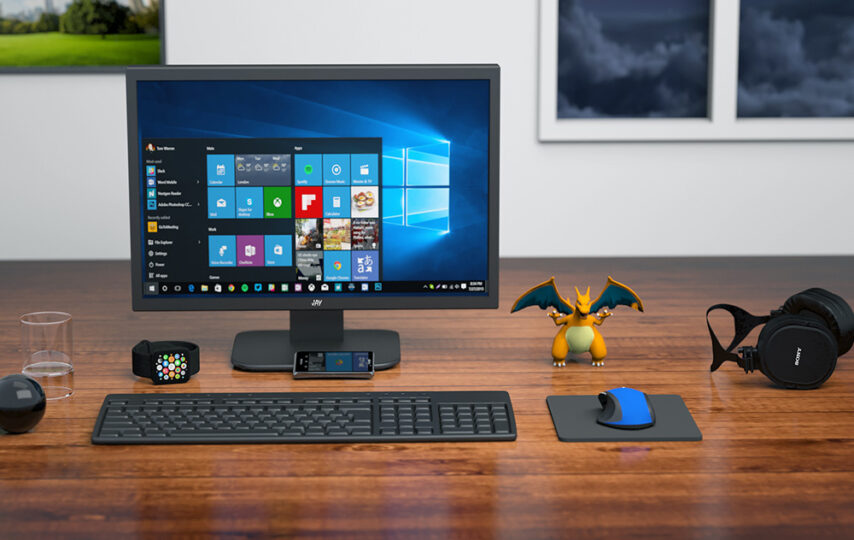
A remote desktop for gaming allows you to control your gaming PC from another computer over the internet or a local network. Instead of running the game on your secondary device, the game runs on your powerful desktop while the video, audio, and controls are streamed in real time.
This approach lets you enjoy demanding PC games even if the device you’re using doesn’t have high-end hardware.
Why Gamers Need Specialized Remote Desktop Software
Traditional remote desktop applications are built for office work, remote support, and business collaboration. They aren’t optimized for fast-moving games where every millisecond matters.
Gaming-focused remote desktop software offers several important advantages, including:
- Lower input latency
- Higher frame rate streaming
- Better image quality
- Controller compatibility
- Keyboard and mouse support
- Optimized network performance
- Stable audio streaming
These features help create a gaming experience that feels much closer to playing directly on your PC.
Key Features to Consider
Choosing the right software requires looking beyond basic remote access capabilities.
Low Latency
Latency determines how quickly your actions appear on screen. Lower latency means smoother gameplay and better responsiveness, especially in competitive games.
High Frame Rates
A quality gaming remote desktop should support smooth frame rates, allowing fast-moving scenes to remain fluid without noticeable stuttering.
Excellent Video Quality
Games should maintain sharp visuals without excessive compression. Adaptive bitrate technology helps preserve image quality even when network conditions fluctuate.
Strong Security
Since you’ll be accessing your personal gaming PC remotely, secure encrypted connections are essential. Reliable platforms protect your data while maintaining stable performance.
Easy Installation
Gamers want to start playing quickly, not spend hours configuring software. A simple installation process makes remote gaming much more accessible.
Benefits of Using a Gaming Remote Desktop
Remote gaming software offers flexibility that traditional gaming setups cannot match.
Some of the biggest benefits include:
- Access your gaming PC from almost anywhere.
- Continue playing while traveling.
- Enjoy your existing game library remotely.
- Eliminate the need for multiple gaming computers.
- Stream high-performance games to lightweight devices.
These advantages make remote desktop software attractive for casual gamers, competitive players, and content creators alike.
Optimizing Your Remote Gaming Experience
Even the best software performs better when your setup is properly optimized.
For the best results:
- Use a wired Ethernet connection whenever possible.
- Maintain a fast and stable internet connection.
- Update graphics drivers regularly.
- Close unnecessary background applications.
- Ensure your gaming PC meets your game’s hardware requirements.
These simple adjustments can significantly improve responsiveness and streaming quality.
Why StarDesk Is Built for Gamers
Unlike many traditional remote desktop applications, StarDesk focuses specifically on delivering a gaming-first experience.
Its features are designed to help gamers enjoy:
- Smooth remote gameplay
- Low input lag
- High-quality video streaming
- Reliable remote connections
- Simple setup and configuration
Whether you’re playing action games, racing simulators, RPGs, or multiplayer titles, StarDesk is designed to deliver responsive performance across supported devices.
Getting Started with StarDesk
Setting up StarDesk is quick and beginner-friendly.
Simply download StarDesk, install it on your gaming PC, complete the initial setup, and connect from your preferred device. Within minutes, you’ll be able to access your gaming library remotely and enjoy smooth, high-quality gameplay wherever you are.
The straightforward installation process means you can spend less time configuring software and more time enjoying your favorite games.
Final Thoughts
As remote gaming continues to grow, choosing software built specifically for gaming becomes increasingly important. While many remote desktop applications exist, only a few deliver the low latency, responsive controls, and high-quality streaming that modern gamers expect.
A dedicated gaming remote desktop solution helps you enjoy your PC games from virtually anywhere without sacrificing performance. If you’re looking for an easy-to-use platform designed with gamers in mind, StarDesk offers an excellent balance of speed, reliability, and convenience for remote gaming in 2026 and beyond.