
A quarterly report arrives with an executive summary, financial tables, charts, and numbered recommendations. Another office needs a translated version it can edit. Copying paragraphs into a text translator leaves someone rebuilding the document and checking whether every caption still matches its chart.
A Word document translator provides a more direct starting point. Doc-Translator.org translates DOCX files and returns an editable DOCX document, helping retain the structure needed for further review. Start with a clean source, then check the translated report’s meaning and layout before sharing it.
Prepare the Version That Is Ready to Translate
Save a copy of the approved report. Give it a clear filename, such as Quarterly_Report_EN_Approved.docx, and keep the original unchanged.
Resolve outstanding edits before translation. Ask the document owner to settle tracked changes and identify whether comments belong in the material being shared. Otherwise, reviewers may spend time correcting wording that was already scheduled for removal.
Check the document’s structure in Word. Open the Navigation Pane to see whether headings form a sensible hierarchy. Turn on paragraph marks to identify repeated spaces, tabs, and blank paragraphs used to position content.
Replace fragile spacing with proper paragraph settings or table alignment. This gives longer translated text more room to flow.
Identify Content That Needs Separate Attention
Scan the report for text outside ordinary paragraphs and table cells. Screenshots, chart labels, text boxes, SmartArt, and embedded objects deserve individual checks.
Click a label to establish whether it is editable text or part of an image. If it is embedded in a screenshot, keep an editable source or prepare a replacement image for the target language.
Create a short terminology reference for the reviewer. Include product names, department names, financial terms, abbreviations, and any wording that must remain unchanged. Use the reference during review; do not assume the translation service imports or enforces it automatically.
Translate the DOCX File
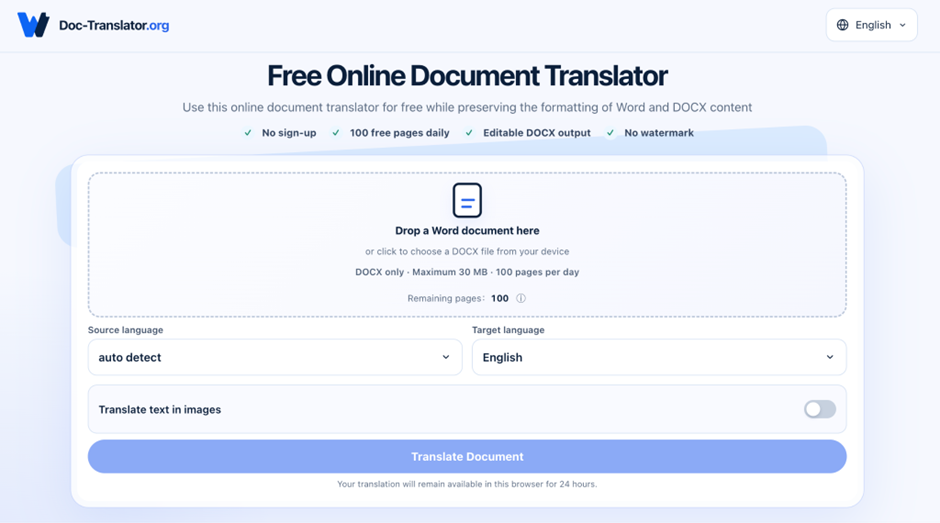
Doc-Translator.org accepts DOCX files up to 30 MB and offers a free allowance of 100 pages per day. Users can choose the source language or use automatic detection, select the target language, and download an editable DOCX result.
Upload the approved working copy and check the language selections before starting. For a report containing several languages, identify the main source language and flag other passages for separate review.
Save the downloaded result under a distinct filename, such as Quarterly_Report_FR_Review.docx. Keep the source and translation together so reviewers can compare them without searching through email attachments.
For confidential reports, confirm that uploading is permitted under your organization’s rules before submitting the file.
Review Meaning and Structure Together
Open both documents side by side. Work section by section so each statement stays connected to its table, chart, or qualification.
Use one review record to capture problems:
| Report element | What to verify | Example requiring correction |
| Executive summary | Scope and strength of claims | “Expected growth” becomes a confirmed result |
| Financial table | Currency, units, signs, and row labels | A negative value loses its minus sign |
| Recommendation | Action, owner, and timing | A suggested action reads as a requirement |
| Chart and caption | Correct association and terminology | The caption describes another region |
| Footnote | Qualification remains attached | A reporting-period exception is omitted |
Review figures directly against the source. Familiar-looking numbers are easy to overlook, especially when decimal and thousands separators differ between languages.
Have a reviewer fluent in the target language check the wording. The report owner should confirm business meaning, particularly forecasts, conditions, and technical terms.
Fix Layout After the Wording Is Stable
Complete language corrections before fine-tuning page breaks. A revised sentence can change the length of a paragraph and move everything below it.
For a table that exceeds the page width, try Word’s AutoFit options, then adjust individual columns. Give descriptive text more space while keeping numerical columns readable. Check that headings repeat correctly when a table continues onto another page.
If a heading sits alone at the bottom of a page, inspect its “Keep with next” setting. Remove unnecessary manual breaks before adding new ones.
Check the font’s support for the target language. If characters are missing, apply an approved font with suitable coverage. Avoid shrinking the entire report to reproduce the original page count; preserve readable text and logical sections.
Test Whether the Result Remains Editable
Make a small edit in a copy of the translated file. Add a sentence, expand a table description, and insert a list item.
Watch how the surrounding content moves. Paragraphs should flow, table rows should expand predictably, and numbering should continue correctly.
If a particular object behaves poorly, repair or rebuild that section in Word. A heavily designed page may be easier to update in its original authoring file. Keep the corrected DOCX as the working source for later revisions.
Approve and Share the Correct Version
Export a review PDF from the translated Word file. Inspect the first page, dense tables, image-heavy sections, and the final page for clipping or unexpected gaps.
Before release, confirm that:
- Names, figures, units, and terminology match the approved source.
- Captions, footnotes, and references identify the intended content.
- Text inside images and special objects has been addressed.
- The DOCX remains practical to edit.
- The filename identifies the language, version, and approval status.
Save the approved DOCX and its distribution PDF together. Record who approved the translation and which source version it follows. Future updates can then begin with a known pair of files.
FAQ
Which files does Doc-Translator.org accept?
It accepts DOCX files up to 30 MB. The current free allowance is 100 pages per day.
Can it detect the source language?
Users can choose the source language manually or use automatic detection. Check the selection before processing a mixed-language document.
Is the translated document editable?
The service returns a DOCX file. Test paragraphs, tables, and other important elements before adopting it as a reusable working document.
Will text inside screenshots be translated?
Do not assume it will be. Check image-based text separately and prepare localized replacements where needed.
A Reliable Translation Needs a Final Human Check
Translating a Word report gives teams an editable starting point. Before sharing it, a fluent reviewer should check the wording, while the report owner verifies figures, qualifications, and recommendations against the source. A final layout check then confirms that tables, captions, and footnotes remain clear and connected. Keep the approved translation alongside its source so future revisions begin with a verified version.