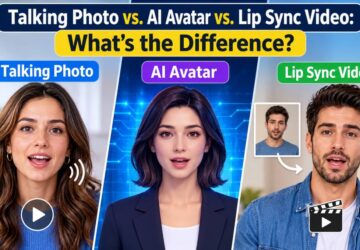
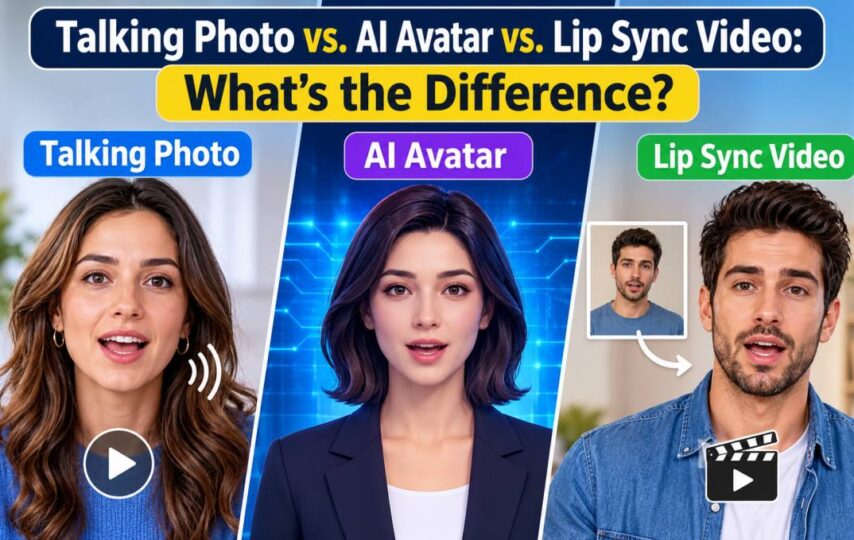

Search for a way to make a person speak on screen with AI and you will encounter several overlapping terms: talking photo, AI avatar, and lip sync video.
They sound similar because the workflows share some technology. Each can involve a face and an audio track. The practical difference is usually the material you start with and what you want the finished video to do.
A talking photo starts with a still image. An AI avatar is a broader type of digital presenter or character. A lip sync workflow may start with an existing video and match the visible mouth movement to audio.
Understanding those differences can save time before you choose a tool or prepare a script.
Talking Photo vs. AI Avatar vs. Lip Sync: A Quick Comparison
| Format | Typical starting material | Result | Common use |
| Talking photo | A still image and audio | A face in the image appears to speak or sing | Greetings, character content, short explanations |
| AI avatar video | A digital presenter and a script or audio | A presenter delivers a message | Training, product videos, social content |
| Lip sync video | Existing video and an audio track | The speaker’s mouth follows the audio | Matching new audio to existing footage |
These categories overlap. A talking photo can become an AI avatar video if the animated person serves as a presenter. Lip sync may be part of the process that makes a photo speak.
The useful question is: What do you already have, and what do you want the audience to see?
What Is a Talking Photo?
A talking photo is a still image animated to appear as though the person, character, or animal in it is speaking or singing.
The source could be a portrait, an illustration, or a character design. The creator supplies a script, recording, or song, depending on the available tool. The system generates facial movement to accompany the audio.
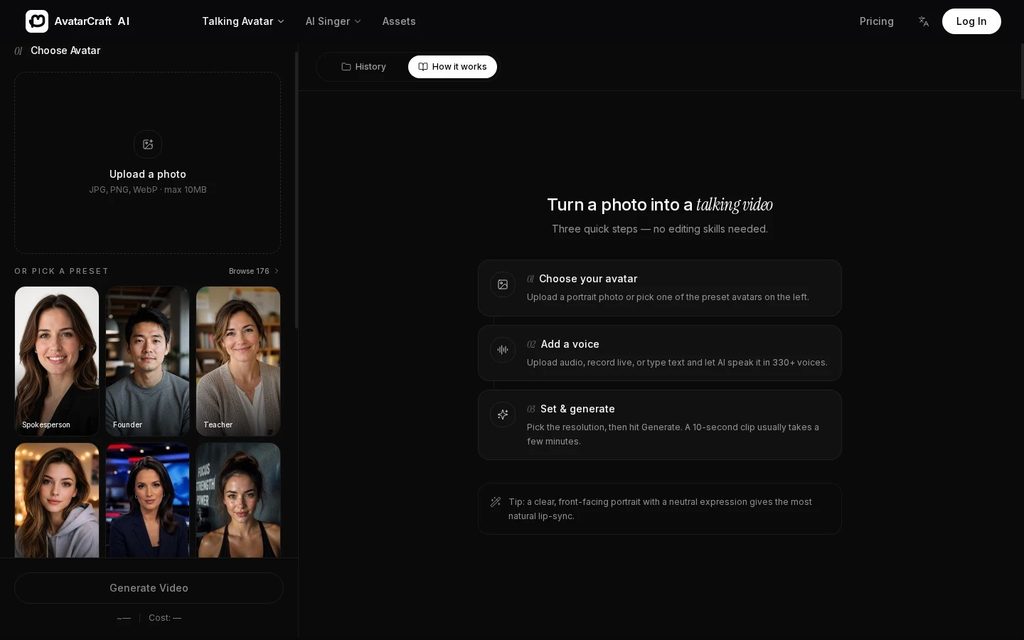
Talking photo creator.
This format can be useful when a creator has a visual identity but no video footage. An illustrated character might introduce a story, or a portrait could deliver a short announcement.
The source image affects the result. A clear face and an unobstructed mouth give the tool a better starting point. A crowded photo with several small faces may be harder to use, particularly when the platform animates one face at a time.
Talking-photo videos usually focus on the face in the image. If a project needs a character to walk through a scene or demonstrate a physical product, additional footage or another workflow may be needed.
What Is an AI Avatar Video?
An AI avatar video features a digital representation of a person or character. Often, the avatar acts as a presenter: it introduces a topic, delivers a script, or explains a process.
The avatar might come from a preset library, a user-provided photograph, or another type of digital model. Different platforms support different inputs and levels of control, so the term does not describe one fixed production method.
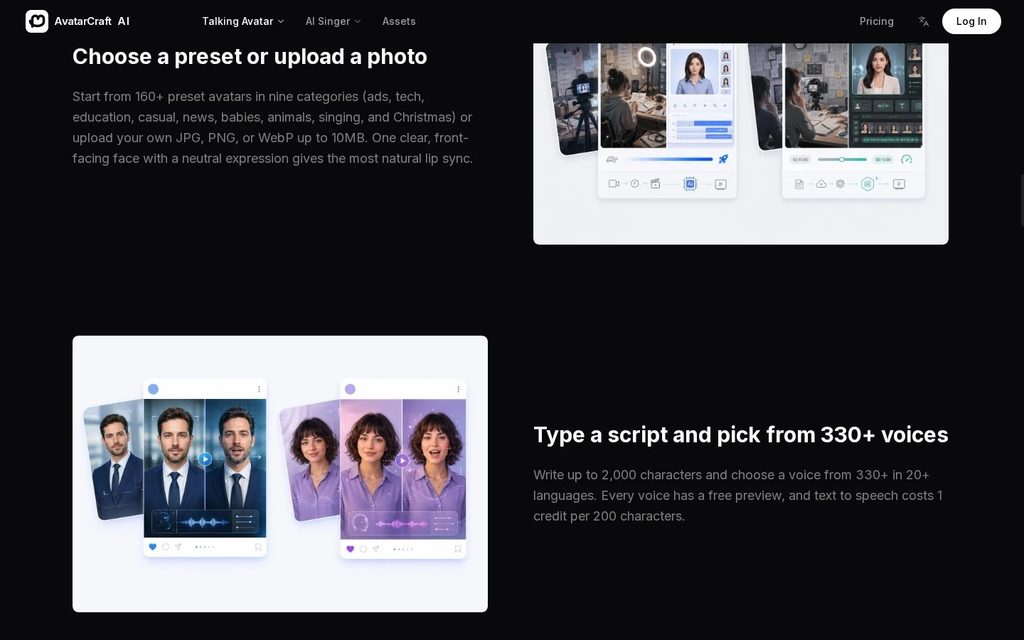
Talking avatar workflow.
An avatar is particularly useful when the presenter’s role matters. A team producing course introductions may want a consistent guide. A product team may need a visual presenter for a brief feature update.
A talking photo can fill that role. At the same time, not every AI avatar begins as one still image, and not every animated photo needs to act as a formal presenter.
When choosing a tool, check the actual workflow: Can you use your own image? Can you upload a recording? How long can the generated clip be? Those details matter more than the category name alone.
What Is an AI Lip Sync Video?
Lip sync is the process of matching visible mouth movement to audio. In an AI video workflow, this can involve an existing clip of a speaker and a new audio track.
Suppose a creator already has footage of a presenter but needs to update a line. A lip sync tool may adjust the mouth movement to fit a new recording while retaining the existing footage as the visual source.
The finished clip still needs review. A new sentence may fit the mouth movement but conflict with the surrounding visuals, captions, or gestures.
Some tools support more than one of these approaches. AvatarCraft AI, for example, describes both a talking-photo workflow and a feature for matching a speaker’s lips in existing video to a supplied audio track.
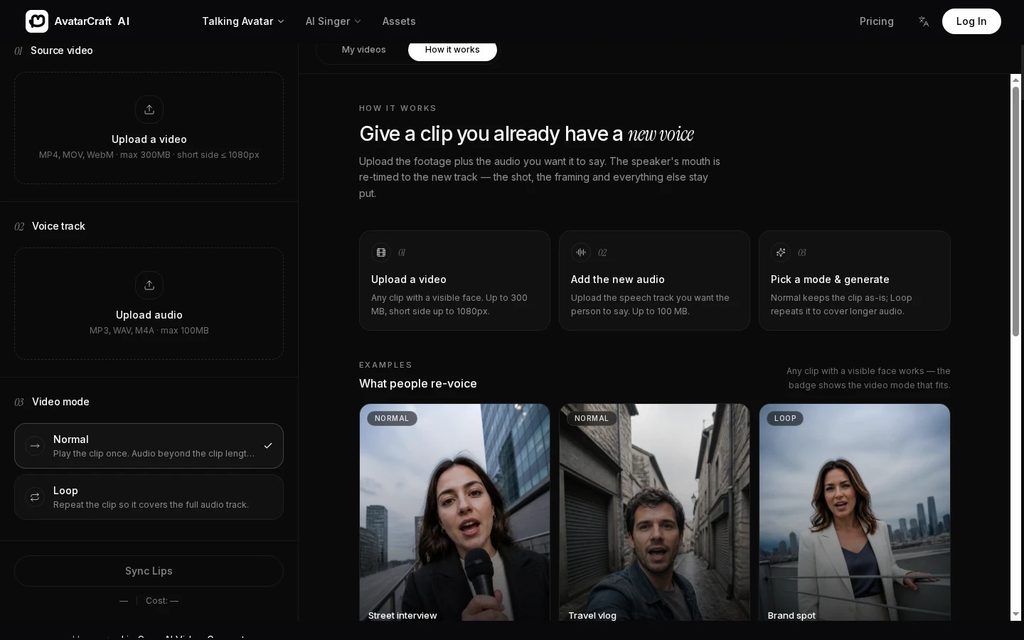
Video lip sync controls.
Does lip sync automatically translate a video?
Not necessarily. Translation, voice generation, and lip sync are separate tasks, even when a platform offers them together.
A creator may need to prepare a translated script, create or record the new voice track, and then match the visible mouth movements to that audio.
AvatarCraft AI states that its lip sync feature works with audio supplied by the user; it does not itself translate or dub the video. A different tool may offer a different combination of features, so it is worth checking before starting.
Which Format Should You Choose?
Choose a talking photo when you have a still image
A talking photo is a practical starting point when the subject already exists as a portrait or illustration.
An educator, for example, could use an existing illustrated character to introduce a lesson. A creator might animate an original character for a short social post.
The image should fit the message, and the face should be clear enough for the tool. If the project also needs diagrams, product footage, or narration over other visuals, those can be added during editing.
Choose an AI avatar when you need a presenter
An avatar is useful when the goal is to give viewers a consistent person or character to follow.
This can work for training introductions, product updates, and brief explainers. The presenter can introduce a subject while actual screenshots or footage provide supporting detail.
Choose lip sync when you already have video
If moving footage exists and the goal is to match it to another audio track, a video lip sync workflow may be the right place to start.
Consider whether the original footage suits the new message. A change to the audio may also require changes to captions, titles, and the surrounding edit.
What Should You Compare Before Choosing a Tool?
Input options
Check whether the platform accepts your materials: a photo, existing video, written script, or audio file. If you plan to use an illustration or pet photo, confirm that the tool supports it.
Voice options
Some projects need a specific recorded voice. Others can use text-to-speech. Check the available voices and pronunciation before creating a series of videos.
Length and resolution
A short social post and a training module have different requirements. Review the maximum duration for each generation, export quality, and any plan restrictions.
Number of speakers
A tool designed around one face may work well for a single presenter but require separate clips for dialogue. Confirm the supported workflow before writing a scene involving several people.
Usage rights
Make sure the images, recordings, and music can be used for the intended project. Commercial use may also depend on the platform’s subscription terms.
A Simple Example: Turning a Portrait Into a Product Update
Imagine a creator has a portrait and wants to explain a software update. This is a planning example, not a description of a specific campaign.
The portrait becomes the starting point for a talking photo. A short script introduces the change, and a voice track supplies the words. After generating the clip, the creator adds a screen recording showing the updated feature.
In this project, the portrait is a talking photo, the animated person acts as an AI avatar, and lip sync is part of the speech animation. The terms describe different parts of the same workflow.
Frequently Asked Questions
Is a talking photo an AI avatar?
It can be. An animated photo may serve as an AI avatar when it acts as a presenter or character.
Can I add new audio to an existing video?
Some lip sync tools support this. Check the input requirements and review whether the finished video matches the new audio.
Does lip sync create translated audio?
Lip sync and translation are separate functions. Some products combine them, but others require the user to provide translated audio.
Can an illustrated character become a talking photo?
Some platforms support illustrations and cartoon characters. A clear face and visible mouth provide a useful starting point.
Which format works best for product explainers?
An avatar can introduce and explain the topic, while product screenshots or screen recordings show how the feature works. The best combination depends on the materials already available.
Start with the source material: a photo, an avatar, or a video. Once the starting point and intended result are clear, choosing the right workflow becomes much easier.