

The right background music can give a video energy, help establish a mood, or make a transition feel more natural. Finding that music can take time, particularly when a track sounds good on its own but competes with narration once it is placed under the video.
AI music generators give creators another way to explore options. You describe the type of music you need, listen to the results, and decide whether any of them fit the footage. A clear description of the video and its purpose is often more useful than a vague request for “good background music.”
The process starts with a clear description of the music you need. From there, you can compare the results and listen to the strongest option alongside your footage.
Can You Make Background Music for Videos With AI?
Yes. An AI music generator can create a candidate track based on a written description. You can describe the mood, genre, instruments, and energy level, and choose an instrumental track if you do not want vocals.
The generated music still needs to be evaluated in context. A track that sounds appealing through headphones may be too busy beneath an interview, too energetic for a quiet scene, or too short for the finished edit.
The goal is not simply to generate a song. It is to find music that supports what viewers are seeing and hearing.
Decide What the Video Needs
Before writing a prompt, spend a moment looking at the video itself. The same scene can feel very different depending on the music underneath it.
Ask yourself:
- What should the viewer feel?
- Is the music meant to lead the scene or sit behind a voice?
- Is the footage fast-paced, slow, or a mixture of both?
- Are there important sounds, such as cooking, footsteps, or conversation, that should remain audible?
- How long does the music need to play?
A travel montage might benefit from a track with movement and a sense of anticipation. A product walkthrough may need something more restrained, especially if the viewer needs to concentrate on the explanation.
You do not need to know formal music terminology. Describing the purpose and mood in ordinary language is a reasonable place to start.
Write a Prompt That Describes the Music
A practical prompt can include six elements:
Video purpose + mood + style + instruments + pace + vocal preference
For example:
Create a warm instrumental track for a travel video, with acoustic guitar, light percussion, and a relaxed but uplifting pace.
This gives the generator more direction than “travel music” without trying to control every detail. You can adjust one or two elements if the result is too slow, too busy, or too dramatic.
Here are a few starting points for different projects:
| Video type | Example prompt |
| Travel montage | “An uplifting instrumental with acoustic guitar, light percussion, and a sense of discovery.” |
| Product introduction | “A clean, modern electronic instrumental with a steady rhythm and a calm, confident mood.” |
| Cooking video | “A relaxed jazz-inspired instrumental with soft piano and gentle drums, suitable for a home cooking video.” |
| Podcast intro | “A short, upbeat instrumental intro with a clear rhythm and a friendly, conversational feel.” |
These are starting points. Change the wording to match your own footage and listen carefully to what the tool produces.
Choose Instrumental Music When You Need Space for a Voice
Vocals can make a track memorable, but they can also draw attention away from narration. If your video includes an interview, tutorial, or voiceover, an instrumental track is often easier to place underneath it.
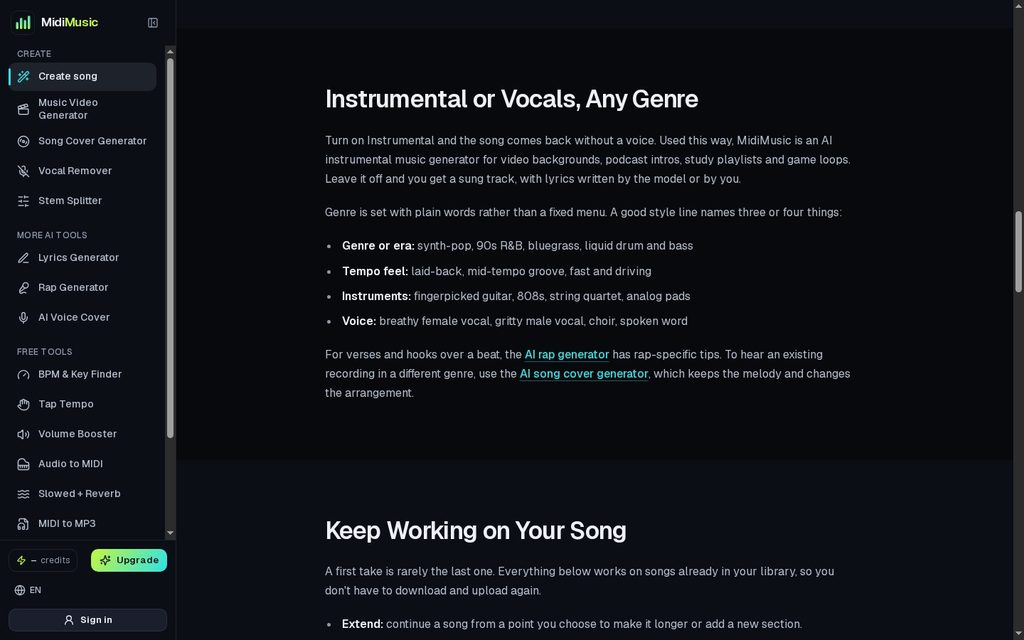
MidiMusic AI instrumental and vocal options.
That does not mean every instrumental will work. A busy piano melody or a prominent synthesizer can still compete with speech. Listen for the parts of the track that stand out and consider whether they distract from the information being presented.
If a generated song has vocals you do not need, a vocal removal tool may provide an accompaniment track. Listen to the separated audio before using it, since traces of the vocal or other artifacts can remain.
Generate More Than One Option and Compare Them
Once you have a prompt, enter it into an AI music generator and listen to the available results. MidiMusic AI supports text-based song creation and offers an instrumental option, so you can describe the mood and instruments you want without adding vocals to a video that already has narration.
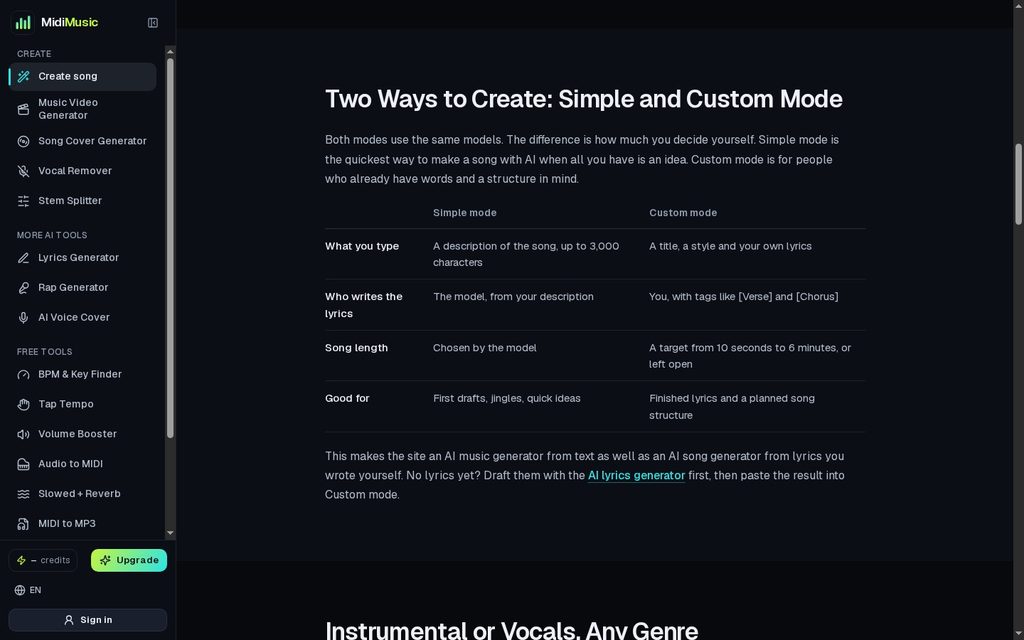
MidiMusic AI song generator: enter a description or choose a custom workflow.
A single result can give you a sense of direction, but it may not tell you whether a better fit is available. Listen to the available versions and compare them against the video’s needs.
Pay particular attention to:
- The opening: Does the track fit the first few seconds?
- The rhythm: Does it support the pace of the footage?
- The mood: Does it feel appropriate for the subject?
- The arrangement: Are any instruments too prominent beneath the voice?
- The ending: Can the track finish naturally where your video ends?
If the result is close but not quite right, change the prompt with a specific purpose. Instead of adding several new instructions at once, you might request softer percussion or a slower pace and see whether that addresses the problem.
Test the Music Inside Your Video Editor
The most useful listening test happens with the picture and voice in place. Import the track into your video editor, add it to the timeline, and play the video from beginning to end.
A few details are easy to miss when listening to music alone:
- The beat may clash with a cut or transition.
- A loud musical passage may cover an important sentence.
- The mood may shift at a moment when the visual story does not.
- The track may end too suddenly.
- Music may mask natural sounds you wanted viewers to hear.
Adjust the music level while listening to the complete edit. If the video contains speech, check whether the words remain easy to understand throughout, including during louder parts of the track.
For a longer video, you may be able to extend the generated music or edit a suitable section in your video software. In either case, listen to the transition rather than assuming the join will be seamless.
Match the Music to the Type of Content
Different videos put different demands on a soundtrack.
| Video | Music can help by | Watch out for |
| Travel montage | Adding movement and supporting changes in scenery | A rhythm that feels too fast or slow for the edit |
| Product demonstration | Giving the presentation a consistent mood | Music that distracts from instructions or features |
| Cooking video | Creating a warm atmosphere | A track that covers useful kitchen sounds |
| Talking-head video | Adding energy around the introduction or transitions | Melodies or vocals competing with speech |
| Podcast intro | Establishing a recognizable opening | Music that runs too long before the conversation starts |
These are guidelines, not fixed rules. A quiet travel film may need restrained music, while a fast cooking montage may call for a stronger beat. The footage should make the final decision.
Check Usage Terms Before Publishing
Before using a generated track in a published video, review the terms that apply to the service and the plan under which the music was created. A track used in a personal video may raise different questions from one used in a monetized channel or a client campaign.
If your workflow includes uploading existing music, lyrics, or a voice recording, check that you have the necessary rights or permission to use that material. Keep the relevant project information so you can refer back to it if questions arise later.
Frequently Asked Questions
Can I make instrumental music for a YouTube video with AI?
Yes. Some AI music generators offer an instrumental setting and allow you to describe the style you want. Check the service’s terms before using the track in a published or monetized video.
How detailed should an AI music prompt be?
Include enough detail to communicate the purpose, mood, style, and instruments you want. Start with a clear description and refine it based on what you hear.
Should background music be quieter than the voiceover?
The voice should remain easy to understand. The exact level depends on the recording and the music, so listen to the full video and adjust where needed.
Can I make the track longer?
Some platforms offer a song extension feature. You can also edit music in a video or audio editor, but you should listen for abrupt changes or awkward transitions.
Can I use the same AI-generated track in client projects?
That depends on the terms attached to the service and your plan. Check whether your specific client use is permitted before delivering the project.