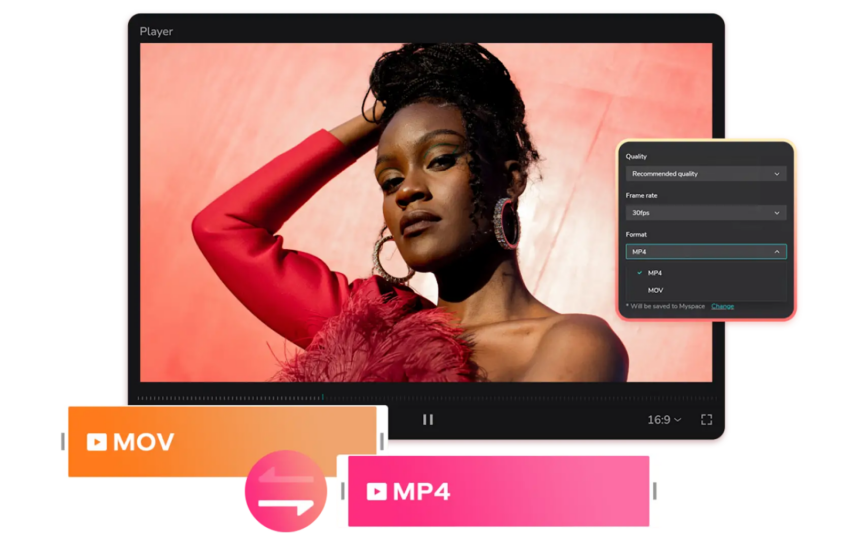

If you work with digital content long enough, you quickly realize that creating something is only half the job. The other half is making sure people can actually use it. A video that looks great on your computer might not play properly on someone else’s phone. A well-written article might never reach part of your audience simply because they prefer listening instead of reading.
This is why many creators look for practical tools that help them adapt their content. Two common needs come up again and again: finding a simple way to convert mov to mp4 and using text to speech to turn written material into audio. These aren’t advanced tricks reserved for professionals. They’re everyday solutions that help content travel further and work better.
Why Video Format Compatibility Still Matters
MOV Files in Real-World Use
MOV files are popular for a reason. They are often used by Apple devices and professional video editors because they support high quality visuals and detailed audio. The problem appears when you try to share them. Some websites load MOV files slowly, while others don’t support them at all. Sending them through messaging apps can also be frustrating due to large file sizes.
In these situations, knowing how to convert mov to mp4 becomes extremely useful. It’s not about downgrading your video, but about making it usable everywhere.
MP4 as the Universal Standard
MP4 has earned its reputation as the most flexible video format available today. It works smoothly on almost all devices, operating systems, and browsers. Videos load faster, upload more easily, and take up less storage. For anyone publishing content online, MP4 is often the safest and smartest choice.
Online Tools That Make Video Conversion Easy
Why People Prefer Online Converters
Online tools have become popular because they remove unnecessary steps. There’s no software to install, no updates to manage, and no technical knowledge required. You upload your file, choose your output format, and let the tool handle the rest. For quick projects or occasional needs, online platforms are often more than enough to convert mov to mp4 without stress.
What to Look for in a Good Tool
Not all online converters offer the same experience. Before choosing one, it helps to check for a few basic qualities:
- Clean interface that’s easy to understand
- No forced watermarks on downloads
- Reasonable upload limits
- Automatic file deletion for privacy
A reliable tool should feel helpful, not restrictive.
Adding Audio to Reach More People
Why Audio Content Keeps Growing
More people than ever are listening instead of reading. Whether they’re commuting, exercising, or multitasking at home, audio fits naturally into daily life. This shift has made voice-based content increasingly valuable.
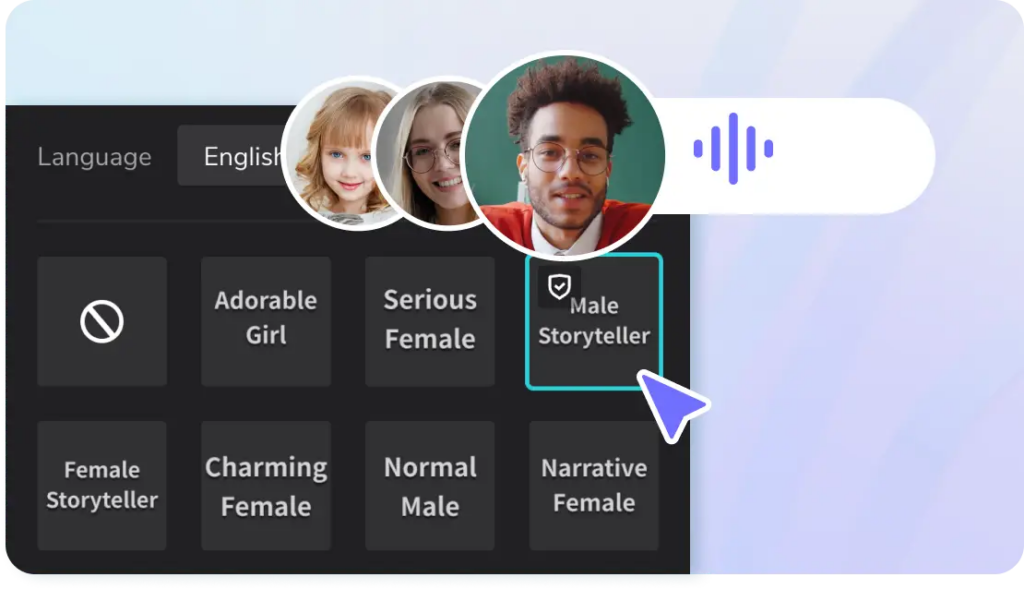
Using text to speech allows creators to adapt quickly. A written script can become an audio guide, a narration track, or a voiceover without setting up microphones or recording studios.
Accessibility Is a Major Advantage
Audio content also supports accessibility. People with visual impairments, reading difficulties, or language barriers benefit from having information spoken aloud. When used thoughtfully, text to speech helps make content more inclusive without adding heavy production costs.
How Video Conversion and Audio Work Together
One Piece of Content, Multiple Formats
A smart workflow often starts with a single video file. After editing, the creator decides to convert mov to mp4 so it can be shared on different platforms. Then, a written explanation or script is transformed into audio using text to speech. Suddenly, one idea exists as video, audio, and text.
This approach saves time and keeps messaging consistent across formats.
Practical Examples You See Every Day
This combined method is already common in many fields:
- Online courses with narrated lessons
- Marketing videos with voice explanations
- Company training materials for remote teams
The tools may be simple, but the results feel polished and professional.
Making Automated Audio Sound Natural
Write as You Speak
One mistake many people make is writing for the screen, not the ear. When preparing content for text to speech, it helps to imagine explaining the idea to a friend. Short sentences, clear wording, and natural pauses make a big difference.
Reading the text out loud before converting it can reveal awkward phrasing that might sound robotic when spoken.
Small Adjustments Matter
Most narration tools allow changes in speed and tone. Slowing the voice slightly can improve clarity, especially for tutorials. A calm, neutral tone often works better than something overly dramatic. These small tweaks help automated audio feel more comfortable and less mechanical.
Common Pitfalls to Watch Out For
Rushing the Conversion Process
It’s tempting to convert files quickly and move on, but skipping basic checks can lead to problems later. Always confirm that your video resolution and audio quality match your needs. A poorly converted file can hurt the credibility of otherwise good content.
Trusting Automation Without Review
While text to speech tools are impressive, they’re not perfect. Names, technical terms, or unusual phrasing can still cause errors. A quick review of the final audio ensures accuracy and professionalism.
Preparing Content for Publishing
Test Before You Share
Before publishing, play your video and audio on different devices. What sounds fine on laptop speakers might feel unbalanced on headphones. Taking a few minutes to test can prevent negative feedback later.
Keep Files Organized
Clear file names and folders save time, especially when working with others. Keeping original files, converted videos, and audio versions separate helps avoid confusion and accidental overwrites.
Using Technology Responsibly
Transparency Builds Trust
When audio narration is automated, honesty matters. Letting your audience know that a voice is generated can build trust rather than reduce it. People generally appreciate clarity, especially in educational or professional settings.
Respect Copyright and Ownership
Always ensure that videos, scripts, and audio are legally yours to use. Ethical content creation protects your reputation and supports long-term success.
Looking Ahead
Digital content keeps evolving, but the need for flexibility stays the same. Knowing how to convert mov to mp4 and when to use text to speech gives creators more control over how their work is experienced.
These tools don’t replace creativity. They support it. When used thoughtfully, they help ideas travel further, reach more people, and adapt to the way audiences consume content today. And in a world full of formats and platforms, that kind of adaptability is no longer optional—it’s essential.