
Gloves change everything about touch. A capacitive screen that feels flawless with bare fingers can become unpredictable the moment you introduce nitrile, leather, thermal insulation, moisture, or even a slightly different grounding condition. That gap between lab performance and real-world use is where most capacitive glove projects either get expensive or get redesigned.
This breakdown explains why glove input is hard for capacitive systems, what actually fails in the field, and how engineering teams can make smarter interface decisions early.
The core problem: Capacitive sensing expects conductivity
Projected capacitive touch screens work by measuring changes in an electrostatic field. A bare finger is conductive, large enough, and close enough to distort that field predictably.
Gloves disrupt one or more of these requirements:
- Conductivity drops because many glove materials insulate
- Distance increases because gloves add thickness
- The contact area becomes inconsistent depending on the glove shape and pressure
- The user may be electrically isolated from ground, weakening the signal path
So the issue is not that capacitive cannot work with gloves. The issue is that it becomes a signal-detection problem with much greater variability.
Why “it works with gloves” is not a single requirement
Teams often treat glove support as a checkbox. In practice, glove conditions are a matrix of variables that stack together.
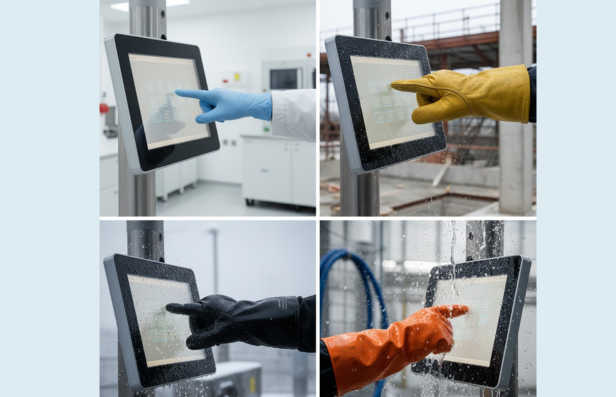
What changes from environment to environment:
- Glove type: nitrile, latex, leather, cut-resistant, thermal, chemical-resistant
- Thickness and compression: how much the material collapses under pressure
- Moisture: humidity, sweat, water droplets, condensation
- Surface contamination: dust, oils, cleaners, powders
- User grounding: insulated footwear, nonconductive flooring, floating equipment
If you do not define glove conditions precisely, you cannot reliably validate a capacitive design.
The glove types that cause the most headaches
These are the usual troublemakers because they reduce capacitance, coupling the most:
- Thick work gloves
- Thermal winter gloves
- Rubber or heavy nitrile gloves are used in washdown or chemical handling
- Cut-resistant gloves with thick fibers
- Multi-layer gloves used for safety compliance
Gloves marketed as “touchscreen compatible” help, but they create their own operational risk: you are now dependent on the end user wearing a specific glove spec consistently.
Where real devices fail: the five recurring field problems
1. You raise sensitivity, then false touches explode
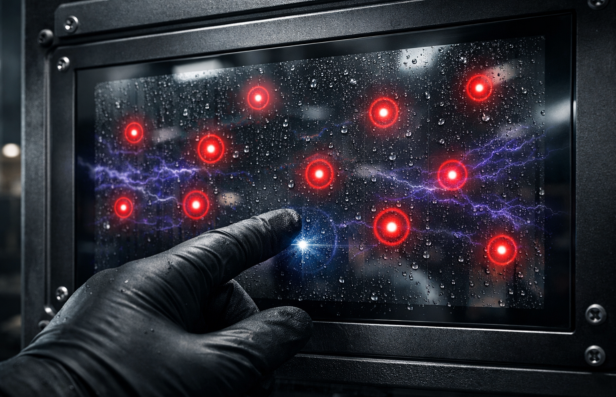
Turning up sensitivity can improve glove detection, but it also increases the chance of noise being interpreted as touch, especially with:
- Water droplets on the surface
- Condensation films
- EMI from motors, drives, relays, and switching supplies
You gain glove response, then lose stability.
2. Touch works in the lab and fails on-site
In controlled testing, grounding is stable, and conditions are clean. On the factory floor or in a mobile unit:
- Ground reference changes
- The user is insulated
- The enclosure geometry alters coupling
- Cable routing introduces noise
Capacitive is highly system-dependent. Glove mode increases that dependency.
3. UI accuracy drops, especially on small targets
Gloves reduce pointing precision and increase “touch blob” size. That forces UI compromises:
- Larger buttons
- More spacing
- Reduced information density
- More screens, more steps, more taps
So even when glove touch registers, usability can still fail.
4. Multi-touch becomes unreliable
Capacitive shines with gestures, but gloves can make multi-touch inconsistent. The controller may struggle to:
- Distinguish two touch points
- Track movement smoothly
- Reject palm contact
- Maintain stable touch IDs
If your workflow depends on gesture input, glove support has to be validated with the exact glove and environment combination.
5. The solution becomes firmware-heavy
To keep glove mode usable, teams add layers of filtering, thresholds, and heuristics. That can introduce:
- Latency
- Missed touches
- Complex tuning across production variance
- More time in validation and support
When these challenges begin stacking together, teams often reassess whether capacitive technology is the right fit for the environment. Our detailed breakdown of when membrane switches outperform capacitive touch interfaces explores where pressure-based systems deliver more predictable performance in demanding conditions.
Practical engineering strategies and the tradeoffs they bring
These are the most common approaches used to improve capacitive touch screens with gloves, along with what they cost you.
- Increase sensitivity: Helps glove touch, increases false touches in wet or noisy conditions
- Require conductive gloves: Improves consistency, creates operational dependency, and user compliance risk
- Increase touch target size: Improves usability, reduces interface density, and forces redesign
- Add environmental filtering: Reduces false touches, can add latency, and reduce responsiveness
- Improve grounding and shielding: Stabilizes performance, increases design complexity, and requires enclosure discipline
None of these is wrong. The mistake is assuming one tweak solves glove support universally.
When teams should seriously consider alternatives
If any of the following are true, capacitive glove mode becomes a risk multiplier:
- Users must wear heavy gloves
- The device is used in washdown or wet environments
- EMI is significant
- Operators need tactile confirmation
- Small UI targets cannot be enlarged
- User conditions vary widely and cannot be controlled
In those scenarios, many teams shift to membrane switches or hybrid interfaces.
In practice, manufacturers such as Butler Technologies, which work across membrane switches, printed electronics, and engineered interface assemblies, often see glove use as a leading indicator that interface decisions should be driven by environment first, not consumer expectations.
Practical Insights
- Glove support is not a feature toggle. It is a signal, grounding, and usability problem.
- Increasing sensitivity helps, but it can create false touches and noise vulnerability.
- UI design must adapt to glove accuracy, not just the sensing layer.
- The environment dictates success more than the touchscreen spec sheet.
FAQs
Why do capacitive touch screens struggle with gloves?
Gloves reduce conductivity and increase distance from the sensor, weakening the capacitance change needed to register touch reliably.
Can capacitive touch screens be tuned to work with gloves?
Yes, but higher sensitivity often increases false touches from moisture, EMI, or environmental noise, and results vary across glove types.
What gloves work best with capacitive touch screens?
Thin gloves or gloves with conductive fibers work best. Thick, insulated, rubber, or chemical-resistant gloves are more likely to cause missed touches.
What is the biggest risk of designing a capacitive glove mode?
Inconsistent performance across users and environments, which increases support burden and can force late-stage UI or hardware redesign.