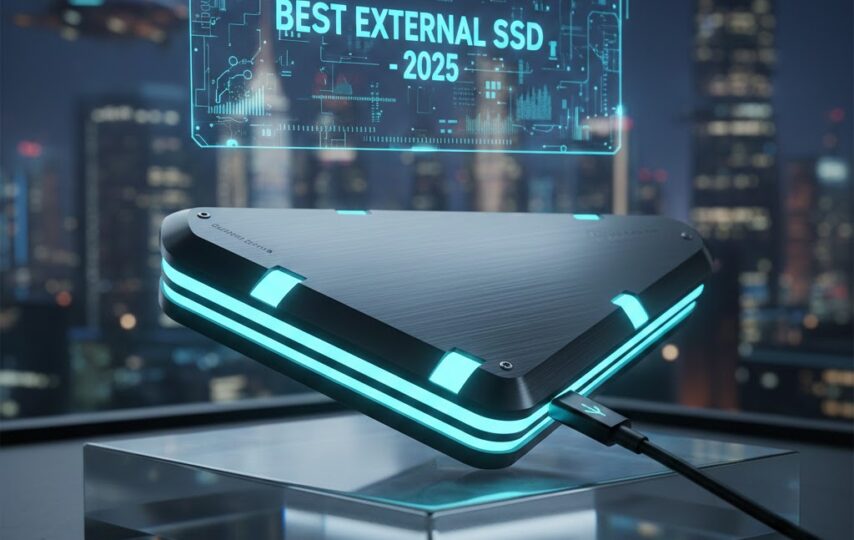

An external ssd is one of the best storage solutions in 2025, offering blazing-fast speeds, durability, and portability that make it ideal for both work and play. With growing demands for faster file transfers, reliable backups, and smoother gaming performance, external SSDs have become a go-to choice for professionals, creators, and gamers alike.
However, with so many models available, choosing the right one can feel overwhelming. In this complete guide, we’ll walk you through everything you need to know about selecting the best external SSD in 2025.
Why Choose an External SSD?
External SSDs provide faster speeds, better portability, and more reliable storage than HDDs. Here’s why an SSD might be the better choice for your storage needs:
- Much Faster Performance
External SSDs are much faster than HDDs. While HDDs usually transfer data at around 160 MB/s, SSDs can easily exceed 500 MB/s, and high-end NVMe SSDs can reach up to 7,000 MB/s. This means faster file transfers, quicker app loading, and smoother overall performance.
- Portable and Durable
HDDs can break if dropped because they have moving parts, but SSDs use solid memory with no moving parts, making them stronger and easier to carry.
- Quiet Operation
SSDs run silently because they have no moving parts, making them perfect for quiet environments.
- More Energy-Efficient
SSDs use less power than HDDs, which helps extend battery life on laptops and other portable devices.
- Cost vs. Value
SSDs are more expensive than HDDs, but their faster speed, durability, and reliability often make them a better long-term investment.
An external SSD is ideal for anyone who wants speed, durability, and efficiency. Whether you’re a professional, a gamer, or need to manage large files quickly, an SSD can greatly improve your workflow and make storage hassle-free.
Key Features to Consider in 2025
- Speed & Performance
NVMe SSDs are much faster than SATA SSDs, enabling quicker file transfers and better performance. Utilizing high-speed interfaces like USB 3.2 Gen 2×2 or Thunderbolt 3/4 ensures top-speed data transfer for demanding tasks.
- Connection Type
USB-C offers broad device compatibility, while Thunderbolt 3/4 delivers ultra-fast speeds for demanding tasks.
- Storage Capacity
○ 500GB–1TB: Perfect for everyday files, documents, and backups.
○ 2TB–4TB: Ideal for professionals handling large media files, such as videos or photos.
- Durability & Design
Look for SSDs that are shockproof, waterproof, and dust-resistant to protect your data. Compact and lightweight models are easy to carry, ideal for travel or everyday use.
- Security Features
Hardware encryption keeps your data safe from unauthorized access, and password protection or self-encryption adds extra security for sensitive files.
- Compatibility
Check that the SSD works with your OS and, for gamers, with consoles like PlayStation or Xbox.
In 2025, the ideal external SSD combines fast performance, ample storage, durability, robust security, and broad compatibility to meet modern storage needs efficiently.
Top 4 Best External SSD Brands & Models in 2025
As of 2025, several brands lead the external SSD market, offering products that focus on speed, durability, and specific user needs. Here’s an overview of the top brands and standout models:
Top 1: ADATA SE920 – Ultra-Fast External SSD
● Capacity: 1TB / 2TB / 4TB
● Interface: USB4 (40Gbps), backward compatible with USB 3.2 and USB 2.0
● Performance:
○ Sequential Read: Up to 3,800 MB/s
○ Sequential Write: Up to 3,700 MB/s (USB4), up to 3,200 MB/s (Thunderbolt 4)
● Operating Systems: Windows 10/11, macOS 13+, Linux Kernel 6+, Android 13+ (may require reformatting)
● Included Accessories: USB4 Type-C to C cable, Quick Start Guide
● Warranty: 5-year limited warranty
The ADATA SE920 is a top-tier external SSD made for professionals, gamers, and content creators. It delivers very fast data transfers, keeps cool during heavy use, works with many devices, and has a sleek, award-winning design.
Top 2: SanDisk Professional PRO-G40
● High-Speed Performance: Up to 3000 MB/s read and 2500 MB/s write via Thunderbolt™ 3; 1050 MB/s read and 1000 MB/s write via USB‑C™.
● Versatile Connectivity: Works with Thunderbolt™ 3 and USB‑C™, including Intel® EVO™ devices.
● Portable & Powerful: Compact design, suitable as a scratch disk for high-resolution editing.
The PRO-G40 combines speed, durability, and versatility, making it perfect for demanding workflows on the go.
Top 3: Samsung External SSD
● Interface: USB 3.2 Gen 2×2 (20 Gbps)
● Capacities: 1TB, 2TB, 4TB
● Size & Weight: 88 x 60 x 14 mm; 122 g
● Transfer Speeds:
○ Sequential Read: Up to 2,000 MB/s
○ Sequential Write: Up to 2,000 MB/s (4TB) and 1,950 MB/s (1TB/2TB)
● Software Management: Samsung Magician (Windows, macOS, Android)
● Warranty: 5-year limited warranty
This Samsung SSD offers fast transfer speeds, solid durability, strong encryption, and versatile software support. Ideal for professionals, students, and gamers needing reliable portable storage.
Top 4: Crucial X10 Pro Portable SSD
● Interface: USB 3.2 Gen 2×2 (20 Gbps)
● Capacity: 1TB
● Form Factor: External, portable
● Performance:
○ Sequential Read: Up to 2,100 MB/s
○ Sequential Write: Up to 2,000 MB/s
● Compatibility: Works with Windows, macOS, and compatible Android devices; supports USB Mass Storage over OTG
● Software Management: Crucial Portable SSD Utility (Windows & macOS)
● Warranty: 5-year limited warranty or until maximum TBW is reached
The Crucial X10 Pro is a portable SSD that’s fast, reliable, and durable, making it great for professionals who need quick transfers and secure storage on the go.
Tips for Maximizing Your External SSD’s Lifespan
- Enable TRIM – Helps your SSD manage unused space efficiently, reducing unnecessary wear. Most modern OSes do this automatically.
- Keep Some Free Space – Avoid filling your SSD. Aim to leave 10–15% free for better performance and longevity.
- Reduce Unnecessary Writes –
○ Turn off Windows indexing.
○ Don’t defragment SSDs.
○ Move temporary files to another drive if possible. - Update Firmware – Keeps your SSD running efficiently, fixes bugs, and adds new features. Always back up data before updating.
- Control Heat – Keep your SSD cool, avoid high temperatures. Ensure built-in cooling works if your SSD has one.
- Use Write Caching – Temporarily stores data in faster memory before writing to the drive, reducing wear.
- Store Large Files Elsewhere – Use SSDs for OS, apps, and frequently accessed files; store big movies, games, or backups on HDDs, external drives, or cloud storage.
- Back Up Regularly – Protect your data with cloud services, external HDDs, or NAS systems in case of drive failure.
Keep your SSD updated, avoid filling it, reduce unnecessary writes, control heat, and back up data to maximize its lifespan.
Future Trends in External SSDs
External SSDs are advancing rapidly with smarter features. Key trends include:
- Bigger Capacities: Drives beyond 8TB to handle 4K/8K media, AI workloads, and large backups.
- Faster Speeds: USB4 and Thunderbolt 5 enable ultra-fast transfers, reducing file transfer times.
- Enhanced Durability & Security: Rugged designs, water/dust resistance, PIN protection, active cooling, and versatile ports.
- AI-Powered File Management: Automatic file organization, tagging, and deduplication streamline workflows and boost productivity.
Future external SSDs will offer greater capacity, faster performance, enhanced security, and intelligent features, making them indispensable for both personal and professional storage.