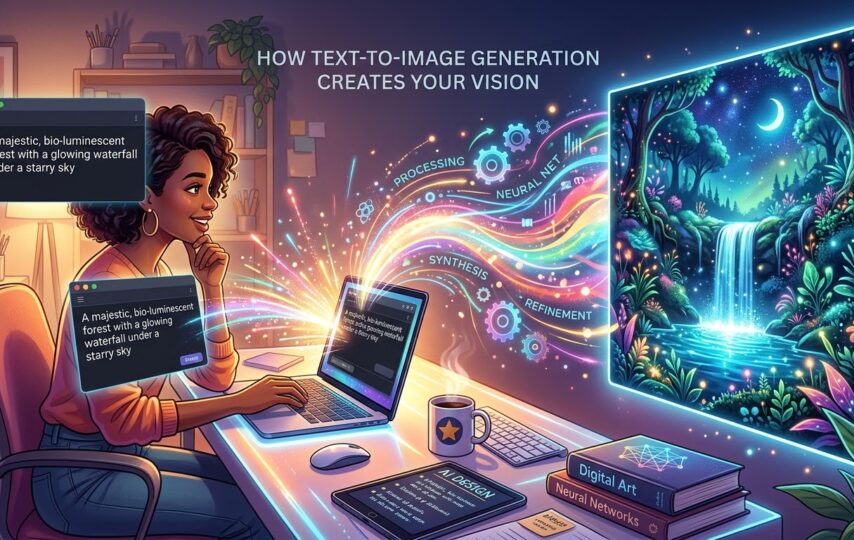

Text to Image generation tools have completely changed the way we use to create visuals in the past. Now, you do not have to follow those long procedures to create graphics using complex tools.
You can do all this in a few seconds, with efficient tools like Oreate AI. No photoshop, no complex tools, just a single prompt. So, keep on reading and in the forthcoming content, we will discuss how you can stunning visuals with a simple prompt. Let’s begin.
From Words to Pictures: What is Text to Image Generation
AI has come a long way now. With diverse capabilities, it has truly transformed the way we work. With OpenAI. Now, you can transform words into visuals. It is a structured process which involves natural language processing (NLP) and advanced technology to perform such tasks. It is a complex process in which you provide AI with a brief description of what kind of image you want to generate.
You basically give a clear and detailed prompt to AI. For example, “ Generate a picture with a river flowing surrounded by rocks and green trees around” or “generate a picture of skyscrapers from the angle of a drone”. Backed by advanced machine learning models trained on millions, it provided a precise image based on the instructions.
With tools like Oreate AI, you can generate images with magnificent visuals for several time consuming tasks, such as:
- Social media posts
- Product mockups
- Blog Illustrations
- Banners
- Art concepts
These tools go through a complex set of steps which help to come up with super reliable models like Oreate AI. The very first training session includes analyzing labeled images. This sets a foundation as it helps AI understand the concept, visuals and the way images can be described.
This is awesome as no one needs to spend hours on making pictures manually. Thus, you can save hours of work while getting better quality.
Before You Generate: How to Write Prompts That Get Great Results
The image you get from the AI interface depends on how well you provide the AI with examples. While it seems simple at first, giving the AI a prompt is not so easy, each prompt informs how the image will be generated. Also to provide the ideal prompt must be very precise, if you provide the wrong detail for a prompt, it may generate an unwanted image. Below are suggestions to help you develop your prompt for the exact images that appear in your mind.
Be Specific
Sometimes, people provide a very generic and simple prompt. You have to understand that what we want to generate is in our mind, AI does not know it yet. That is why you should provide a detailed description of how you want the image to be like.
Don’t be like “ a flower vase” and expect it to give you the most beautiful picture.
Instead, provide something like “ a flower vase on a brown wooden table with red roses and white lilies.”
You can also specify the angles like
- Close up
- Wide angle
- Drone shot
- Eye line
- From Bottom
Mention Style
You can control the entire process of image generation by simply giving free online AI image generators a clear style. You probably have seen images in various styles. Mention what style you want your image to be in while providing the prompt to the AI. Mention whether you want the picture to be in:
- 3D form
- Minimal illustration
- Anime vibe
- Cinematic
- Realism
- Oil Painting
Providing such information makes sure you have defined the visuals clearly. When you specify the style, it makes a huge difference in the outcome.
Add Mood and Lightning
Color and lighting completely change the mood of the image and what it means to convey. It totally transforms the perspective and the vibe. First, understand what vibe and aesthetics you want the image to have, like whether you have an image of your social media anime themed or for your brand, which has soft aesthetics. You can say
“ I want the image to be in blue and pink pastel colors with soft lighting.”
Or
“Juices with bold, orange, red, and yellow colors in a bright tropical environment”
Avoid Unnecessary Things
AI is a mechanical machine and lacks understanding of emotions. This is why you should provide it with clean and well structured prompts. Otherwise, it can get very confusing due to the use of unnecessary sentences. Hence, the result may also be very confusing and not satisfactory.
The best practice is to avoid long explanations. Be specific, but don’t be overwhelmed. This helps AI focus on only what is important, which helps execute the best visuals.
Your Creative Workshop: A Step-by-Step Guide to Using Oreate AI
Oreate AI is very simple but provides high quality visual images. Generating pictures from text with Oreate AI is an effortless process. Here is a step by step guide on how to use Oreate AI for turning text to images.
Step 1: Log In to Oreate AI
Visit the site of Oreate AI, and log in. If you do not have an account, make one. Simply, click on Sign in with Google and it is done.
Step 2: Describe your Image
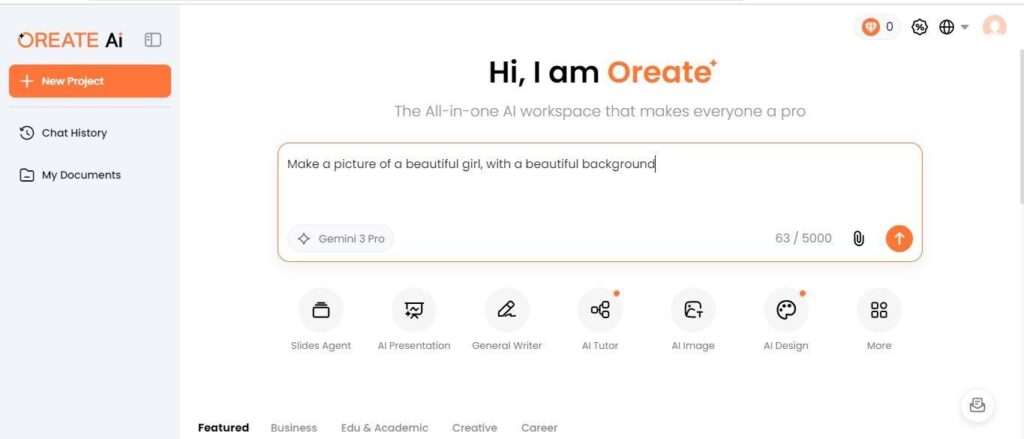
On this website, there is a text bar in front of your face. This bar is going to ask what kind of picture you would like the software to create. While describing the image, make sure you follow all the tips discussed above. Those will help you generate a perfect prompt for the picture so you get your desired and satisfied results.
In case you want to do editing in any already existing picture, upload that using the “Pin” icon present at the bottom right corner of the bar. Once done, click on the submit icon.
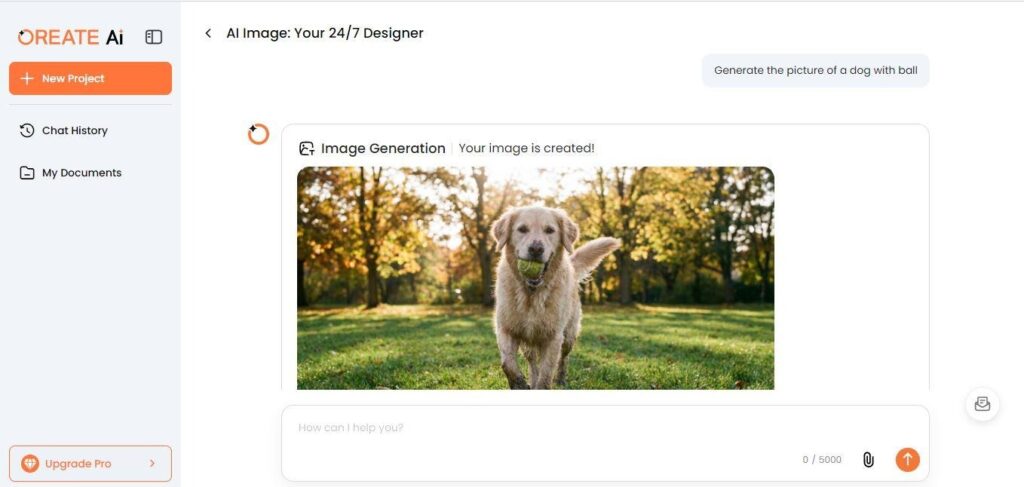
3. Analyze the image
Please bear with me while I process this for you and know that once it’s completed, you must study the complete composition including the main subject (you) and all the other elements to determine if they fit into your vision for this.
4. Adjust of Needed
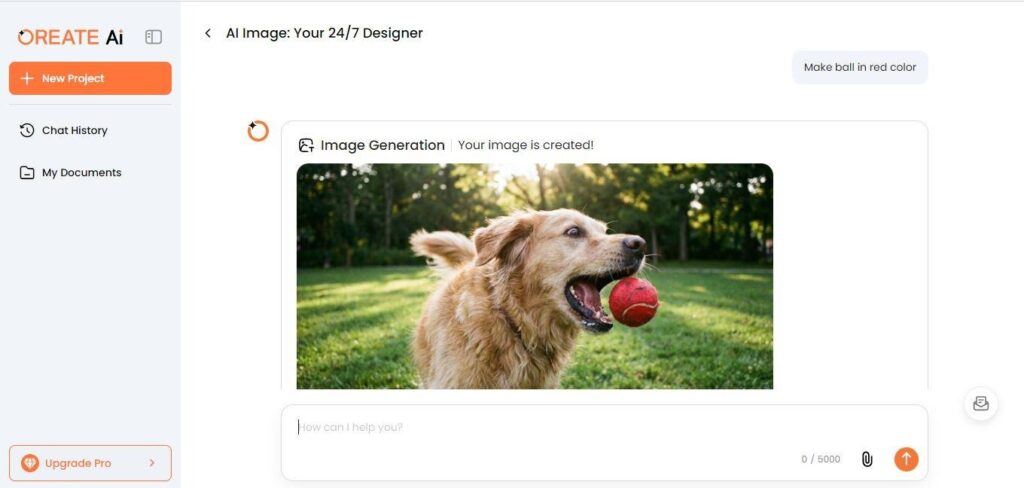
You may witness that the picture generated by AI is not what you wanted or had in mind. That must be because you did not follow the tips above and provided either unnecessary sentences or too generic information. No worries as you can still do the changes and provide a new prompt to fix things you don’t like and want to change.
For example, write “Change background color to blue” or “Change the girl’s hairstyle,” and the software will do all the necessary adjustments for you. If you have provided it with the right prompt, you won’t have to make changes as you will get the best result on your first try.
5. Save and Share
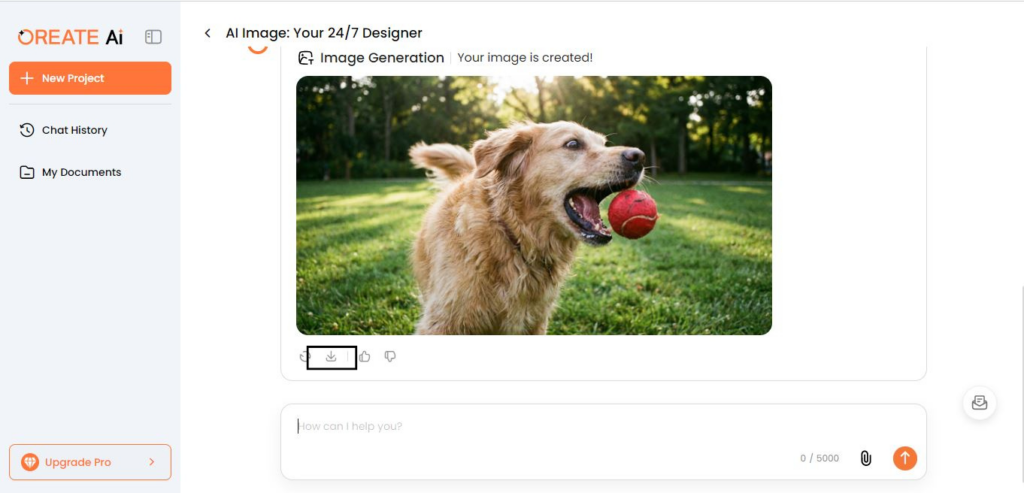
Once you are happy with the final results, witness a download arrow icon at the bottom of the screen. Click on it, select your desired destination in the device, and save your picture. If you want to distribute it right away, you can share this picture via email or any social media platform easily.
Pro Tips for Stunning AI-Generated Images
Creating a picture is only beneficial, if you know how to add aesthetic appeals to it. Here are some effective tips you can count on to generate visually aesthetic images using AI.
1. Be Creative & Clear
Being descriptive while creating an image is very good. But don’t just get overwhelmed and start to share your emotions with unnecessary explanations. it does not mean that you start giving vivid instructions. Remember that the instructions should be super clear, on point and specific.
In the text to image generation, vague prompts like beautiful landscapes can confuse AI to fully understand your intent. Hence, give specific instructions like a blue background with red colored flowers. Try to mention settings, lighting and color specifically.
2. Experiment with Variations
Sometimes, we get scared of trying new things that restricts ourselves to try something that could be actually better. So don’t be afraid of trying different proms with AI. You can generate the same picture just by commanding the AI to change style from anime to water colors and voila, you can see the image from a whole new perspective. Experimenting basically helps to explore unexpected visuals and image styles you might think of.
4. Think Like a Photographer
Thinking like a photographer basically means that you jump into the technicalities. For instance mention the desired camera angles, with soft studio lighting and background explanation.
Conclusion
On the bottom line, text to image creation is no longer difficult. All you need is a text to picture generator like Oreate AI. Just provide a prompt, and it will help you generate a picture as good as real. You can be as precise and as detailed when giving the prompts. Just make sure it is clear and specific.
In addition, find all the other essential information, along with effective tips to enhance the overall appeal of the picture. Hence, make sure to read the whole content from start to end, carefully.