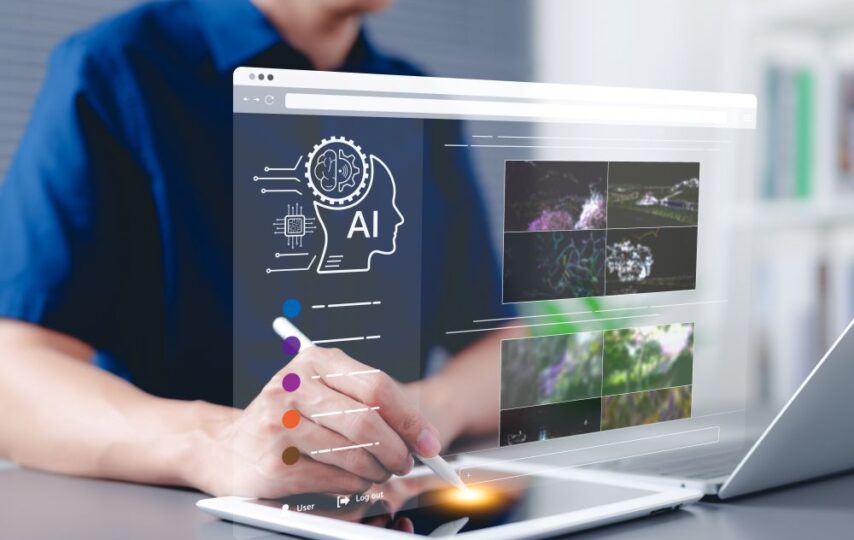

Design used to move only as fast as your hands could. You would sketch, refine, and present, then start the whole loop over again. For decades, that was just the reality of the job.
Today, visual artificial intelligence (AI) is flipping the script. Designers who have actually used these tools are finding that the old way of working no longer makes sense.
The hours you used to lose to resizing files or hunting through endless stock photos are finally disappearing. When that busy work is gone, you’re left with the parts of the job that actually matter.
Here’s a look at how visual AI is changing the design process for the better:
Allows You to Explore Ideas Faster
Getting started is usually the hardest part of design. A blank canvas can feel heavy. AI-powered tools allow you to generate rough layouts, color palettes, and concept art almost immediately. Instead of waiting hours to test a direction, you can see multiple options right away.
An image creation tool like AI-PRO can create drafts in different artistic styles. You can explore a minimal look, then shift to something bold, all within minutes. These may not be finished products, but they’re strong starting points. They help you explore more ideas without stretching your timeline.
This kind of image creation doesn’t remove your role in the process. You’re still choosing what fits the brief and what doesn’t. The difference is speed. You can experiment freely, refine faster, and move forward confidently.
Streamlines Repetitive Tasks
Most of the design work is tedious. You have to resize banners, adjust layouts for different visual formats, and export files. These activities can take up a surprising amount of time. Visual AI tools can handle much of this through automated image processing.
Modern platforms also support object detection and activity recognition, speeding up editing tasks. You can isolate a subject in a photo or track movement in a short clip without outlining everything by hand. An AI-powered image editor can make these adjustments quickly. The only work left to do will be polishing the final result.
There’s progress in document understanding too. This helps when you’re working with complex layouts or scanned materials. You no longer have to rebuild everything from scratch. Simply extract structured content and focus on improving the design itself.
Enables Fast Design Tests
Testing ideas used to take time. You would build a version, present it, collect feedback, then start again. With AI in the mix, that loop can move faster. Real-time intelligence allows you to preview changes as you make them.
Some tools use facial recognition and object detection to evaluate how people might interact with a layout or where attention is likely to land. While they’re not perfect, they offer useful clues. You still decide what feels right, but you’re working with more information.
Content moderation features can also help when it comes to designing for public platforms. AI can scan visuals and flag potential issues before they go live. That extra check can save time and prevent last-minute edits.
Improves Visual Consistency
Colors, spacing, and typography should feel connected across every piece. Visual AI helps support that goal. It can analyze patterns across your files and flag areas that drift from the established look.
These tools can scan large groups of assets and point out mismatched elements using machine learning algorithms. Visual regression features compare current versions with earlier ones to catch unintended changes. This is very useful when several people are contributing to the same project, and small details can easily slip through.
Image annotations add another layer of clarity. Teams can tag elements within designs to track style rules and key decisions. Instead of relying only on memory or lengthy style guides, designers have built-in guidance that keeps everything aligned. Your judgment still leads the process, but the extra support helps reduce avoidable errors.
Enhances Collaboration
Design rarely happens in isolation. Clients, developers, and marketers all play a part. Visual AI can make collaboration smoother. It generates quick drafts and variations that teams can react to right away.
Community models are another interesting development. These shared systems are trained on broader creative input, which can expand the range of ideas available to a team. You can easily rebuild on a foundation shaped by many perspectives.
The user interface is also an important factor. When AI tools are built directly into your workflow, switching between tasks feels natural. You can review suggestions, make edits, and share updates without jumping between multiple platforms. That continuity keeps projects moving.
Prioritizes Creativity

Most designers worry that AI will take over creative work. But it only handles the structured, repeatable tasks while you focus on strategy and storytelling.
AI can assist with visual stories by assembling sequences of images based on themes or keywords. You still choose the direction and refine the narrative. The only difference is that you’re not stuck searching for every single asset.
The same applies to more technical areas like image processing or advanced deep learning systems. These tools support your decisions, not replace them. The creative aspect is still in your hands when you have complete control over what stays and what goes.
Conclusion
Visual AI doesn’t replace the creative process. It clears the path so you can move through it faster. The repetitive work reduces, the feedback loops get shorter, and your best thinking gets more room to breathe.
Designers who embrace these tools are working on what actually matters. The craft is still yours. AI simply helps you protect your time so you can do more of it.