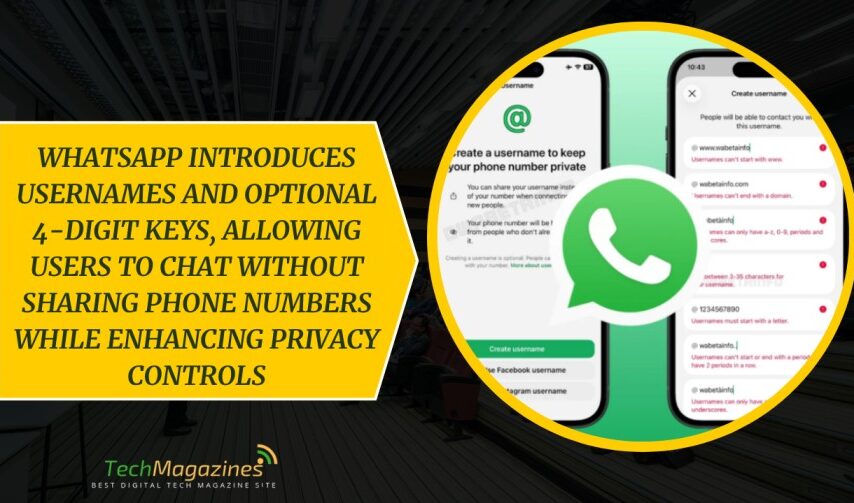

WhatsApp has started to roll out usernames on Android and iOS. Only a small group can use them so far. The change is simple, but it matters. Until now, the app has relied on the phone number. It worked well enough, yet it asked for more than was always needed. To begin a chat, you had to give something personal. There was no other way.
Usernames alter this arrangement. They give you another point of entry. In some cases, that is all one requires. If the feature appears in your settings, you can choose a name and set it in place. Others may search for it and reach you without seeing your number. The process is direct and easy to follow. The rollout is still limited, and it will spread in time. Even so, the intention is clear. It allows contact while keeping a certain distance.
Rules for choosing your username
There are rules to follow. A username must be at least three characters and no more than thirty-five. It must contain a letter. It may use only lowercase letters, numbers, periods, and underscores. Some forms are not allowed. It must not resemble a web address. You cannot begin with “www.” or end with “.com” or “.net.” The aim is plain enough. The name should remain a name, not something else.
Cross-platform ownership and verification
There is also the question of ownership. Meta Platforms ties this system to its other services. If the name you choose already exists on Instagram or Facebook, you may need to prove that it belongs to you. This is done through Accounts Center. If the name is already taken by another, then you must choose again. There is no way around it.
A four-digit username keys for added control
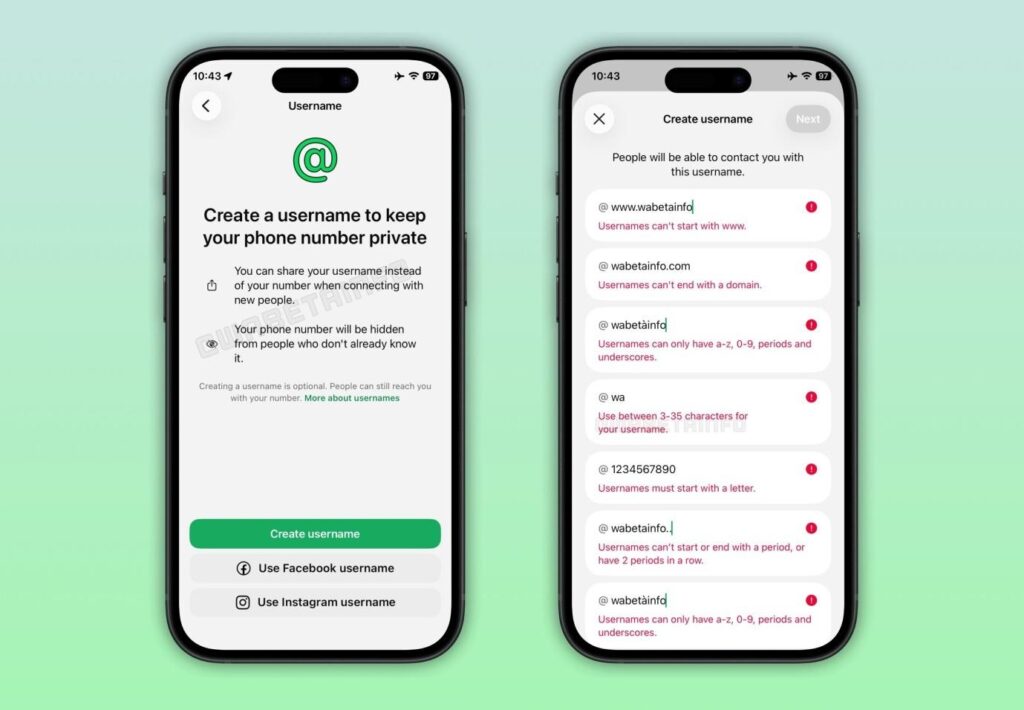
Another feature adds a further check. WhatsApp offers what it calls a username key. It is a simple four-digit code linked to the name. You may leave it off, in which case anyone with your username can reach you. Or you may turn it on. Then both the name and the code are required. It works as a basic filter. You can share the name freely, yet keep some control over who can get through. It proves useful when a name travels farther than intended.
Convenience versus privacy: the trade-offs
Privacy is the greatest benefit. You need not leave out of reach without leaving your number. This puts WhatsApp in the same league as Telegram, which has been using such a system. But there is the other side. When you use the same name on Instagram and Facebook, you connect the two.
That is convenient to some. For others, it defeats the point of keeping things apart. The basic structure does not change. Messages remain protected by end-to-end encryption. Phone numbers continue to work as usual. The new feature just provides an additional route. It can also be helpful to business.
A customer is able to access a brand using only a username. No need to share numbers. This simplifies support and gives a less messy appearance. Meanwhile, privacy-conscious users can adopt an alternate name to their other accounts. It assists in preventing the effortless connections among profiles.
When the option comes, it is prudent to use a name that you are not embarrassed with. The username key can also be enabled to provide additional control. The difference is not significant, yet it does change the atmosphere of the service. It offers more of a feeling of security, and a bit more liberty in the manner of discovery.
Final Words
The shift to usernames at WhatsApp is minor in theory, but it is silently redefining the way individuals consider contact and privacy. Users can now store such a detail instead of giving out a phone number like a business card at every introduction. The username keys addition provides a small yet useful filter, allowing individuals a bit more control over who accesses them. It provides businesses with a cleaner front door, and privacy-conscious users with a buffer between their personal number and the rest of the world.
Naturally, convenience has its strings. Using the same identity on the different platforms can blur the lines, and usernames will not automatically remove unwanted messages. However, the change pushes WhatsApp to a more adaptable framework without shaking its well-known framework. As is typical of WhatsApp, it is not a radical redesign, but a slight tweak, such as moving the furniture instead of the house. Mini step, slight change and maybe one less embarrassing situation of saying, “Wait, I will give you my number.”
FAQs
1. What are WhatsApp usernames, and why do they matter?
Usernames allow individuals to initiate a chat without disclosing their phone numbers, a minor change with enormous social consequences. You can give a name instead of giving out numbers like party favors. It makes communication easy, a little more intimate, and less embarrassing, particularly when you do not want to tell the reason why you still have the same number as in 2014.
2. How do I create a WhatsApp username?
In case the feature is displayed in settings, you can choose a name of three to thirty-five characters. It should contain a letter and can consist of lowercase letters, numbers, periods and underscores. No posing as a site, however, we can rule out “www.coolperson.com.” It seems that WhatsApp favors individuals, not domains.
3. What is a username key, and should I use it?
The key to username is a four-digit number that is associated with your name. Switch it on and anyone attempting to send you a message will require both. Imagine it as a courteous doorman: not too strict, yet sufficient to prevent random bypassers.
4. Will phone numbers stop working on WhatsApp?
No. Numbers aren’t going anywhere. Usernames are merely an addition, not a substitute. It is still possible to send messages to contacts in the old-fashioned manner. WhatsApp has not reinvented the rules, it has simply provided a backdoor. It is all up to you whether you use it or use the main entrance.