
If you work from home, study online, or connect through public Wi-Fi, your personal data may be more exposed than you think. Many remote workers and online students use different devices every day, but weak security measures can put networks, systems, and sensitive information at risk without warning.
Today’s digital workplace depends on safe remote work and secure remote access to keep business continuity strong. From teleworking and at-home office setups to employee training for employers and managers, smart tips, and best practices help improve home cybersecurity, online safety, data protection, organizational security, and threat prevention across the World Wide Web.
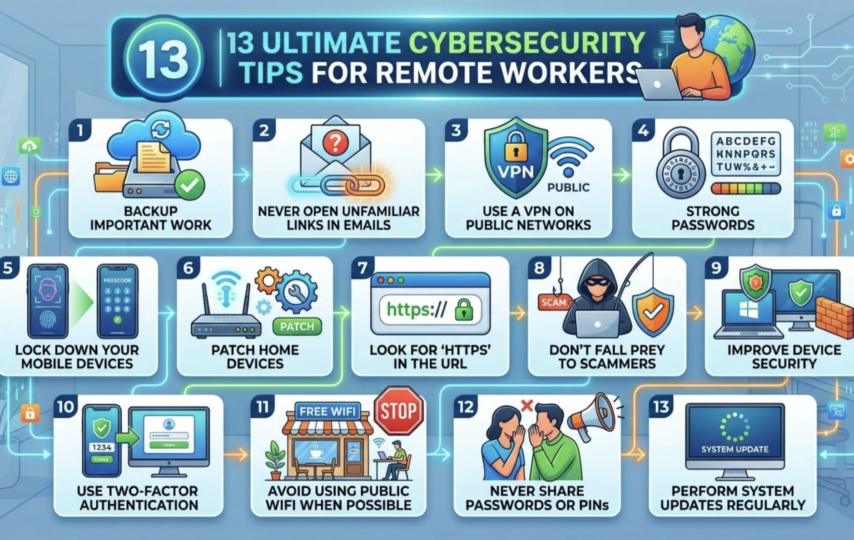
13 Effective Cybersecurity Tips
Strong IT security starts when users understand security measures, follow a smart protection strategy, and reduce cyber risks during daily remote operations. Here are the most common tips as follows.
1. Backup Important Work
Remote workers and online students should protect personal information and work files through daily backups. Important documents can disappear after a computer crash or sudden system issue. Cloud backup services like Microsoft OneDrive help in data preservation, secure storage, file recovery, and document protection for better remote work security and online protection.
2. Never Open Unfamiliar Links in Emails
Hackers often send scam emails and fraudulent messages that copy banks, credit card companies, retailers, Amazon, or Walmart. Avoid suspicious links, use trusted websites for website login, and protect online accounts through secure browsing, strong login credentials, account safety, identity protection, and email security from digital threats and online fraud.
3. Use a VPN on Public Networks
A VPN helps remote workers protect home networks, devices, and home WiFi from attacks on public networks. Strong passwords, gateway security, home routers, email gateways, and security applications also block malicious email attachments and links. Cable operators and internet service providers may also offer free security for better cybersecurity and email filtering.
4. Strong Passwords
Strong passwords improve account protection and keep user accounts safe from easy attacks. Different passwords for every application add better cybersecurity and data protection. A secure password management system or password manager helps store passwords, manage authentication, and protect login information through secure login and password security.
5. Lock Down Your Mobile Devices
Mobile phones, iPads, laptops, tablets, and other mobile devices need strong passwords and a password lock for better digital security. Device security helps protect important, personal information, and home computer data. Screen lock features also reduce data access risks if devices become lost or stolen.
6. Patch Home Devices
Users should check home devices, gaming systems, entertainment systems, and other technology devices for the latest versions of operating systems. Software updates and security patches improve device security and cybersecurity. Regular version check steps also help keep devices safer from online dangers.
7. Look for ‘HTTPS’ in the URL
HTTPS in the URL shows a secure connection between the server and website through Hypertext Transfer Protocol encryption. Secure websites use encoded information and encrypted data to improve online security, data protection, secure login, and website security while blocking eavesdroppers during information transfer on sensitive websites.
8. Don’t Fall Prey to Scammers
Online schemes and fast cash offers often use scam promises, fake returns, and big payouts to trap people. Financial scams and cyber scams may ask for bank account details, routing numbers, or personal banking information for cash deposits. Scam detection, fraud protection, banking security, and financial security help stop online money scams.
9. Improve Device Security
Advanced security solutions such as Endpoint Detection and Recovery (EDR) improve device security, endpoint protection, and cybersecurity for home devices and remote worker devices. Threat detection, malware prevention, infection prevention, and security protection help stop device infections and malware attacks on endpoint devices through better endpoint security solutions.
10. Use Two-Factor Authentication
Two-factor authentication adds an extra security layer for online account protection. Login security improves through user verification, identity verification, phone verification, email verification, and security codes sent to a mobile phone or email account. Secure login and the authentication process help stop unwanted account access, even if someone knows your password.
11. Avoid Using Public WiFi When Possible
Public WiFi brings convenience but increases security risk and vulnerability to MitM attacks or Man-in-the-Middle attacks. Cyber attackers and hackers use malicious hotspots and fake hotspots that look like real-life businesses to collect information and cause data theft. Wireless networks need caution to avoid fraudulent networks and network attacks.
12. Never Share Passwords or PINs
Keep passwords and PINs private and never share them with anyone. Avoid writing a PIN on a credit card because it makes your accounts easy to misuse. Do not reuse the same password for banking and streaming apps like Netflix. Shared accounts with friends or family increase the risk of others seeing or misusing your login details.
13. Perform System Updates Regularly
Those sudden update alerts on your computer or phone can feel annoying, but they should not be ignored. Many of them include important security fixes that block infections and close weak points. Skipping updates can leave your device exposed to attacks and increase the risk of security problems.
Enhance Your Remote Work Security Now
Cybercriminals keep targeting remote workers, and this activity is not slowing down. Companies need to take action by adding strong security steps to protect distributed networks. These steps help keep remote workers safer and reduce risks across corporate systems and connected devices used outside the office.
Conclusion
Remote work safety depends on smart habits and strong digital protection. Using safe networks, strong passwords, regular updates, and tools like VPN and two-factor authentication reduces cyber risks. Avoid scams, public WiFi, and unsafe links to protect data. Simple security steps help keep devices, accounts, and personal information safe every day online.
FAQs
What are the security tips for remote working?
Avoid public Wi-Fi and only use password-protected Wi-Fi for work devices. This will help prevent access from outside and make your data and connection more secure when working online.
How does remote work affect cybersecurity?
Risks of remote working include the fact that security measures are not as robust at home, there are weak home networks, phishing, and leaks of data.
What are the threats of remote working?
One of the biggest risks when working remotely is weakly secured Wi-Fi. If your network is weak, others can get hold of your data. This means that passwords, banking information, and other private information can be stolen.