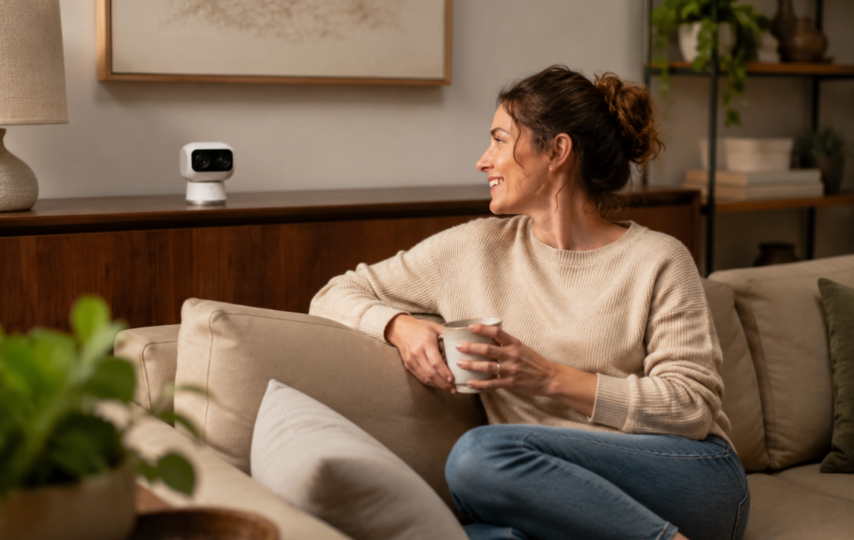

Security cameras inside home sit in a more sensitive place than a porch camera. A front door feed usually catches packages, cars, and visitors. A living room feed may catch a child half-asleep on the sofa, a parent helping an older relative, a pet sitter walking through, or a conversation no one meant to record.
Related homepage: https://antivirus-review.com/
So the privacy question is wider than the live feed. Who has the main account? Who was invited months ago and forgotten? Are clips stored locally, in the cloud, or both? Can the lens visibly turn away when people are home? Those permissions need the same attention as the camera angle.
General guidance only, not legal advice.
An indoor security camera in a cozy home with a smiling woman on the sofa.
Table of Contents
- Start by separating the account owner and shared users
- Give family access without sharing the master login
- Rental homes need stricter privacy boundaries
- Storage location affects who could access recordings
- Privacy mode and activity zones reduce daily exposure
- Conclusion
Start by separating the account owner and shared users
The trouble often starts with one ordinary shortcut. One person sets up the camera, creates the main login, and texts the password to a spouse, an older child, a roommate, or a pet sitter. It solves the problem that day. Three months later, no one is sure whose phone is still signed in or who can still change settings.
A clear account hierarchy helps avoid that mess. The primary administrator should be the person who owns the device, controls settings, and decides who gets access. Shared users should have separate accounts with narrower permissions. Admin rights often reach the most sensitive controls: adding users, removing users, changing WiFi settings, deleting recordings, resetting devices, and sometimes changing storage or subscription choices.
Shared access is closer to a house key than a streaming password. A babysitter who needs the nursery feed for two evenings does not need permanent access to every indoor camera. A teenager checking whether the dog is in the kitchen does not need permission to delete clips. A former roommate should not stay on the list just because the account page is easy to forget.
Reviewing the shared user list a few times a year is dull work. It also catches the exact accounts that tend to linger.
Give family access without sharing the master login
Indoor camera privacy at home gets complicated because access is not always suspicious. A parent may want to check the playroom. A grandparent may need the feed while babysitting. A dog walker may need to confirm that a pet was crated after a visit. Those cases are reasonable. Each one calls for different permissions.
The permission should match the task. If the system allows camera-by-camera or time-based access, use it. A sitter might need the nursery camera during a scheduled window, while a dog walker may only need the entryway or kitchen. Temporary helpers should be removed when the arrangement ends, not during the next seasonal cleanup.
Passwords deserve the same restraint. The account owner should use a unique password and two-factor authentication. Family members should use their own logins where the platform supports it. If a shared user’s phone is lost, removing that one account is much easier than rebuilding the entire camera setup.
There is a household etiquette issue, too. A camera in a common space should not quietly become a way to check on family members throughout the day. If the camera is mainly for nighttime security or empty-house monitoring, scheduling and home modes can keep normal afternoons from being recorded.
Rental homes need stricter privacy boundaries
Rental properties deserve a separate pause. Rules vary by state, city, and platform, so this is not legal advice. The broad privacy principle is still hard to miss. People expect privacy inside living spaces.
For short-term rentals, major platforms have moved toward strict limits or bans on indoor cameras, including in common areas. A guest should not have to inspect the living room, hallway, or kitchen and wonder whether a camera is active. Outdoor cameras, doorbell cameras, and driveway cameras may be allowed when properly disclosed. Indoor surveillance sits in a different category.
Long-term rentals have their own version of the same problem. A landlord generally should not operate active cameras inside a tenant’s private unit. A camera inside a kitchen or living room is not the same as a building entrance camera in a shared lobby.
Tenants installing their own security cameras inside a rental unit should check the lease before drilling, mounting hardware, or aiming a device toward shared areas. A camera pointed at the inside of your own front door may be reasonable. A camera that captures another tenant’s door, a shared hallway, or a common laundry room can become a source of dispute quickly.
When in doubt, disclose more and record less.
Storage location affects who could access recordings
After the lens captures video, the next privacy question is where that video travels. Cloud storage, local storage, and hybrid settings create different access paths, and many households never check which one is active.
With a cloud-based setup, clips may be uploaded to remote servers for app playback and travel access. That convenience brings outside dependencies into the privacy model: account security, company security practices, and the cloud features you choose to turn on. If cloud backup or thumbnail notifications are enabled, selected video data may leave the home as part of those features.
Local storage keeps more of the system inside the home. Depending on the camera, recordings may sit on a microSD card, a HomeBase, or another local hub. It is not a cure-all. A stolen device, weak account password, or unsecured phone can still expose footage. It does, however, reduce dependence on remote storage for ordinary recording.
The right storage choice changes by room. A front entry camera may benefit from remote clips. A nursery or living room camera may call for a local-first setup, shorter retention time, or no recording when people are home.
Indoor privacy is rarely about one setting. It is the combination of storage, permissions, notifications, and placement. When you compare how recordings are stored and who can open them, the eufy indoor security camera collection groups indoor models by local, cloud, and hybrid options.
Privacy mode and activity zones reduce daily exposure
Even with a secure account, a lens pointed at the couch can still feel wrong. That reaction is not irrational. A private room needs something more convincing than a software switch buried three menus deep.
Privacy mode helps because it gives people a visible cue. On some pan and tilt indoor cameras, the lens turns away, faces a wall, or moves to a preset position when privacy mode is enabled. A lens that physically looks away is easier to trust than an on-screen toggle while the glass is still facing the sofa.
Activity zones handle a different kind of exposure. A camera may need to watch a back door, not the hallway beside a bathroom. It may need to notice motion near a pet crate while ignoring the sofa where people sit every evening. Drawing zones, lowering sensitivity, and turning off unneeded alerts narrows what gets flagged or saved.
For security cameras inside home, less coverage is sometimes the better design. A tight view of the entry door may be both more respectful and more useful than a wide view of the entire living room.
When comparing indoor cameras, the privacy controls deserve as much attention as image quality. In a nursery or living room where people are home during the day, the eufy Indoor Cam S350 can turn the lens away when you enable privacy mode so recording pauses. Activity zones let you limit alerts to a doorway or crib area instead of the whole space. Clips can stay on a local microSD card rather than relying on cloud upload for every review, which matters when you decide who else can open the timeline later.
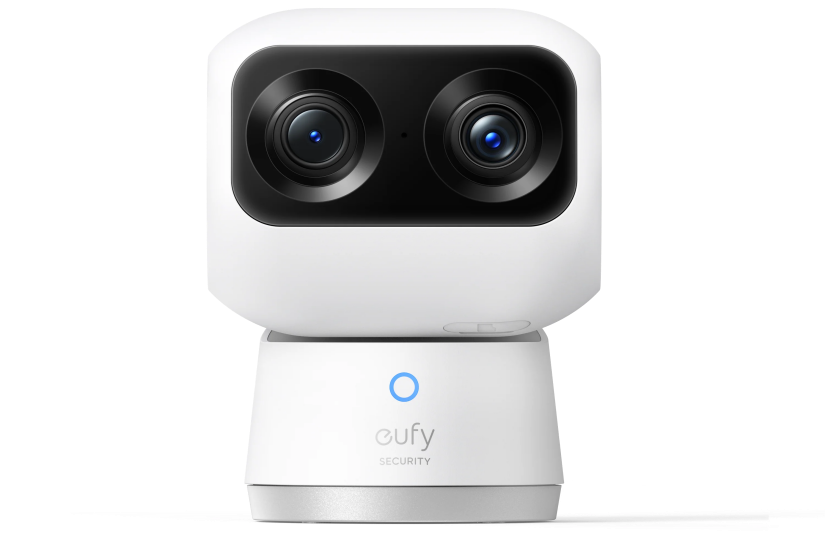
eufy Indoor Cam S350
Conclusion
The people who can see your indoor camera feed are not limited to those who are standing in the room. Access can come through the primary account, shared users, old phones, cloud settings, local storage, and rental arrangements that no one has reviewed in a while.
A safer setup is mostly boundary work. Keep the admin account private. Invite users separately. Remove access when the need is gone. Put cameras only where monitoring is justified, and use privacy mode or tighter zones in rooms where people spend real time. Indoor cameras should protect the home without making the people inside it feel watched. For broader camera types and storage options, the eufy security camera collection can help compare indoor, outdoor, and local-storage systems before deciding where a camera truly belongs.