
Photos on smartphones do not always appear in specific resolutions. You can take pictures with your camera app or receive shared images via social messaging apps, such as WhatsApp or Instagram. Some of these pictures may be saved on your device in high quality by default. Others may fall below the baseline HD standard.
High-definition images have a crisp appearance on mobile devices and TVs. With detailed pixel sizes, it is the basic standard for modern photographs. However, if you do not have HD images on your smartphone, it is not final. And it is not out of place. You can upscale and convert them into higher-definition formats.
What are HD Images?
High-definition (HD) photos are images that exude high visual clarity and sharpness. The HD is usually a shooting mode found in digital cameras today. In contrast to standard definition (SD) image formats, it produces larger details due to the increased number of pixels.
For a typical HD image, the pixel baseline is 720P. It extends up to 1080P without blurring or flickering. The 2K “Quad HD images” also comprise incredible pixel detail with support for zooming and printing without appearing pixelated.
Unlike lower-resolution image formats, which are optimised for smartphones, HD images are viewable on wide-screen and HD TVs. However, most modern flagship smartphone cameras shoot images above the minimum HD range. And these pictures are sharp enough for high-quality prints and computer wallpapers.
Can I Convert Smartphones Photos Into HD Quality?
Yes, you can convert mobile photos into HD quality. Like videos, pictures can require modifications and upscaling. That is, a manual enhancement from the default to a higher quality with more pixels. You can add more details to screenshots or compressed images received from messaging apps. Tools like AI Image Enhancer support image editing to create a more appealing look and improved resolution. Also, manual editing software provides users with the flexibility to customise images according to their preferences. You can use these for different image formats, including JPGs and PNGs.
How Can I Convert Smartphone Photos into High Definition?
Although the camera hardware on modern flagship devices produces HD images by default, sub-HD images can still creep into your smartphone. And the need to opt for high-quality conversions can arise.
One of such ways you can come across non-HD photos on your smartphone is through social messaging apps like WhatsApp and Facebook. Sending and receiving files on these apps can be accompanied by low or high compression, resulting in images with fewer pixels and lower definition. Also, taking a screenshot on your smartphone produces a downscaled image based on the zoom level and your screen’s resolution.
However, there are online software and tools that can convert smartphone photos to HD. Although these are non-system apps, you can use one or more to upscale your smartphone photos to high-definition quality.
HD Photo Converters
One tool you can use to convert smartphone photos to HD is the HD photo converter. These tools modify image file format and resolution settings. And as the name implies, they convert low-res images to HD by resizing the pixels to a larger size – For instance, a change from 720 pixels to 1080 pixels.
With one, you can improve the existing pixels of your smartphone images. Although it doesn’t add missing pixel details, photo converters reconstruct lost details and remove compression artefacts. HD converters are also a plus for product photography taken on smartphones that need targeted improvements. Some of them include the Zawa HD picture converter, Adobe DNG, GIMP Convert, and Cloud Convert.
Free AI Image Upscalers
Sometimes described as HD photo converters – although different – AI image upscalers are alternative tools to convert smartphone photos into HD. Powered by artificial intelligence, the enhancers improve photo quality with realistic textures. That is, they upscale the quality to produce sharper and clearer results. In addition to reconstructing details, these tools add more pixel details to images.
Rather than duplicating image pixels, AI upscaler models analyse and recognise image patterns. With the recognition done, it generates new details based on derivations from millions of other images. The algorithm also fixes compression issues that degrade skin texture and hair strands. And it scales up old smartphone photos to HD resolution.
Tools like the Zawa image upscaler, Let’s Enhance, and Adobe Lightroom are typical examples.
Traditional & Manual Editing Tools
If you are an enthusiast of image editing, photo editing software is one of the best shots for smartphone photo conversions. These tools let you improve digital images by duplicating pixels to fill the extra spaces. You can stretch your device images while improving the quality.
There are different software available online and offline that you can download on your device. An example is Adobe Photoshop. The photo editors provide manual and basic guides for new users. And you can tweak them to generate better High-Definition image results.
The AI Image Enhancer
Zawa AI is a free image editing and enhancement tool for upscaling smartphone photos online. With a simple upload, the AI-powered tool delivers clear HD results. And in addition to processing prompts in seconds, it restores details and fixes blurriness like the typical professional-grade image editors.
The smart AI editor built into Zawa offers the option of improving images up to 4K ultra-HD resolution. As a user, you can select lower or related resolutions according to your preference; the editing is customizable. It is also an ideal tool for vintage scans, low-quality screenshots, and selfies taken on smartphones.
One feature of the Zawa AI image enhancer is scenario-based image processing. These include the product, portrait, and text modes. As a user, you can enhance your pictures to HD with the perfect style for professional-grade results. Tools like the Background Generator, AI retouch, and Object Remover are handy for an all-around fix.
How Can I Convert Smartphone Photos into HD Quality with Zawa AI?
You can convert your smartphone photos into HD quality with the Zawa AI image enhancer in a few steps. The AI supports batch uploads and processes outputs in seconds.
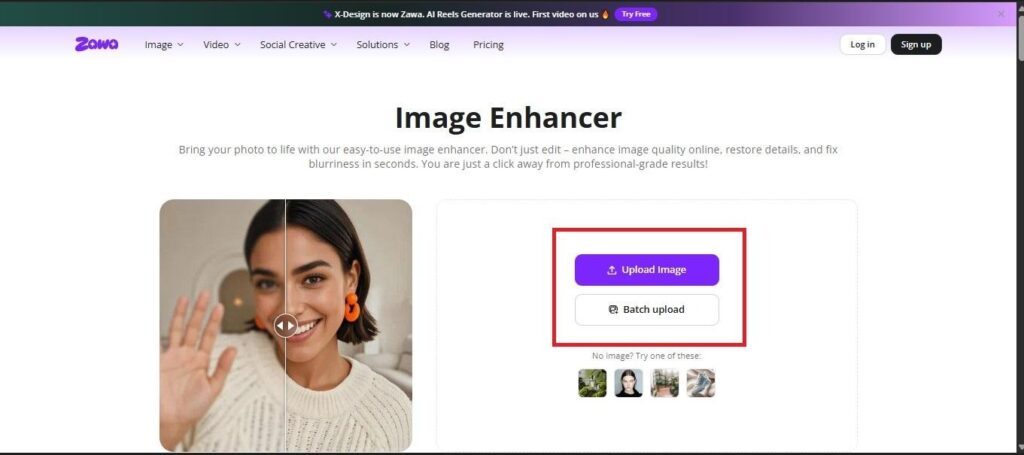
Open the Zawa AI Image Enhancer
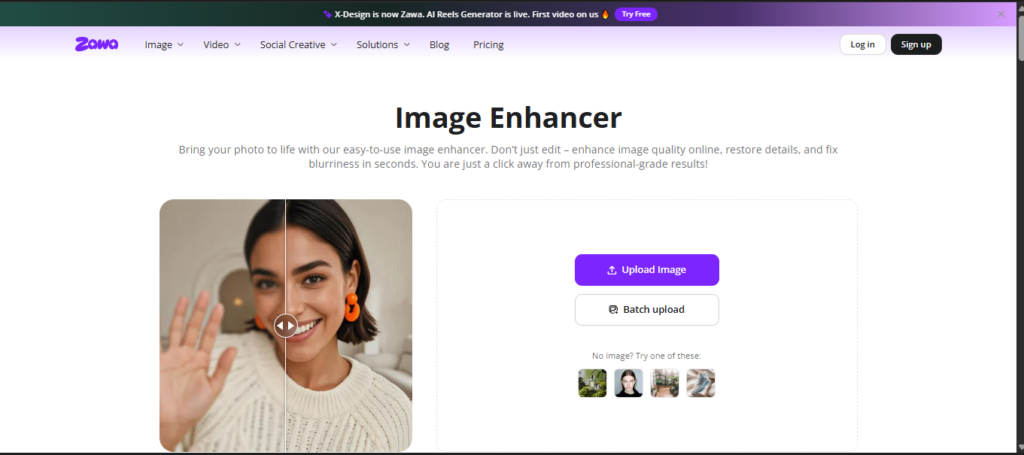
Open the free AI Image enhancer online to improve your smartphone photos to HD quality. The AI works for RAW and JPG formats.
Upload Your Image
Drag and drop your smartphone photos on the page to upload. If you have more than one, Zawa AI supports batch upload. That is, you can upload and process multiple photos at once.
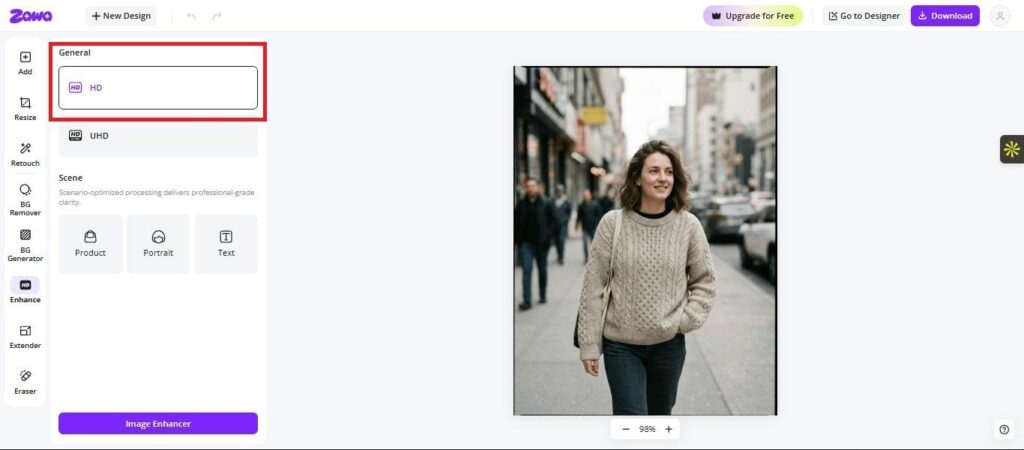
Select HD
After uploading your image, select HD in the general menu. Click on ‘Image Enhancer’ to start the upgrade. The image processing takes only a few seconds.
The image tested below is a file received from and compressed by social messaging apps. However, the Zawa AI also works for low-quality images from other sources.
Review and Download the Result
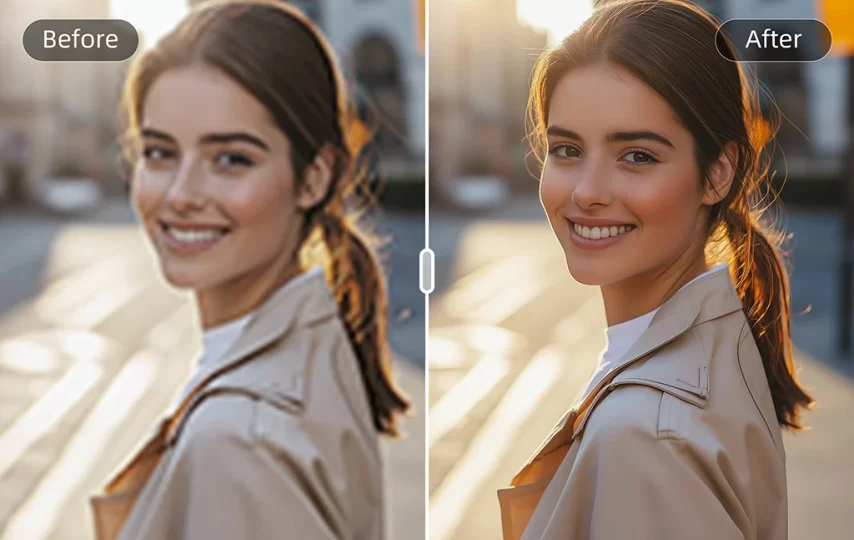
After a few seconds of processing, the Image Enhancer displays a before (img 1) and after (img 2) tile of the smartphone photo(s). Slide the tile to review both images. A simple click on ‘Download’ saves the HD image on your device.
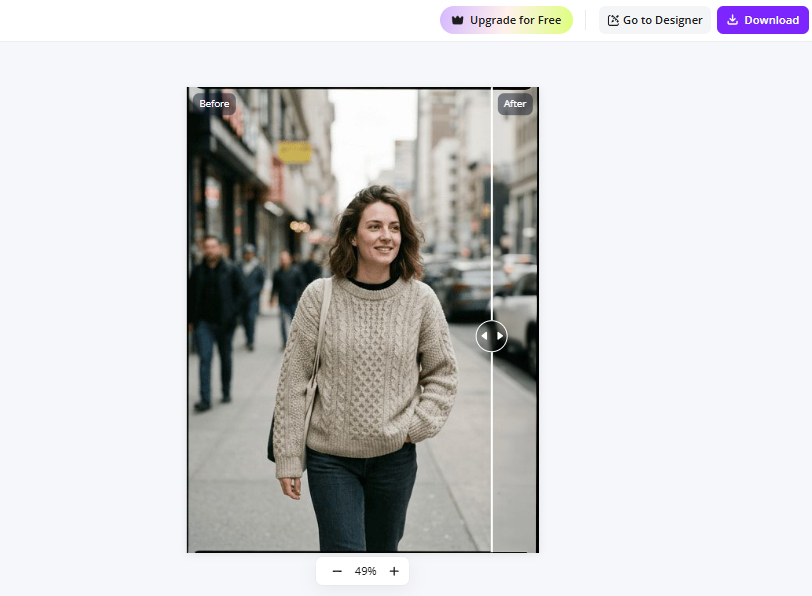
Img 1: The low-quality smartphone image before enhancement.
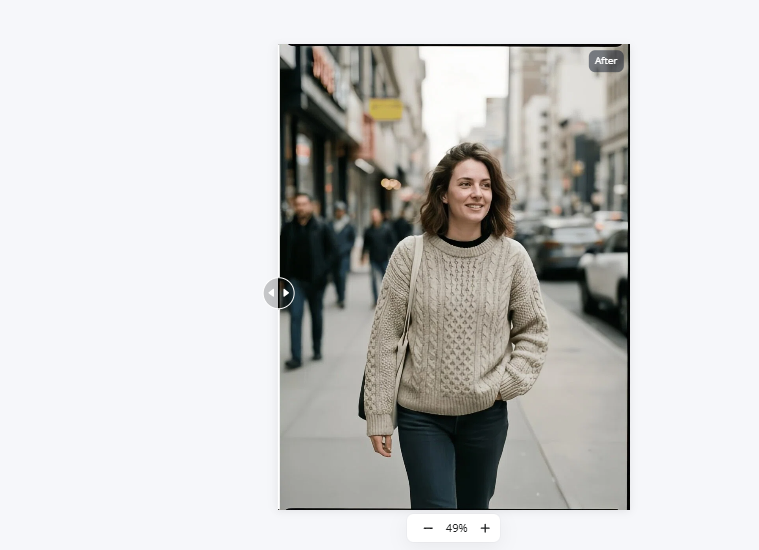
Img 2: The HD result after enhancement.
Conclusion
Smartphone photos converted to HD formats come out with enhanced quality. If you have a low-res image on your device, you can easily convert it into a higher resolution. With online AI tools and editing software, fixing your image requires only a few prompts – even without extra hands or guides.