
Shopping for a mini gaming PC used to mean scanning spec sheets for the biggest CPU and GPU names you recognized. That approach still matters, but it misses a lot of what actually determines whether a compact gaming system performs well day to day. Cooling design, memory speed, storage configuration, and even case airflow now play a bigger role in real-world gaming performance than raw chip names alone.
This guide breaks down what actually matters when choosing a mini gaming PC with dedicated graphics in 2026, beyond just comparing spec sheets.
Why Spec Sheets Do Not Tell the Whole Story
Two mini gaming PCs can list identical CPU and GPU model numbers and still perform noticeably differently in real gameplay. The reason comes down to thermal design, power delivery, and chassis airflow, factors that rarely appear prominently on a product listing but directly affect sustained performance during long gaming sessions.
A compact PC with a powerful GPU but poor cooling will throttle performance within minutes of demanding gameplay, delivering far lower frame rates than the same GPU in a well-ventilated case. This is the single biggest reason two systems with “identical” specs can feel completely different in practice.
Cooling and Thermal Design
Compact cases have less internal volume for airflow, which makes cooling design one of the most important factors in a mini gaming PC’s real performance. Look for systems with dedicated intake and exhaust fan placement, adequate clearance around the GPU, and heat pipe or vapor chamber cooling solutions rather than relying on a single small fan to manage heat from both CPU and GPU.
Sustained performance testing, meaning how a system performs after 30 minutes of continuous gaming rather than just the first few minutes, is a much better indicator of real-world capability than short benchmark runs. Reviews that specifically measure thermal throttling over time are worth seeking out before buying.
Memory Speed and Capacity
RAM speed affects gaming performance more than many buyers realize, particularly with integrated or shared-memory GPU architectures. Faster RAM modules can meaningfully improve frame rates in memory-bandwidth-sensitive games, especially at higher resolutions.
For capacity, 16GB remains a reasonable baseline for most current games, but 32GB is becoming increasingly common for buyers who also stream, record gameplay, or run background applications while gaming. Check whether the RAM is soldered or user-upgradeable, since this affects your ability to increase capacity later without replacing the whole system.
Storage Configuration for Gaming
| Storage Type | Load Time Impact | Best Use |
| SATA SSD | Noticeably slower loading in large open-world games | Secondary storage, older titles |
| NVMe Gen3 SSD | Fast, handles most current titles well | Primary game drive for most users |
| NVMe Gen4/5 SSD | Fastest loading, benefits texture-heavy modern titles | Primary drive for large, texture-heavy games |
Storage speed increasingly affects gaming experience, not just install size. Modern open-world titles stream large texture assets continuously during gameplay, and slower storage can cause visible pop-in or stuttering even with a capable CPU and GPU. Prioritizing at least an NVMe Gen3 drive as your primary game storage avoids this bottleneck for most current titles.
Choosing the Right GPU Tier
GPU choice should match the resolution and refresh rate you actually plan to game at, rather than chasing the highest-numbered model available. A mid-tier GPU comfortably handles 1080p gaming at high settings for most current titles, while 1440p gaming with high refresh rates requires a noticeably more capable GPU tier to maintain smooth frame rates.
For buyers who want flexibility to upgrade GPU performance later without replacing the entire system, pairing a Mini PC with external GPU support through connections like OCuLink offers a path to add serious graphics power down the line, rather than being locked into whatever GPU tier the system shipped with.
How to Choose the Best Mini PC for Your Gaming Needs
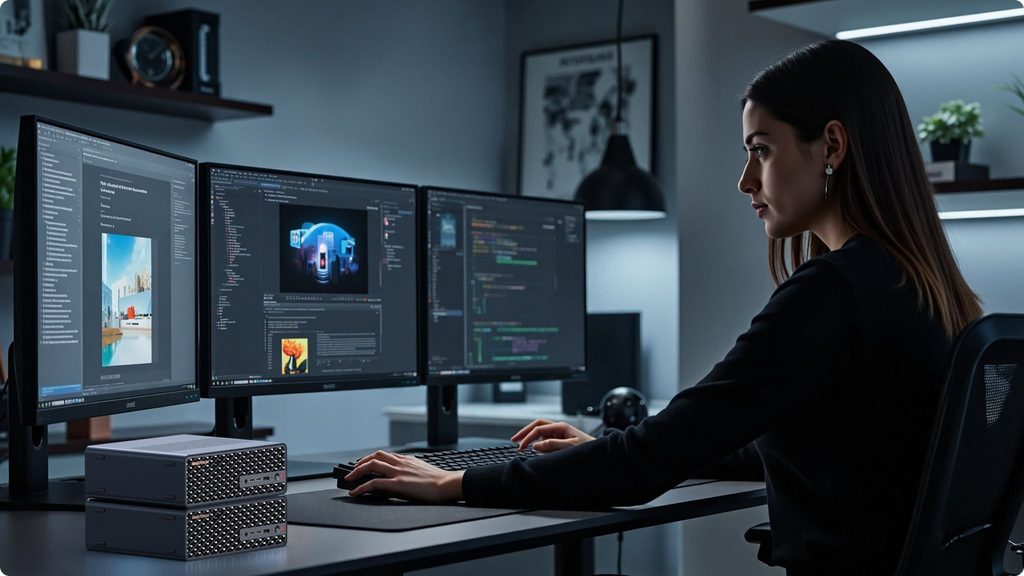
When comparing options, start by identifying your actual gaming priorities. If you play primarily at 1080p and value portability and quiet operation, a well-cooled mid-tier system covers your needs comfortably. If you want to game at 1440p or higher with room to upgrade graphics power later, prioritize systems with external GPU support and strong baseline cooling.
Beyond raw gaming performance, consider how the system fits your space and lifestyle. Compact gaming PCs work well for shared living spaces, small desks, or setups where a full tower simply will not fit, without requiring the same compromises on performance that older generations of small-form-factor systems used to demand.
Understanding how to choose the best Mini PC for your specific games and resolution target matters more than chasing the highest-specced model on the shelf, since a well-matched mid-tier system often delivers a smoother experience than an over-specced system held back by poor cooling.
Noise Levels and Fan Curves
Gaming performance is not just about frame rates. Fan noise during sustained gaming sessions matters significantly for anyone gaming in a shared space or without headphones. Systems with well-tuned fan curves ramp up cooling gradually and predictably, while poorly designed systems can cycle loudly between quiet and loud states, which is more distracting than consistent moderate fan noise.
Reviews and user feedback on sustained noise levels during actual gaming, rather than idle noise measurements, give a more accurate picture of what daily use will actually sound like. If quiet operation is a priority, look specifically for systems that advertise sound-dampened fan blades or larger, slower-spinning fans, since these tend to run quieter at the same cooling capacity compared to smaller, faster-spinning alternatives.
Frequently Asked Questions
Do mini gaming PCs perform as well as full-size gaming towers? Well-designed mini gaming PCs can match mid-range full-size towers in many titles, though extreme high-end configurations still generally favor larger cases with more cooling headroom and GPU options.
Is 16GB of RAM enough for gaming in 2026? It remains adequate for most current titles at standard settings, though 32GB provides more comfortable headroom for streaming, multitasking, or future game requirements.
How important is external GPU support for a mini gaming PC? It matters most for buyers who want to upgrade graphics performance later without replacing the entire system. If you plan to keep the same GPU tier long-term, it is less critical.
What should I prioritize if my budget is limited? Prioritize cooling design and NVMe storage over chasing the highest GPU tier available. A well-cooled mid-tier system with fast storage often outperforms a higher-specced system held back by thermal throttling.
Ports and Connectivity for Gaming Setups
A mini gaming PC’s port selection affects more than convenience. High refresh rate monitors often require DisplayPort 1.4 or newer to hit full resolution and refresh rate simultaneously, so checking display outputs against your monitor’s specs matters before buying. Gamers using multiple peripherals, capture cards, or VR headsets should also check available USB bandwidth, since compact systems sometimes share bandwidth across ports in ways that can bottleneck multiple high-throughput devices running at once.
Wired networking is worth a second look as well. Competitive gamers benefit from wired Ethernet over Wi-Fi for lower and more consistent latency, so a mini gaming PC with at least a 2.5GbE port offers a meaningful advantage for online play compared to relying solely on wireless connectivity.
Final Thoughts
Choosing a mini gaming PC in 2026 requires looking past CPU and GPU model numbers alone. Cooling design, memory speed, storage configuration, and even fan noise all directly shape the real gaming experience you will get day to day. Matching these factors to your actual gaming habits, rather than chasing the biggest numbers on a spec sheet, leads to a system that performs consistently well rather than one that looks impressive on paper but throttles under real gameplay.