
The most difficult part of running a creator brand is not having one good idea. It is publishing consistently without turning every post into a new photo shoot, a new design project, and a new production delay. A virtual creator can reduce that bottleneck, but only when the character, visual style, and workflow remain coherent.
I use APOB AI as the image-production layer in a simple creator system. I begin with one recognizable portrait model, generate content for specific channels, add final copy and brand elements in an editor, and organize the results into repeatable content packages. The goal is not to replace strategy with automation. It is to spend less time rebuilding the same visual foundation.
What Makes a Virtual Creator Useful
A virtual creator is a recurring digital character used in social posts, tutorials, product demonstrations, campaign visuals, or branded storytelling. The character may be entirely fictional or based on a properly authorized identity. What matters operationally is consistency.
If the face, age, hair, and visual tone change in every post, the audience cannot build recognition. If the character is stable, the brand can create a familiar presence across feed images, Stories, blog headers, thumbnails, and campaign assets.
The strongest use cases are not deceptive. A virtual creator should not pretend to have personal experiences it never had or imitate a real person without permission. It works best as a transparent brand character, presenter, or visual spokesperson.
Start With a Business Model, Not a Face
Before creating a character, I decide what the creator will do. A character without a useful role quickly becomes a gallery of attractive but disconnected pictures.
Common models include:
– a niche social channel supported by sponsorships and affiliate content;
– a digital spokesperson for a small business;
– a recurring character used in tutorials and explainer posts;
– a product-visual service for ecommerce brands;
– a freelance content package for coaches, apps, or local companies;
– a fictional host for newsletters, communities, or educational content.
The business model determines the wardrobe, tone, locations, and publishing schedule. A virtual fitness coach needs different visual environments from a fintech explainer or a beauty creator.
My APOB AI Workflow, Step by Step
Step 1: Define the Character in One Page
I write a short character brief before generating images. It includes the creator’s niche, audience, personality, visual style, recurring locations, and subjects the character should never discuss.
For example, a freelance-focused virtual creator might be practical, optimistic, and visually associated with a bright home studio, a laptop, notebooks, and calm purple accents. The brief keeps future prompts aligned and helps collaborators understand the brand.
I also define disclosure rules. If the account represents a virtual or AI-generated creator, that fact should be communicated clearly in the bio, About page, or relevant campaign copy.
Step 2: Choose or Create a Portrait Model
The portrait model is the consistency engine. For a quick concept, I can select a community model. For a long-term brand, I would create a dedicated model using images I have the right to use.
An AI influencer generator is especially useful here because it can carry the same creator into different scenes, outfits, and campaign formats without starting from an unrelated face every time.
For this article, I used the Karina community model. That allowed me to focus on the workflow and composition rather than training a new identity.
Step 3: Generate for a Specific Content Job
I avoid vague prompts such as “make an influencer photo.” Instead, each prompt has a job.
A blog header needs room for a headline. A product announcement needs a clean area for the item. A Story image needs a vertical safe zone. A tutorial thumbnail needs a clear expression and an instantly readable setting.
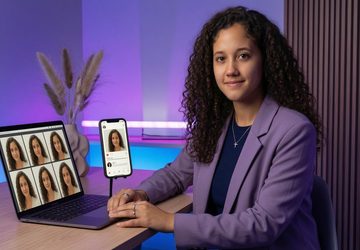
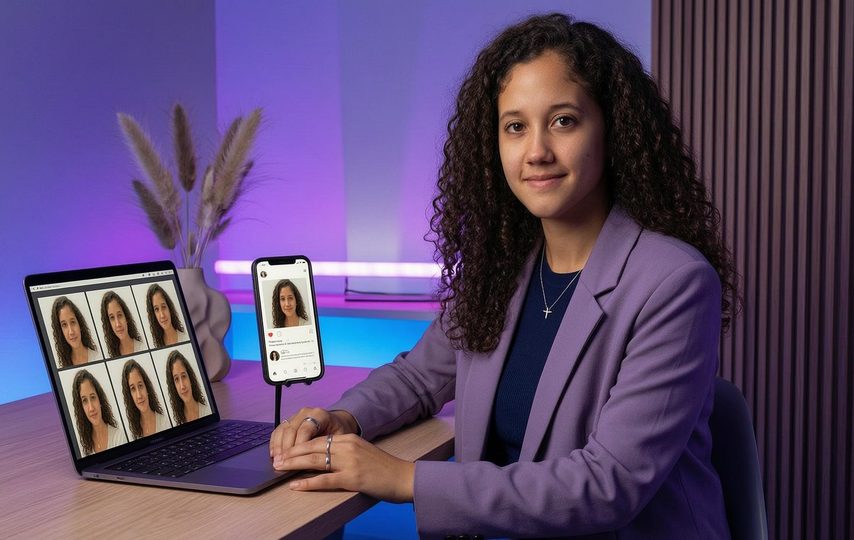
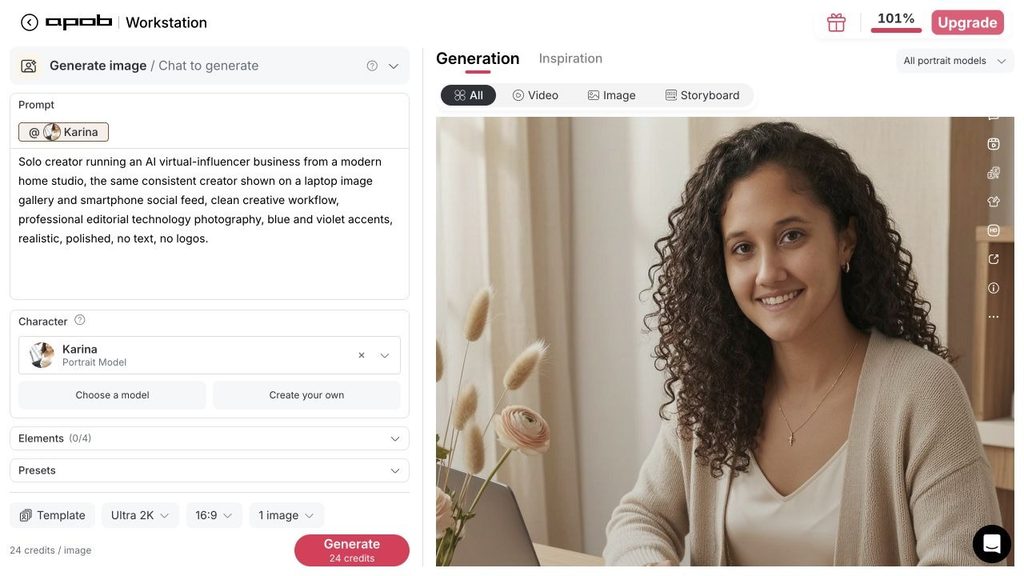
For the example image, I used a prompt built around a business outcome: “Solo creator running an AI virtual-influencer business from a modern home studio, the same consistent creator shown on a laptop image gallery and smartphone social feed, clean creative workflow, professional editorial technology photography, blue and violet accents, no text, no logos.”
Step 4: Select Quality, Ratio, and Output Count
I used Ultra 2K, one image, and a 16:9 ratio for the initial result. One-image drafts are useful because they reveal whether the concept works before I create more variations. The wide ratio fits a technology article header and leaves space for a title or interface crop.
Step 5: Review the Image Like a Client Would
I check more than whether the picture looks attractive. I ask whether the character is recognizable, whether the hands and devices look natural, whether the background supports the message, and whether there is enough clean space for copy.
I also view the image at thumbnail size. A composition that works only when enlarged may fail in a feed. If the main idea is not readable in two seconds, I simplify it.
Step 6: Add Controlled Brand Elements
I prefer to add exact text, logos, prices, and interface labels after generation. This keeps spelling reliable and makes updates easy. If a campaign changes from 20 percent off to 25 percent off, I can edit the final layout without regenerating the entire scene.
My reusable template normally includes brand colors, headline styles, a small disclosure line when appropriate, and safe margins for each platform.
Step 7: Turn One Concept Into a Content Set
Once a visual direction is approved, I expand it into a small system:
– a 4:5 feed portrait;
– a 9:16 Story or Reel cover;
– a 1:1 profile-grid card;
– a 16:9 blog header or video thumbnail;
– a close-up variation for announcements;
– a wider environmental image for storytelling.
The character remains consistent, while the framing and negative space change for each use.
A Weekly Production System for Solo Creators
Batching is more efficient than designing one post every day. I use a weekly cycle.
On Monday, I choose one campaign theme and write five post ideas. On Tuesday, I generate visual concepts and approve one direction. On Wednesday, I create the platform variations. On Thursday, I add copy, brand elements, and calls to action. On Friday, I schedule content and record what performed well.
This structure separates strategy from production. It also creates a feedback loop: strong topics return in new formats, while weak ideas are not repeated simply because assets already exist.
How Freelancers Can Sell the Service
The easiest offer to understand is a fixed content package. Instead of selling “AI images,” a freelancer can sell a business outcome such as “one month of consistent founder-brand visuals” or “a launch kit for a new app.”
A starter package could include:
– one approved virtual-creator direction;
– eight feed images;
– four Story formats;
– two blog or video headers;
– final typography in the client’s brand style;
– organized source and export folders;
– one revision round.
This is easier to price than an open-ended promise. The client knows what will be delivered, and the freelancer can estimate generation, editing, and review time.
Another option is a recurring retainer. A client who needs weekly content benefits from using the same character and templates over time. The freelancer benefits because the visual system already exists, so each new batch is faster to produce.
Where the Income Can Come From
A virtual creator business does not need to depend on one platform payout. Revenue can come from sponsored visual campaigns, affiliate content, product photography alternatives, digital downloads, template packs, brand retainers, and educational content about the niche.
The character should support the offer rather than becoming the offer by itself. A useful creator explains something, demonstrates something, entertains a defined audience, or helps a brand publish more consistently.
For example, a virtual travel planner might create destination checklists and affiliate guides. A virtual ecommerce stylist could demonstrate color combinations and sell seasonal visual packages to shops. A fictional productivity coach could support a newsletter and template business.
Quality and Trust Rules I Keep
First, I only use source images and identities that I have permission to use. Second, I avoid presenting a fictional character as a real customer, employee, expert, or witness. Third, I disclose AI-generated or virtual identities where the audience could reasonably misunderstand them.
I also review every output manually. Automated production does not remove responsibility for inaccurate claims, misleading visuals, or inappropriate content. A human should approve the final image, caption, link, and context.
Finally, I separate experimentation from publishing. Drafts can be fast and inexpensive. Public content should meet a higher standard for visual quality, accuracy, and brand safety.
What to Measure
The useful metrics depend on the business model. For social content, I track saves, shares, profile visits, and link clicks rather than likes alone. For client work, I track approval time, revision count, and how many formats the client actually publishes. For digital products, I watch conversion rate and refund questions to see whether the product description is clear.
Consistency is also measurable. If the character looks unrelated from post to post, I revise the portrait model or prompts. A content system should become easier to run over time, not more chaotic.
Final Takeaway
A profitable virtual creator starts with a clear role, a consistent identity, and a repeatable production system. The image generator is important, but the surrounding decisions—audience, format, disclosure, branding, review, and packaging—turn generated visuals into a real business asset.
For solo creators and freelancers, the advantage is leverage. One approved character and one strong campaign idea can become a coordinated set of feed posts, Stories, thumbnails, and client deliverables without organizing a new photo shoot for every channel.