
A photograph can communicate a great deal in a single frame, but sometimes a little movement helps the viewer understand the scene more deeply. Imagine a picture of coffee being served at a small café. A short sequence showing steam rising from the cup, sunlight shifting across the table, or a gentle camera movement can make the setting feel more immediate.
The process of turning a still picture into a moving clip is known as image to video creation. It can help marketers, educators, storytellers, and social media creators develop visual content from images they already have. The key is to decide what movement adds value, rather than assuming that every picture becomes better when animated.
Think in Moments Instead of Frames
A still image shows one moment. A video suggests what happens before, during, or after that moment. This difference provides a useful starting point for planning animation. Consider a photograph of a cyclist standing at the top of a hill. The scene could become a short clip with a slow camera push toward the cyclist, wind moving through nearby grass, and clouds drifting across the sky. The cyclist does not necessarily need to perform a complicated action for the scene to feel alive.
Before creating a clip, imagine its beginning, middle, and ending. The opening should establish the scene, the middle should introduce the intended movement, and the final moment should feel like a natural continuation rather than an abrupt interruption. This simple mental storyboard helps prevent random motion and gives the animation a clearer purpose.
Match Movement to the Subject
Different images suggest different kinds of motion. Water, clouds, fabric, foliage, and smoke can often support gentle environmental movement. Architecture may work better with a slow camera pan or a gradual change in perspective. Portraits require greater care because unnatural movement around the face can quickly become distracting. Start by identifying the most natural action available in the image. If the subject is already expressive, subtle motion may be enough. If the scene is a wide landscape, movement in the environment can create depth without changing the main subject.
An effective prompt should explain what moves, how the movement feels, and what should remain stable. For example, a description of leaves moving gently in a breeze provides a more focused direction than asking for the entire scene to come alive. Keeping the action simple also makes it easier to evaluate the result and decide what to improve.
Choose the Right Starting Image
The quality of the source image influences the potential quality of the final video. A picture with a clear focal point and an understandable arrangement generally provides a stronger foundation than one filled with overlapping objects. Check the image before uploading it. Is the main subject easy to identify? Are important edges reasonably clear? Does the composition leave room for the intended movement? If the image is already crowded, animation may make it harder to understand.
The intended format matters too. A vertical image may suit mobile-first content, while a wide composition may be more appropriate for a website banner or presentation. Choosing the right framing early can reduce the need for later cropping. If the source contains a recognizable person, private material, or someone else’s creative work, consider the relevant permissions before using it in an animation service.
Use an AI Image to Video Generator with a Clear Plan
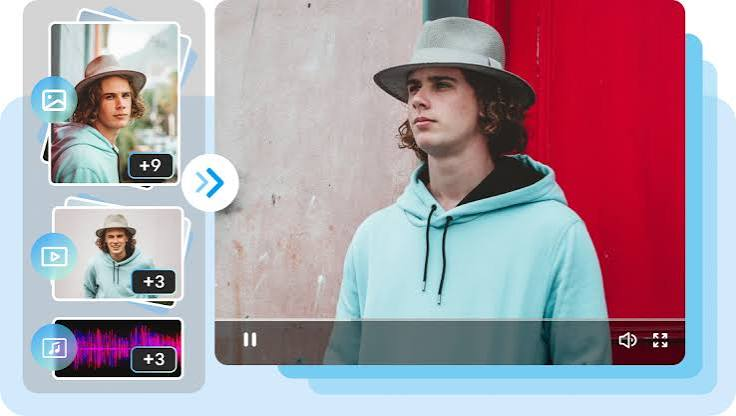
An ai image to video generator can interpret a still image alongside written instructions to create a moving sequence. Depending on the service, users may be able to guide camera motion, environmental movement, or other aspects of the scene. The available controls vary, so begin with a small test rather than committing an entire project to an unfamiliar workflow. Describe one main movement and review whether the output follows the intended direction.
Creators can use Dreamina to explore visual concepts and experiment with ways of extending a still image into a short sequence. Before choosing any service for regular production, check its current capabilities, access limits, export options, and applicable usage terms. Remember that detailed instructions do not guarantee precise control over every frame. Generated motion may introduce unexpected changes, which is why review and refinement remain important parts of the process.
Diagnose Problems by Watching the Whole Clip
A video can look convincing in one frame but reveal inconsistencies when played from beginning to end. An object may change shape, a face may become distorted, or the background may shift in a way that does not fit the scene. Watch the complete clip at normal speed. First, assess the overall movement. Then look more closely at the subject, object boundaries, and background. Finally, decide whether any visible issue affects the message or merely represents a minor imperfection.
If the camera moves too aggressively, simplify the instruction. If the main subject changes unexpectedly, request more restrained movement or test a different source image. When a problem persists, it may be more effective to use another image or edit the clip manually. The aim is not to eliminate every tiny variation. It is to produce a sequence that feels coherent and supports the intended purpose.
Give the Finished Video a Clear Role
Once the animation created with an ai image to video generator is acceptable, consider how viewers will encounter it. A short social media clip may need to communicate its subject within the first few seconds. An educational video may require restrained motion so that viewers can focus on the information. A promotional visual might benefit from a deliberate reveal of the main product.
Check the opening, ending, aspect ratio, and duration. Make sure any captions or added graphics remain readable and do not cover essential details. If the clip will be combined with music or narration, consider whether the movement supports the overall pace. A final review should also confirm that the image and resulting video are suitable for the intended use. Visual polish matters, but clarity and relevance matter just as much.
Conclusion
Turning a still picture into video works best when every movement has a reason. Choosing a suitable source image, planning a simple action, writing focused instructions, and checking the entire sequence can help produce more coherent results. Rather than adding motion for its own sake, use it to strengthen the scene, guide attention, or communicate an idea that a static image cannot express as effectively.
Frequently Asked Questions
What does image-to-video creation mean?
It is the process of using a still image as the starting point for a moving clip. Depending on the tool, text instructions may help guide the camera or movement within the scene.
Which images are easiest to animate?
Images with a clear subject, a readable composition, and a relatively simple background can be useful starting points. The best choice also depends on the type of movement you want.
How can I make generated motion look more natural?
Begin with one clear action, describe its speed and direction, and avoid asking many objects to perform unrelated movements at once. Review the full clip before making adjustments.
Why do some image-to-video clips change the original subject?
The generation process estimates how the image might develop across multiple frames. This can introduce changes to shapes, textures, facial features, or background details that were not present in the source.
Can image-to-video clips be used in commercial content?
Potentially, but permission depends on the tool’s terms, the rights associated with the source image, and applicable laws. Review these conditions before publishing or selling the final clip.