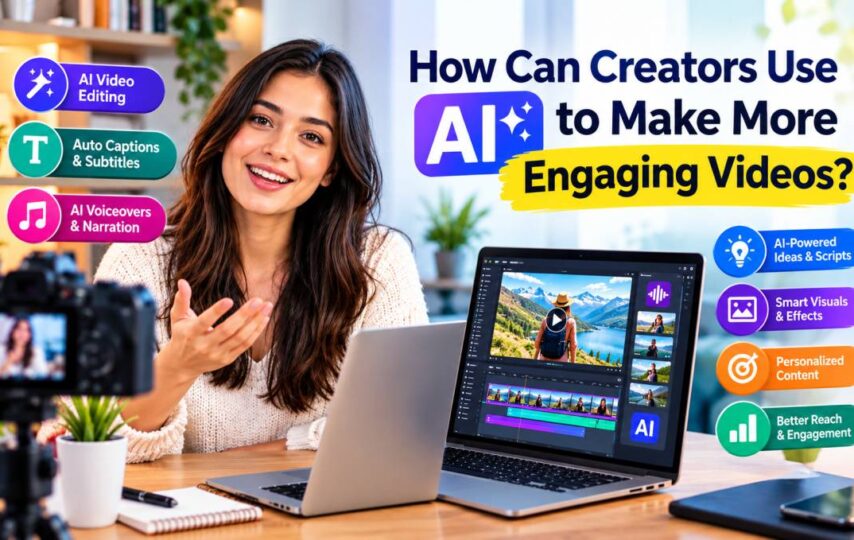

Creating engaging video content often requires more than a good camera and an interesting idea. Creators also need compelling visuals, clear narration, consistent editing, and a format that keeps viewers interested. For individuals and small businesses working with limited time or budgets, artificial intelligence can simplify several parts of this process.
From adapting existing footage with AI-powered editing to generating voiceovers from written scripts, modern tools give creators more ways to experiment with video production. Two particularly useful technologies are AI video face swap and AI text to speech, which can help transform how videos are personalized, narrated, and adapted for different audiences.
What Can AI Do for Modern Video Creators?
AI-powered video tools can support several stages of production, including visual generation, editing, narration, translation, and content repurposing.
For example, a marketer might use AI to create alternative versions of a promotional video, while an educator could generate narration for a tutorial without recording every line manually. A social media creator might combine AI-generated visuals with a synthetic voiceover to test different content formats.
The main advantage is flexibility. Instead of rebuilding every video from scratch, creators can experiment with different creative elements and determine which versions best serve their audiences.
How Does AI Video Face Swap Work?
AI video face swap technology replaces a face in existing footage with another face, using AI to adapt the replacement across video frames. Depending on the tool and source material, the system attempts to preserve elements such as facial expressions, head movements, lighting, and the original performance.
This technology can support several creative workflows.
1. Creating Alternative Video Concepts
A production team can use face-swapping technology to explore different visual concepts before committing to a full shoot. For example, a filmmaker might test how a fictional character looks in a scene or create a clearly labeled visual mockup for a presentation.
2. Developing Creative Marketing Variations
Marketing teams often test different creative approaches to discover which messages resonate with their audiences. AI-assisted face replacement may help create variations of an existing video when the people depicted have given appropriate permission and the use complies with applicable rules.
However, face swapping does not automatically make a video suitable for every campaign. The final result should be reviewed for visual quality, brand consistency, and authenticity.
3. Supporting Entertainment and Storytelling
Independent filmmakers and digital artists can experiment with character transformations, parody, and visual storytelling. These techniques can help creators explore ideas that would otherwise require additional filming or complex visual effects.
Important consideration: Always obtain permission before using someone’s likeness, particularly in realistic or commercial content. Clearly disclose synthetic alterations when viewers could otherwise mistake the video for genuine footage.
What Is AI Text to Speech, and Why Is It Useful?
AI text to speech technology converts written text into spoken audio using a synthetic voice. Depending on the tool, users may be able to select different voices, languages, accents, and speaking styles.
This can be particularly useful when a video needs narration but the creator does not have access to a recording studio or professional voice actor.
1. Producing Voiceovers for Videos
Creators can turn scripts into narration for tutorials, product demonstrations, educational videos, and social media explainers. After generating the audio, they can place it alongside the visuals and adjust the timing to create a coherent viewing experience.
2. Making Content Accessible
Narration can help audiences understand visual information, particularly in instructional content. When combined with captions and clear on-screen text, it can provide another way for viewers to follow the material.
Creators should still consider accessibility carefully: synthetic narration is not a replacement for accurate captions, transcripts, or other accessibility features.
3. Adapting Content for Different Languages
Businesses that serve international audiences may need to publish content in multiple languages. AI voice tools can help produce localized narration, although translations should be checked for meaning, pronunciation, cultural context, and brand terminology.
A fluent-sounding voice does not guarantee an accurate translation, so human review remains valuable.
How Can You Combine AI Video Face Swap and AI Text to Speech?
These technologies address different parts of video production. Face swapping changes a visual element, while text to speech generates narration from a written script. Used together, they can support a structured creative workflow.
Step 1: Define the Video’s Purpose
Start by identifying the intended audience and the goal of the video. Is it a product explainer, a social media campaign, a training resource, or an entertainment project?
A clear objective helps determine whether face replacement, synthetic narration, or a simpler editing workflow is necessary.
Step 2: Prepare the Visual Content
Choose existing footage or create the initial video concept. If you plan to use face-swapping technology, ensure that you have the necessary rights and permissions for both the source footage and the replacement likeness.
Review the footage for lighting, camera movement, and facial visibility. Difficult angles and rapid movement can affect the quality of the final result.
Step 3: Write a Natural-Sounding Script
Keep the narration focused on the viewer’s needs. Use straightforward sentences, explain unfamiliar terms, and avoid unnecessary repetition.
For a product demonstration, for example, the script should explain what the product does, why it matters, and what the viewer should do next.
Step 4: Generate the Voiceover
Use an AI text to speech tool to convert the approved script into audio. Listen to the result before adding it to the video.
Pay attention to pronunciation, pacing, pauses, and emphasis. If the voice sounds unnatural, revise the script or adjust the available voice settings.
Step 5: Synchronize Audio and Video
Import the generated narration into your editing workflow and align it with the visuals. If a face-swapped character appears to speak, you may need an additional lip-sync tool to match the mouth movements to the new audio.
Face swapping alone does not necessarily synchronize a character’s mouth with a newly generated voiceover.
Step 6: Review Before Publishing
Watch the complete video from beginning to end. Check facial consistency, lip synchronization, audio clarity, subtitles, transitions, and any visual artifacts.
If the video depicts a real person, confirm that the final use matches the permission granted and follow the disclosure requirements of the platforms where you plan to publish it.
Which Types of Content Benefit Most From AI Video Tools?
Different creators can use these technologies in different ways.
Social media creators: Experiment with alternative visual concepts and add narration to short educational or entertainment videos.
Small businesses: Develop product explainers, promotional clips, and localized content without rebuilding every production element.
Educators: Create narrated tutorials, demonstrations, and supplementary learning materials.
Independent filmmakers: Explore character concepts and synthetic visual effects during preproduction or postproduction.
Marketing teams: Test creative directions and adapt approved assets for different audiences while maintaining consistent messaging.
The best use case depends on the project. AI tools can reduce repetitive work, but they do not eliminate the need for planning, editing, and quality control.
What Should You Look for in an AI Video Tool?
Before choosing a platform, consider the following factors:
- Output quality: Does the tool produce consistent visuals and natural-looking results?
- Editing flexibility: Can you refine the output or make corrections when something looks wrong?
- Audio capabilities: Does the workflow support voiceovers, multiple languages, or lip synchronization when needed?
- Ease of use: Can you complete the task without a complicated production setup?
- Usage rights: Are the generated content and uploaded assets permitted for your intended use?
- Privacy: How does the platform handle uploaded videos, photographs, and audio files?
- Cost and limitations: Are there generation limits, watermarks, export restrictions, or subscription requirements?
Testing a short sample before committing to a larger project can help you evaluate a tool’s strengths and limitations.
Final Thoughts
AI is creating new possibilities for video production by making visual experimentation and narration more accessible. AI video face swap can help creators explore character-based edits and alternative visual concepts, while AI text to speech can turn written scripts into narration for tutorials, marketing videos, and educational content.
These technologies work best when they serve a clear creative purpose. By combining careful planning, suitable tools, human review, and responsible use of synthetic media, creators can build more flexible workflows without sacrificing quality or audience trust.