
Buying insurance for your motorcycle or scooter no longer requires a visit to an office. You can explore cover, fill in details and receive documents through a website or an app. However, a convenient process still calls for careful decisions.
An incorrect vehicle detail or a misunderstood benefit can cause difficulties later. Knowing what to check, and what to avoid, helps you complete the purchase with a clearer understanding of the policy you are taking.
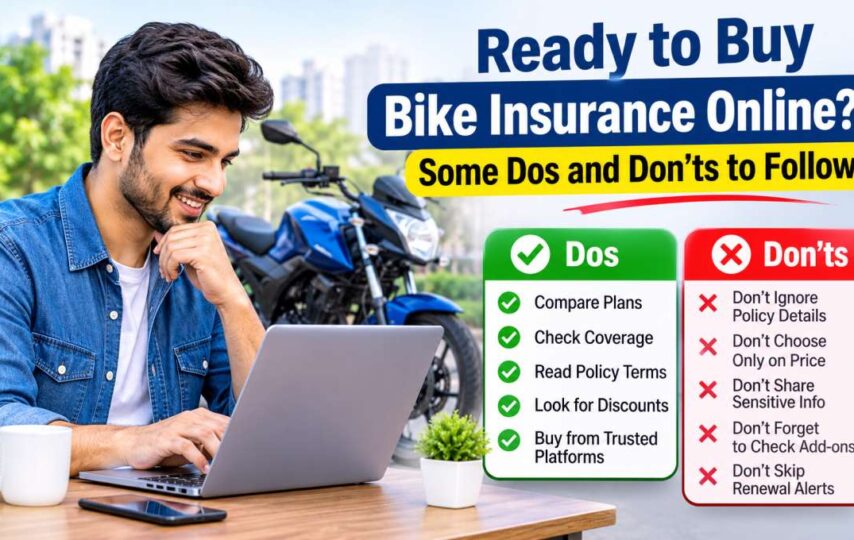
Dos to Follow before You Buy
These simple checks can help you make an informed purchase instead of choosing the first option displayed.
Use a Genuine Website
When you buy bike insurance online, begin with the insurer’s official website or an authorised insurance platform. Check the web address carefully, especially when following a link received through a message.
Look for clear company information and reliable customer support details. If a page seems suspicious, leave it and visit the official website directly. If you are unsure whether a platform is authorised, confirm its details using the insurer’s official contact information.
Compare the Actual Cover
Read what each quotation includes. For example, third-party insurance deals with specified legal liabilities towards others, while own damage cover addresses eligible loss or damage to your motorcycle. Check the Insured Declared Value where applicable, along with deductibles and optional benefits.
Two policies with similar names may offer different features, so assess their terms rather than relying on their labels. The right choice should reflect how you use your motorcycle and the protection you actually want.
Complete the Form Accurately
Use your registration certificate to confirm the model, registration number and other requested vehicle details. Declare previous claims and relevant modifications truthfully.
Review the information before submitting it, even if the form fills some fields automatically. If something is unclear, ask the insurer instead of guessing. Keep a copy of the details submitted.
Don’ts to Keep in Mind during Purchase
Some avoidable mistakes happen at the final stages of an online application.
Don’t Share Sensitive Payment Information
Never tell a caller your banking password, card PIN or one-time password. Complete payments only through the authorised portal, and be cautious of requests to transfer money to a personal account.
If a payment link looks unfamiliar, verify it through the insurer’s published customer service channels before proceeding.
Don’t Add Benefits Without Understanding Them
Optional covers can be useful, but each serves a specific purpose. Read what an add-on provides, when it applies and whether any conditions affect its use.
For example, roadside assistance might have service limits or location restrictions. Include benefits that are relevant to your circumstances rather than accepting every suggested option.
Don’t Close the Page Without Checking Confirmation
A successful payment notification is not a substitute for reviewing your issued policy. Download the document, check the owner’s name, vehicle number, coverage and effective dates.
If the policy has not arrived, contact the insurer with your transaction reference rather than paying again immediately.
Check Your Existing Policy before Renewing
During bike insurance renewal, first identify which cover is approaching expiry. Third-party and own damage policies may have different end dates.
Check any applicable no-claim bonus before confirming the renewal. If coverage has already lapsed, ask the insurer when fresh cover becomes effective; payment does not automatically cover the earlier gap.
Final Thoughts
Buying online is convenient when you verify the source, enter accurate information and understand what the policy includes. Take a moment to review the final document. A careful purchase today can save confusion when you need assistance later.