
You like the movement in an AI-generated clip, but the background is wrong. Asking for a “better version” could change the part you liked as well. The more useful request is smaller: change the background while keeping the subject and camera movement close to the original.
Seedance 2.5 on JXP supports reference-based creation and local video editing intended to refine selected details. That makes the editing brief important. A request needs to explain both the desired change and the existing qualities that make the clip worth keeping.
This is not a promise of perfect preservation. Generative edits can affect details beyond the requested area. A clear brief gives the model a more specific task and gives you a fair way to judge whether the revision helped.
Describe the problem before describing the solution
“Make it look more professional” leaves several decisions open. It could mean different lighting, a simpler setting, a slower camera or a different colour treatment. If the actual problem is a distracting background object, the broad request makes the job unnecessarily large.
Write down what is wrong in ordinary words. A product is too close to the edge. An unwanted object appears behind it. The setting does not match the intended mood. Naming the visible issue is more useful than adding another adjective to the prompt.
Then decide what must remain recognisable. That might be the product’s shape and colour, the subject’s position, or the pace of a camera move. These are the parts of the brief that should survive the revision, even though the output still needs inspection.
Separate the change from the details to retain
A useful editing instruction has two parts. First, name the change. Second, name the surrounding details you want retained. Keep both parts concrete enough to compare with the source clip.
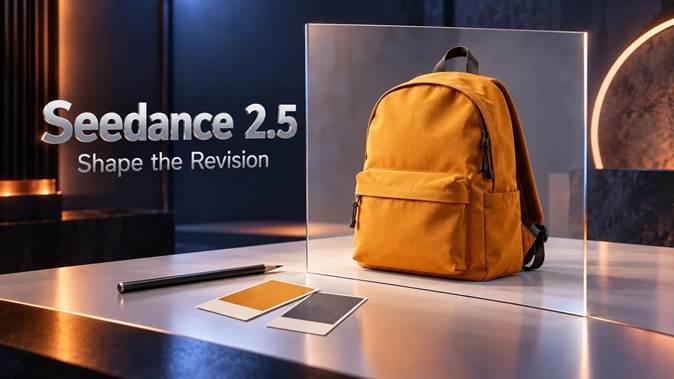
For an illustrative product scene, imagine an orange backpack on a table. The bag and camera movement work, but a patterned background competes with the product. An original sample request could be:
Edit the supplied clip so the patterned wall behind the backpack becomes a plain light-grey background. Retain the orange backpack’s shape, colour and position, the table, and the existing slow camera movement. Do not add objects or introduce a new shot.
This is a proposed instruction, not a test result. It specifies a visible replacement rather than asking the model to reinterpret the whole scene. It also gives you a short list of things to check afterwards.
Not every detail needs to be listed. Focus on the ones that determine whether the clip is still useful. A paragraph naming every shadow, fabric fold and reflection can obscure the main request and introduce conflicts.
Use a reference when words leave a real choice open
If “light grey” has a specific visual meaning for the project, a suitable reference can clarify it. The instruction should say whether that reference guides the background colour, its texture or the wider setting. Otherwise, unrelated features in the picture may become part of the model’s interpretation.
Do not confuse an example of the desired replacement with the video being edited. Identify the source clip and describe what the additional material contributes. If the interface assigns labels to uploaded assets, use those labels consistently rather than relying on upload order alone.
More files are not automatically more helpful. Two background references with different lighting may create another decision the model has to resolve. Choose material that answers the question you are trying to settle, not a collection that simply shares the same visual style.
Keep the request within the current workflow
On JXP, the Reference Generation route accepts media including video. Check the upload requirements and the selected workflow before submitting a source clip. Make clear that the request concerns an edit to that clip, rather than a new scene merely inspired by its appearance.
Seedance 2.5 video editing is aimed at selected changes, not a guarantee that every surrounding frame will remain identical. Do not describe it as a conventional editor with a proven mask, locked layer or frame-accurate control unless the current interface actually supplies that control.
Start with one isolated request. Check the current settings and estimated charge, and retain the original video before creating a new version. Use source material that is eligible for the service and the intended project; an available upload button does not establish permission to use a file.

Review what changed and what should not have changed
Watch the revised clip beside the original. In the backpack example, a cleaner wall is only half of the assessment. The revision is not useful if the bag’s straps change, its outline shifts or the camera movement becomes a different shot.
Use two short questions rather than a vague overall score:
- Did the requested change happen? Check the intended detail across the relevant part of the video, not just one attractive frame.
- Did the useful material remain acceptable? Inspect the subject, motion, framing and any sound that matters to the project.
Edges and movement deserve particular attention. An object can look fine while still and become inconsistent when the camera reveals another side. If the source includes audio, listen to the revised result as well; do not assume a visual request leaves everything else untouched.
Save a note of the request and the reason for accepting or rejecting the version. If you try again, revise the instruction related to the remaining problem. Avoid adding several unrelated changes just because another generation is being made.
Leave ordinary finishing work to the right tool
A clip that only needs trimming or a new caption may not need a generative edit. An ordinary editor gives you a direct way to shorten footage, add exact wording and arrange the final sequence. Use AI revision when the imagery itself needs to change.
The point is to make the request narrower than the original creation brief. Identify the detail that prevents the clip from working, explain its replacement and name the qualities worth retaining. Seedance 2.5 offers a route for exploring that revision; the final decision comes from comparing the result with what the project actually needs.