
Choosing a crash reporting tool might seem minor, but it’s actually a big decision. After you add an SDK to your app and set up alerts, dashboards, and workflows, switching later can be costly. The best tool fits how your app, team, and data will grow, not just its feature list.
Before you decide, consider these seven questions.
1. Who owns the data, and where does it live?
Data ownership matters because crash reports include more than stack traces. They often have device IDs, user actions, screen names, and network details. Find out where your data is stored, how long it’s kept, and if you can export everything if you switch tools. If you work in finance or healthcare, you might need to self-host. Open-source tools let you do that on your own servers.
2. What does it cost at 10 times your current scale?
Think about pricing based on your future needs, not just your current size. Many tools charge by events, sessions, or monthly active users. What seems affordable at 50,000 users could get expensive at two million. Ask what happens if you go over your limits—some tools drop data, some slow down, and some charge extra. Free plans can help, but check which features are included.
3. Does it catch freezes, not just crashes?
A good tool should catch freezes as well as crashes, since users see both as failures. On Android, an Application Not Responding (ANR) error happens when the main thread is blocked for about five seconds during use. On iOS, app hangs and watchdog terminations are similar. If a tool only reports unhandled exceptions, it misses many issues that annoy users. The main Android app store considers an ANR rate above 0.47% of daily active users as poor behaviour, which can hurt your app’s visibility.
4. How much context comes with each report?
Context makes the difference between a report you can fix and one you can’t. A stack trace tells you where the code failed, but not why. Look for tools that show what happened before the crash—like screen changes, taps, network requests, logs, and CPU or memory use. Also, check how much history you get. If it’s only a few seconds, you might miss the real cause.
5. Does it support every platform you ship?
Make sure the tool supports all the platforms you use, including any cross-platform frameworks. Many teams have both native Android and iOS apps plus shared code. Check that the SDK works well for each one. Watch out for issues with native crashes, symbol uploads for obfuscated builds, and grouping crashes across platforms. Try a quick proof of concept on your own app before you choose.
6. What does the SDK cost your app?
Every SDK increases your app’s size, startup time, and battery use, so test these yourself. Ask the vendor for numbers on binary size and startup time, then check them in your own build. See how the SDK works offline, how it sends data, and if you can adjust sampling. If a monitoring tool slows down cold starts, it’s hurting the metric it’s supposed to help.
7. Can your team actually act on it?
The best tool is the one your team actually uses every day. Check how it groups crashes, sends alerts, and links reports to releases so you can spot regressions easily. Make sure it connects with your issue tracker and team chat. See if product managers and QA can use the dashboard without needing help from engineers.
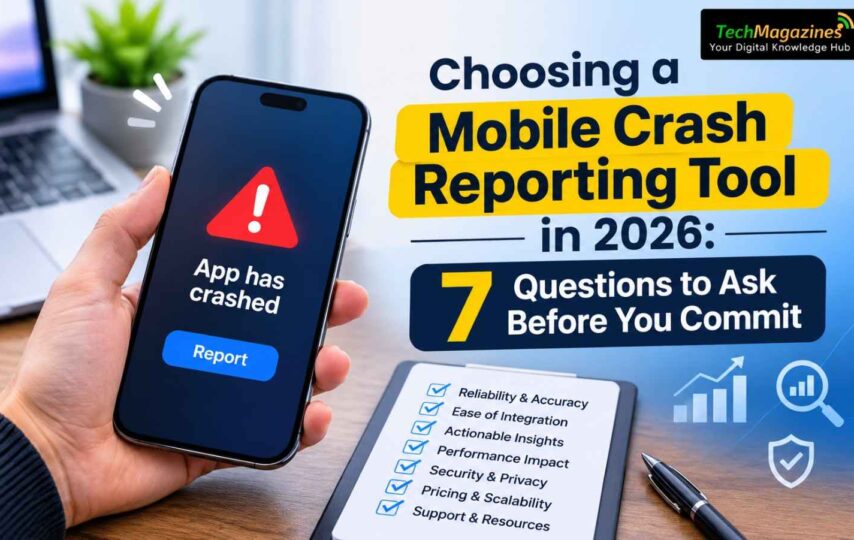
Seven questions to answer before committing to a crash reporting tool.
Weighing free tools against open-source options
Free hosted crash reporters are a good place to start for many teams. They’re easy to set up and don’t cost anything for basic crash reporting. But there are trade-offs: you have less control over your data, less context before crashes, and you rely on one vendor’s roadmap.
If your team wants to keep control of your data, consider open-source crash reporters as well as hosted ones. Open-source tools can often be self-hosted, checked line by line, and extended, which helps you avoid getting locked in as your app grows.
No matter which option you prefer, try a two-week test on a real release. See how fast your team can go from an alert to finding the root cause. If you’re comparing Android crash reporting tools, make sure to include at least one ANR case in your trial. Tools often differ most when it comes to freezes.
The short version
Pick your tool based on these seven things: data ownership, cost as you grow, freeze detection, context depth, platform support, SDK impact, and team workflow. Feature lists change often, but these factors will show if the tool still works for you in two years.