
Manually transcribing video to text for multimedia projects or research is a slow, exhausting chore. Content teams often spend hours looping through interview recordings to capture accurate quotes. This continuous cycle of pausing audio and typing text causes severe eye strain, ultimately delaying final publication deadlines.
A free video-to-text converter eliminates this friction through automated speech recognition. These platforms process multiple file formats to deliver clean text drafts and bilingual subtitles instantly. By letting automation handle the heavy lifting, creators can immediately shift their focus toward editing copy and finalizing marketing campaigns.
Extract YouTube Video Transcripts for Content Creators via Hoocs.ai
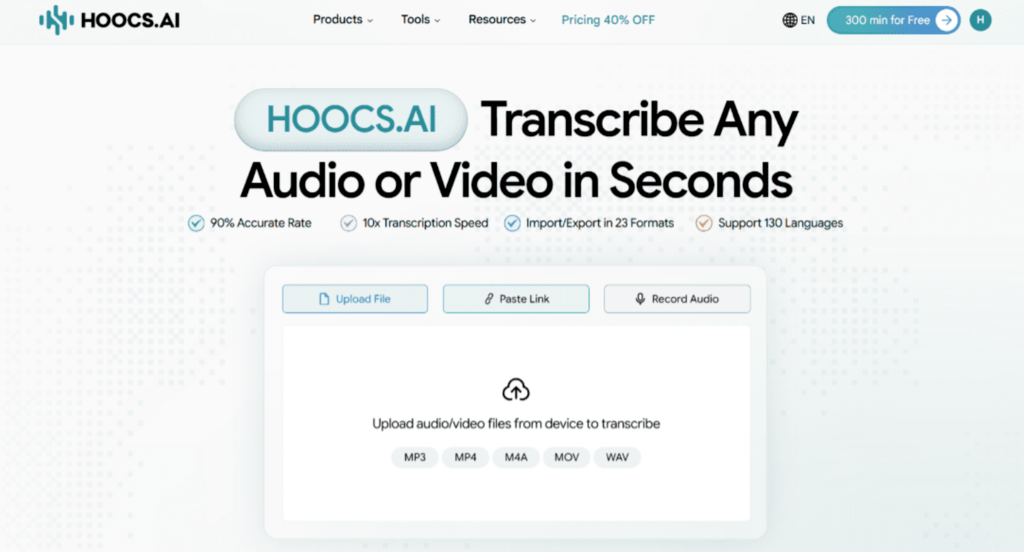
Hoocs.ai is an online transcription tool built for digital marketers and content creators to convert YouTube videos to text. You can paste YouTube links directly into Hoocs.ai to convert videos to text online. And it can generate structured outlines and mind maps without requiring any local file downloads. Processing everything in the cloud saves significant hard drive space during daily asset research.
Beyond providing basic transcription services, the platform operates across 130 global languages and dialects. It can accurately capture localized accents and convert overseas video into clean transcripts. Cross-border e-commerce teams rely on these automated outputs to analyze international competitor strategies, directly accelerating global market research without hiring native translators.
Pros
- Maintains 90% accuracy even under heavy background noise
- Supports 130+ global languages and regional dialects
- Delivers 10x faster processing for large video files
- Accepts 23+ different formats for local multimedia files
- Provides 300 free trial minutes for newly registered accounts
Cons
- Offers no human transcription backup services
- Lacks a mobile application at present
Extract YouTube Video Text Efficiently via Hoocs.ai
Transcribing YouTube videos with Hoocs.ai takes just a few simple steps. Copy your target video link and follow the workflow below to generate your first text script.
Step 1: Go to the Hoocs.ai official website and log into your account.
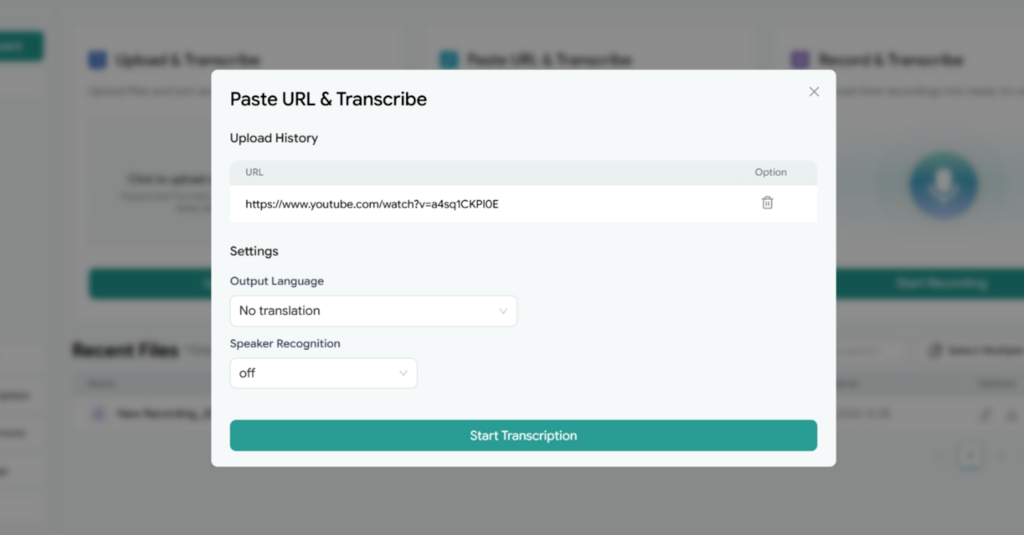
Step 2: Copy the target YouTube video URL and paste it directly into the input field.
Step 3: Click Start Transcription, then complete the Settings here, and click Start Transcription again.
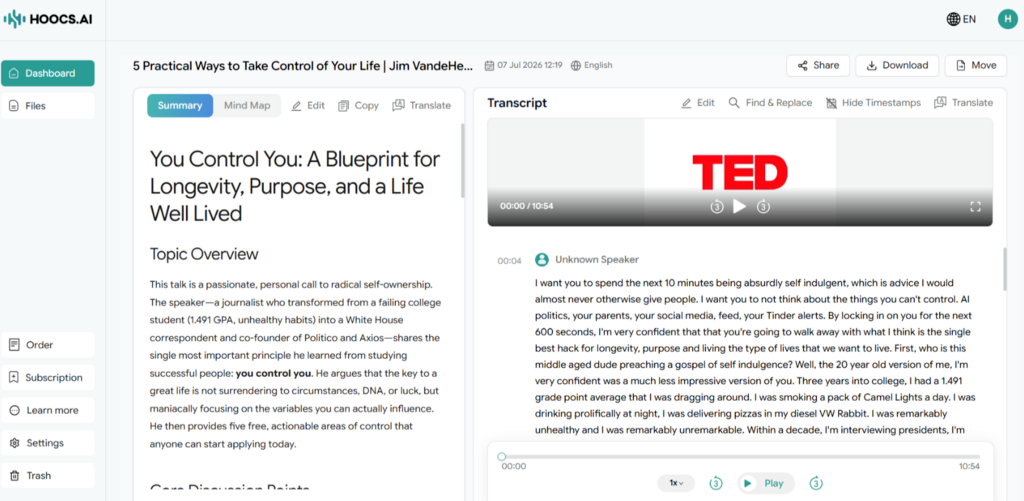
Step 4: Once complete, view the AI summaries and review the text in the editor. You can edit the transcripts here. Once satisfied, you can download the transcript file in your preferred format or share the transcript via a link.
Transcribe Corporate Meetings and Interviews with Otter.ai
Corporate meetings and business interviews often involve multiple participants, making manual transcription difficult. Otter.ai manages these complex environments through real-time speech recognition and speaker tracking. The engine analyzes voice frequencies to apply distinct speaker labels automatically as people talk. This automated tagging prevents you from repeatedly pausing audio to identify individual speakers.
The software integrates directly with mainstream conferencing tools to generate live, collaborative transcripts during active sessions. Team members can highlight critical quotes, add text notes, and assign action items inside the shared file. This instant synchronization eliminates communication lag, helping project managers and cross-border teams quickly finalize meeting summaries.
Pros
- Generates text summaries within minutes
- Isolates up to 8 speakers via real-time voiceprints
- Integrates directly with Zoom, Teams, and Meet
- Allows simultaneous file editing and task assignments
Cons
- Restricts core voice recognition to English environments
- Requires continuous internet access for live processing
How to Turn Meeting Videos into Text with Otter.ai
Transcribing corporate sessions with Otter.ai requires only a few clicks. Import your recorded files or launch a live session using the steps below.
Step 1: Visit the Otter.ai official website and log into your account.
Step 2: Click the live recording button or import a local video file. The platform will automatically start transcribing.
Step 3: After the transcription is completed, you can edit the text here and view the summary.
Step 4: Choose your target format, toggle preferences like speaker names or timestamps, and click the blue Export button to download your file.
Transcribe Multi-Platform Videos Directly via Video Transcriber AI
Video Transcriber AI provides a fast, web-based channel for extracting text without requiring a registered account. The tool offers a free daily quota out of the box while supporting local file uploads up to 5GB. This frictionless operation eliminates data privacy risks for budget-conscious freelance writers and research teams.
The platform also features extensive multilingual support, covering over 200 global languages and dialects. Its dedicated engine directly parses video links from major social platforms like YouTube, TikTok, and Instagram. This multi-platform flexibility enables content creators to gather multimedia materials quickly and scale their text asset production.
Pros
- Bypasses account registration for immediate browser-based access
- Processes 5 concurrent tasks simultaneously in the background
- Generates standardized subtitle files automatically alongside raw text
- Accepts large local video files up to 5GB
Cons
- Limits free plan conversions to 20 minutes per file
- Lacks deep AI summarization or automated mind-mapping tools
Upload and Transcribe Videos Online via Video Transcriber AI
Converting multi-platform media into text with Video Transcriber AI requires no account configuration. Upload your files or paste a social media link using the steps below.
Step 1: Open the VideoTranscriber.ai official website in your web browser.
Step 2: Drag and drop a local video file into the upload zone or paste a social media link. Click Transcribe.
Step 3: After the transcription is completed, you can edit the transcript on the editing page or view your AI notes.
Step 4: Configure your export preferences by toggling timestamps or speaker names, then click your target format button, such as TXT, DOCX, or SRT, to download the file instantly.
Optimize Core Technical Factors to Maximize Transcription Performance
When converting video to text, specific technical details directly dictate the quality of your final text output. To ensure that automated tools reach peak recognition performance, you should focus on optimizing four core dimensions before uploading your media assets:
- Ensure Source Audio Clarity: Heavy background noise, static, or overlapping sounds easily cause speech recognition errors. Using a free online denoiser to filter your track before conversion will significantly boost final text accuracy.
- Standardize and Extract Audio Formats: Processing large video files directly wastes server resources on separating audio from visuals. Extracting the track locally into standard MP3 or WAV formats shortens upload times and prevents codec errors.
- Segment Long Files into Rational Lengths: Uploading hours-long media files often triggers cloud disconnections or server errors during high-load periods. Splitting long footage into 30-minute segments using lightweight tools ensures successful text generation.
- Pre-import Industry-Specific Terminology: Generic speech models frequently misinterpret specialized jargon, legal clauses, or corporate acronyms based on phonetics. Pre-loading these terms into your tool’s custom vocabulary before analysis minimizes manual post-editing workloads.
Final Verdict
Finding the best way to convert video to text ultimately depends on your specific production goals. Dedicated tools like Otter.ai excel at capturing live corporate discussions, but their language models are primarily focused on English, and long-term subscriptions can be quite expensive. Registration-free web tools let you skip the account setup, though they typically impose strict duration caps on free media uploads.
For creators looking for a more flexible routine, Hoocs.ai is a balanced alternative. The platform includes 300 free trial minutes to thoroughly test the engine across different projects, while its subsequent subscription tiers remain affordable compared to enterprise software. Aligning these language options, processing limits, and ongoing costs ensures you choose a setup that scales smoothly with your regular content needs.