
The first shot shows a paper boat drifting toward a small stone bridge. In the second, the boat passes underneath. Both clips look fine on their own. Put them together and the boat suddenly travels in the opposite direction, its fold changes, and the bridge is twice as wide. The viewer spends the cut figuring out where everything went.
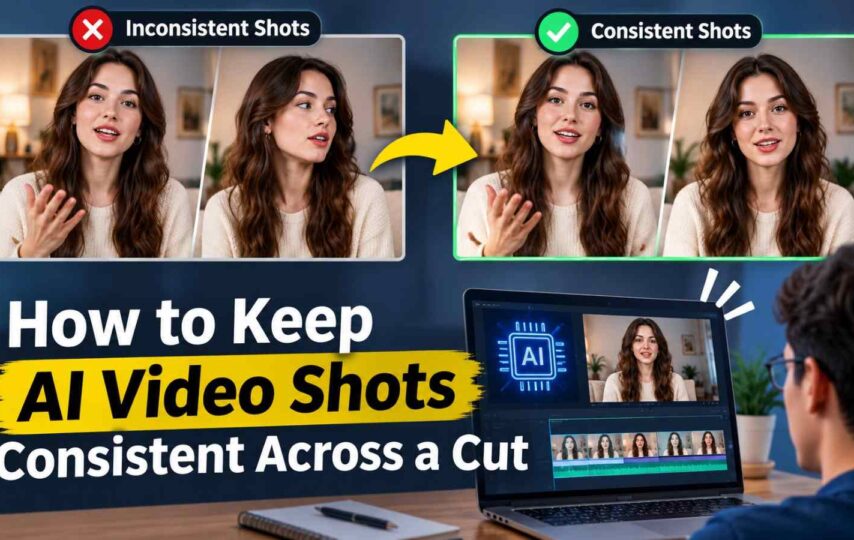
This is one of the harder parts of making a short video from separately generated clips. Each shot can look convincing while telling a slightly different version of the story. To make them feel like one scene, decide what the audience needs to recognise across the cut, then give the next shot a reference that carries those details forward.
Decide what the second shot needs to show
The wide shot establishes the stream, the bridge, and the direction of travel. A low shot near the water can show something the wide shot barely reveals, such as the boat’s folded bow dipping as it enters the shadow. Giving the close-up that specific job helps you choose where to cut and which details it needs to inherit.
For this scene, three details do most of the work:
- Direction. The boat moves from left to right in both shots.
- Position. The cut happens near the edge of the bridge’s shadow, so viewers can tell how far the boat has travelled.
- Appearance. The paper stays cream-coloured with a blue stripe along one fold.
A branch in the background can disappear when the camera moves closer. The stripe carries more weight because it helps the viewer recognise the boat. Decide which details are essential before reviewing drafts. That way you can spend time fixing changes that will actually interrupt the scene.
Use a frame from the first clip as a reference
Scrub through the wide shot and find a frame just before the boat reaches the shadow. Choose one with a clear outline, a visible stripe, and enough room in front of the boat to see where it’s headed. Export that frame from the clip. You can select a frame slightly earlier than the planned cut if it gives you a sharper view.
If the second clip continues from the same angle, use the exported frame as its starting image. For example, Animer’s Seedance 2.5 accepts a first-frame image and a description of what happens next. A simple direction for the continuation would be:
The cream paper boat with a blue stripe continues drifting from left to right and enters the bridge’s shadow. Keep the same viewing angle and water level. The bow dips slightly as the boat enters the shade, then rises again.
If you want to cut to a lower or tighter angle, prepare a reference for that composition. A crop from the first clip works when you only need to get closer and the source has enough detail. For a genuinely different viewpoint, use a separate image that shows what the camera should see from there. Check both references side by side before generating: the boat should enter the new shot from a position that makes sense, and its path should still lead toward the shadow.
Make the cut during an action the viewer can follow
Put the two shots next to each other in an editor. Play them through without pausing. If the wide shot shows the boat completely entering the shadow and the close-up starts with it approaching the shadow again, you’ve shown the same action twice. Trim the wide shot earlier or start the close-up farther into its movement.
Use something visible in both shots to find the cut. In this example, the front of the boat crossing the shadow line is a better cue than the exact timestamp in either file. Try cutting as the bow reaches the shade, then advancing the first frame of the close-up a little if the boat seems to hesitate.
Watch the speed as well as the position. A boat drifting slowly in a wide shot will appear to cross more of the screen in a close-up. Some change in apparent speed is expected. If it suddenly looks like it has been pushed, try another starting point in the close-up where its motion is steadier. A slight timing adjustment can help, but stretching a shot with already uneven motion may make the unevenness easier to see.
Diagnose the mismatch before generating another take
| What you see at the cut | What to try |
| The boat appears to turn around. | Check which edge it enters from and which way it travels. Prepare a new reference if the second camera angle reverses the direction. |
| The action seems to repeat. | Trim the overlap around a shared event, such as the bow reaching the shadow. |
| The paper or stripe changes colour. | Compare a frame from each clip under similar lighting. Correct a small colour shift in the editor. Use a clearer reference if the stripe disappears or moves. |
| The boat jumps ahead. | Start the second shot earlier or hold the first shot longer, using the shadow line to align the two moments. |
Keep the shots next to each other while making changes. A beautifully rendered second clip can still be the wrong fit if the path or timing makes the cut confusing. If a reliable match would take several more attempts, consider a cutaway. A brief shot of ripples beneath the bridge can mark the passage of time before the boat reappears downstream. The cutaway should show something that belongs in the scene, so the viewer can still follow the journey.
Use sound to connect the shots
Listen to the sequence with your eyes closed. If each clip has a different water sound, the change in ambience can make the edit feel abrupt even after the pictures line up. Try running one continuous stream recording underneath both shots. If there’s a distinct splash you want to keep, place it where the bow dips and adjust its level against the background.
Then watch once on mute. The boat’s direction and position should still be easy to follow. This is a useful check for social clips that people may see before they turn on the sound.
FAQ
Can I use the last frame of one AI video as the first frame of another?
Yes, when the next shot is meant to continue from the same view. Pick a clear frame close to the edit point. If both clips hold that image for several frames, trim the pause so the movement carries through.
How do I keep an object consistent when changing camera angles?
Prepare a reference that shows the object from the intended angle. Check its proportions, markings, and direction of movement against the preceding shot. For a modest change in framing, a crop from the original image may be enough. A substantially different angle benefits from a separate view.
Should I use a transition to hide a jump between clips?
Try adjusting the cut first. A dissolve can make mismatched shapes visible at the same time, which may draw attention to the change. If the sequence intentionally skips forward, a cutaway can show what happened in between or give the viewer a moment to register the new location.
Which continuity problem should I fix first?
Start with anything that changes how viewers understand the action. A boat reversing direction matters more than a slightly different shade of blue. Once the story reads cleanly at normal speed, check the details that identify the subject.