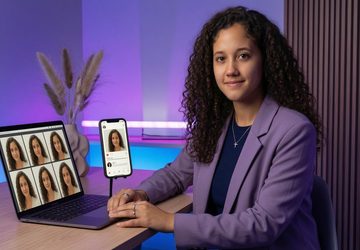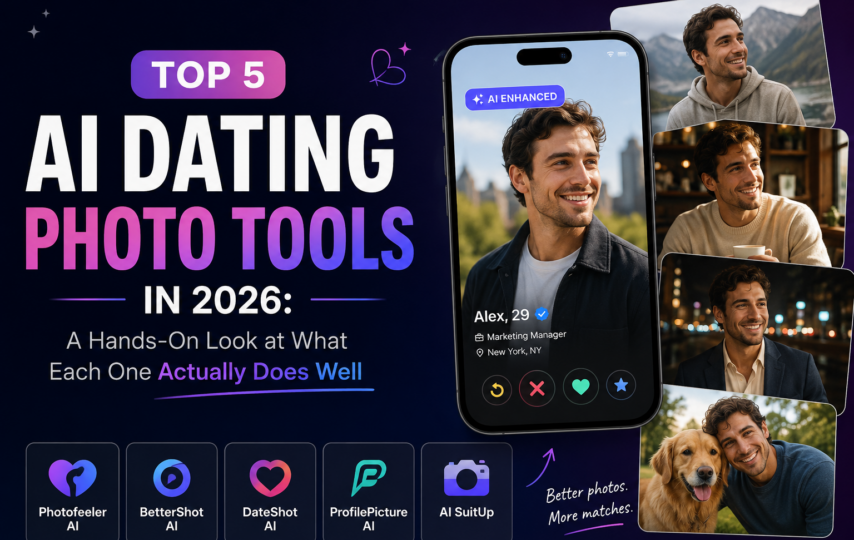

If you opened Tinder or Hinge anytime in the last year, you probably noticed something: profiles started getting better. Not because everyone hired a photographer. They quietly started using AI photo tools.
In 2026, AI dating photos went from “weird experiment” to “default move” for serious daters. The reason is simple. A 20-minute upload now produces what used to take a photographer half a day, at a fraction of the cost. But not every tool does the same thing well. Some are tuned for LinkedIn headshots and got dragged into dating by accident. Some are built specifically for swiping. Some are still figuring out which lane to play in.
I spent a few weeks testing the five tools that keep getting mentioned in dating subreddits and AI roundups. Here is what each one actually does, where it wins, and where it falls short.
What to Look For Before Picking a Tool
Most “best AI dating photo” lists pretend every tool is interchangeable. They are not. Here are the variables that actually matter once you upload a selfie and wait for results.
Photo count per package. Some tools deliver 30-40 photos. Some deliver 200. More is not always better, but if you only get 30 and twelve of them look the same, you are left with a thin profile.
Scene variety. A profile with four coffee-shop photos and nothing else is the AI equivalent of using the same selfie six times. You want a mix: outdoor, urban, professional, casual.
Realness handling. Dating apps have started flagging photos that look too AI-generated. If a tool gives you no way to tell which photos look real and which look plasticky, you are gambling.
App-specific tuning. Tinder rewards different photos than Hinge. A tool that optimizes for general “professional headshots” will give you photos that work fine on LinkedIn and flop on a dating app.
Pricing model. One-time payments versus subscriptions. Trial-and-pay versus pay-and-regenerate. The unit economics matter once you realize you might need a second batch.
With those filters in mind, here is the lineup.
Tool #1: DatePhotos AI — The Dating-First Specialist
DatePhotos is the only tool on this list built from day one for dating apps. That sounds like a marketing line, but it shows up in the product. The output is not “professional photos that might also work on Bumble.” It is photos designed around what Tinder, Bumble, and Hinge profiles actually convert with.
The numbers: 80 to 200 photos per package depending on plan, 25 to 45 curated dating scenes, 20-30 minute delivery, pricing from $29 (BASIC) to $49 (PRO) to $79 (ULTIMATE), with a 7-day money-back guarantee. One-time payment, no subscription, no recurring billing surprise.
Two things set it apart in practice. First, after generating your photo batch, an AI curation model picks the top 30-40 shots for you. You are not handed 200 raw photos and told to figure out which ones are usable. Second, every photo gets a Realness Score™ from 0 to 100. Photos that score below 70 get flagged so you do not accidentally upload something that looks AI-generated to a real match.
Scene library is genuinely diverse. You get coffee shops, beach, outdoor hiking, city streets, gyms, dog parks, upscale restaurants, art museums, cooking kitchens, barbershops, even subway and urban-night editorial scenes. The point is not exotic locations. The point is that your profile reads as a person with a life, not a single guy who only stands in a hallway.
This Bumble photo tool also tunes outputs differently depending on which app you target. Bumble women’s profiles convert on different photo styles than Tinder men’s profiles, and the model treats them as separate problems.
The honest weakness: if you actually need a corporate headshot for LinkedIn, DatePhotos is not the right call. It is purpose-built for swiping, and the photos lean lifestyle, not boardroom.
Best for: Anyone whose main use case is Tinder, Bumble, or Hinge.
Tool #2: Aragon AI — Stronger for LinkedIn Than Dating
Aragon was one of the earliest AI photo tools to hit the mainstream. The core product is professional headshots, and it does that well. Corporate shots, LinkedIn profile pictures, executive-style portraits.
The dating side is where things get muddy. Aragon advertises a “dating photos” feature, but in practice it is the same model trained for headshots with some softer backgrounds layered on top. You get 40 to 100 photos per package, generic backgrounds rather than curated dating scenes, roughly one hour delivery, and pricing starts around $35.
There is no AI curation step (you sort the batch yourself), no realness scoring, and no app-specific tuning for Tinder versus Bumble versus Hinge. If a particular photo looks artificial, you might not catch it until your match points it out.
For a hands-on take, a side-by-side DatePhotos vs Aragon comparison breaks down the feature gaps in detail. The summary version: Aragon is the right tool when you want to look hired-able. It is not the right tool when you want to look swipe-able.
Best for: LinkedIn, job applications, corporate profile photos.
Tool #3: Headshot Pro — Premium Headshots, Less Lifestyle
Headshot Pro lives in the same neighborhood as Aragon but pushes further into the premium end of the headshot market. The output quality is high. The retouching is restrained. The poses look like they came out of a real studio session.
That same focus is its dating-app weakness. Headshot Pro photos are polished and stationary. Profiles full of clean studio portraits read well on a resume site. On Tinder, they read as a person who has no hobbies. Dating photos need motion, context, and warmth. Studio polish flattens all three.
The lifestyle scenes Headshot Pro does offer are limited and skew formal. You will not find dog parks, coffee shops at golden hour, or cooking kitchens. Which is fine if that is not what you need.
Best for: Personal branding, speaker headshots, founder portraits.
Tool #4: Photo AI by Pieter Levels — The Indie Pioneer, Now Crowded
Photo AI by Pieter Levels was one of the original solo-built AI photo tools, and it deserves credit for opening the category. The product still works, the model is solid, and the price point is reasonable.
The honest read in 2026 is that the indie pioneer no longer has a structural advantage. When Photo AI launched, it was the only place to get this kind of output. Now there are dating-specialized competitors, headshot-specialized competitors, and a dozen tools tuned for niche use cases. Photo AI is competent across all of them and best at none.
If you want a generalist AI photo tool and you remember the early days, it is a fine pick. If you want photos optimized for a specific dating app or a specific scene library, the specialists pull ahead.
Best for: Generalist AI photos when you do not have a strong opinion about scene or platform.
Tool #5: PhotoAI Studio — Newer Entrant, Limited Style Library
PhotoAI Studio is the newest of the five. The model quality is respectable, the interface is clean, and pricing is competitive. The catch is the style library is still thin compared to the established tools.
You get a smaller set of scenes, fewer pose variations per scene, and no realness scoring or curation layer. The team is moving fast, and this list might look different in six months. For now, PhotoAI Studio is a reasonable third or fourth choice if the cheaper tier matters more to you than scene diversity.
Best for: Cost-sensitive users who only need a handful of usable photos.
A Quick Way to Stress-Test Your AI Photos Before Uploading
Whichever tool you pick, run a 5-minute sanity check before you swap out your real profile.
Send three of the AI photos to a friend without context. Ask them what they think of “this person.” If the answer is “looks nice, normal photo,” you are good. If the answer is “is that AI?” or “something feels off,” go back and pick a different shot.
Look at the photo on a phone screen, not your laptop. Dating apps render small. Tiny artifacts that look fine at full resolution can pop on a 6-inch screen. Skin smoothing, weird shadows around glasses, or floating jewelry tend to show up there.
Mix the AI photos with one or two real selfies. The goal is a profile that feels coherent, not a slideshow of perfect AI shots followed by a blurry mirror selfie. The contrast is what trips people up.
This is also where the realness scoring approach pays off. You skip the friend test if the tool already flagged the questionable photos for you.
The 2026 Verdict
If I had to summarize where each tool wins:
- DatePhotos AI is the right pick if your goal is matches on Tinder, Bumble, or Hinge. The Realness Score and AI curation steps are not gimmicks. They are the difference between handing your profile 30 usable photos and 30 photos you have to manually grade.
- Aragon AI is the right pick for LinkedIn and corporate headshots. Its dating feature is a side product, not a focus.
- Headshot Pro is the right pick for personal branding and founder portraits where studio polish is the goal.
- Photo AI by Pieter Levels is the right pick if you want a generalist tool and do not need app-specific tuning.
- PhotoAI Studio is the right pick if budget is the top constraint and you can work with fewer scenes.
The shortcut version: pick the tool whose entire product is built around your use case. If you are dating, pick the tool built for dating. If you are job hunting, pick the tool built for headshots. The era of “one AI photo tool for everything” is already over. The specialists win in 2026.