
The web player is one of Spotify’s simplest tools. It lets you play music and podcasts without downloading software on your computer or installing an app on your phone. Many people wonder how it compares with the other versions, but the differences are slight. This short guide will explain what you need to begin. If you are new to the service and want to start listening at once, follow the steps below.
How to Use Spotify – Web Player: Music For Everyone
Because it runs in the browser, you can open it on any modern program – Chrome, Safari, Firefox, or others.
- Open your browser and go to open.spotify.com.
- You must have an account. If you already use Spotify, sign in with your details. Your music and playlists will be carried over automatically.
- After logging in, the player is ready. You can search, browse, and play music as you would on the desktop or mobile app.
Spotify Web Player Features That Make It Stand Out
Now that you know how to reach the web player, it is time to see what it can do. The service is not limited to one or two features but offers a wide field of choice.
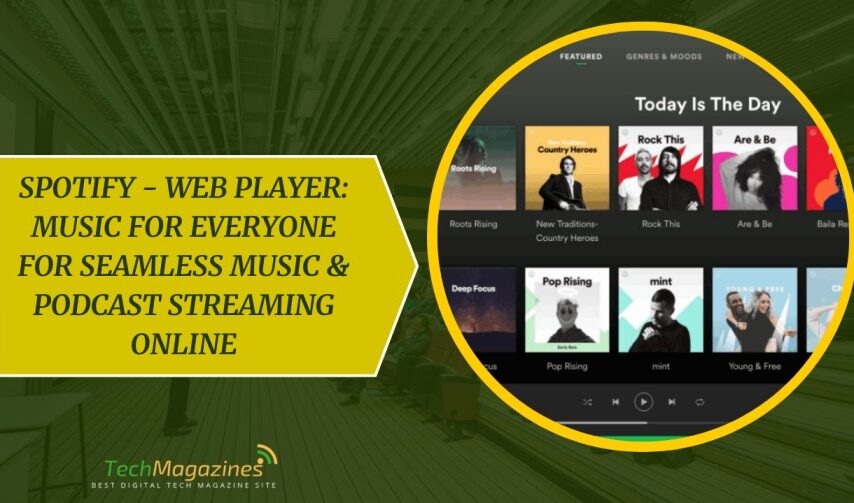
Search through the music library
The player gives access to Spotify’s full catalogue, much as the desktop and mobile versions do. You can look for any artist or track, whether new or old, and begin listening at once. Actually, many new users find spotify – web player: music for everyone to be the quickest way to start streaming without any downloads.
Music chosen for you
By watching what you play, the system learns your taste and offers suggestions. These appear as mixes and playlists on the Home page, and they can be added to your library with a click. It is an easy way to discover songs you have not heard before.
Podcasts
Alongside music, the player also carries podcasts. They range across every subject, from major publishers to independent voices. Each show is divided into episodes, which you may listen to at any time.
Sharing with others
The service has social features as well. You may send a track to a friend, post it on social media, or create a playlist that more than one person can edit. These small tools make it simple to enjoy music together.
How to Explore Artist Pages and Discographies
If you wish to see more about a musician, type their name in the search bar and select it. This will open their page, where the most popular songs are shown first. This is useful if you do not yet know their work.
The page also contains the complete catalogue of records – albums, singles, and new releases. By choosing the “Discography” option, you can view further details such as the year each was made and the number of tracks included.
Reasons to Choose Spotify’s Web Version
The chief reason to use any streaming service is that it should be simple and reliable. The web player provides both, and does so without the nuisance of extra downloads.
No Installations or Downloads Required
No software is required. You can open your browser, sign in, and begin listening. This is helpful if you are using a shared or public computer where you cannot install programs. Your account remains the same, and your music is there whenever you log in.
Works on Multiple Devices Anywhere
The web player works on laptops, desktop machines, and tablets. All that is needed is a browser such as Chrome or Safari and a connection to the internet. It is practical whether you are at home, at school, or at work. You may move from one device to another without losing your place in a song or playlist.
Access the Complete Spotify Library
Through the player you can reach a vast store of albums, tracks, and ready-made playlists. You may also build your own lists, mark songs you enjoy, and listen to the full range of shows and music that are open under the free plan. In addition, the system will point you toward new material by studying what you have heard before. Many users choose spotify – web player: music for everyone precisely because of this huge selection paired with ease of use.
How to Save Spotify Songs for Offline Use with ViWizard
While the web player is convenient, it does not allow offline listening. The reason lies in the restrictions placed on the files, which prevent them from being kept outside the service. For those who want lasting access to songs, albums, or podcasts without relying on Premium or the internet, there is another path. A tool such as ViWizard can change Spotify tracks into open formats like MP3, FLAC, WAV, or M4A, keeping the full sound quality and the details of the record such as titles and cover art. This differs from Spotify’s own offline mode, which is bound to a subscription and ceases once it is cancelled.
By removing the built-in limits, the converted files may be moved to any device, stored for good, and arranged with edited labels if needed. Even songs blocked in certain regions can be played without trouble. The program works with both free and paid accounts and links with either the web player or the desktop version. Once the files are saved, you may play them without adverts, without interruption, and without further cost. In this way you gain complete control over your library, free from the terms of the streaming service.
Spotify Web Player: Security and Privacy Protections
Spotify treats personal information with care. The web player uses strong encryption, safe sign-in systems, and a strict privacy policy to guard user data. These measures are in place to ensure both security and continued protection of your account.
Spotify Web Player is Free
As with the main service, you only need to log in to begin streaming songs or podcasts. The rules of use are the same as on the desktop or mobile versions. If you are on the free plan, you will hear adverts and face some limits on playback. To avoid these, you must choose one of the paid options. This flexibility is a big reason why spotify – web player: music for everyone remains a popular choice.
Conclusion
Ultimately, the web player of Spotify demonstrates that even the most basic solutions can be the most graceful. No downloads, no storage battles with your device. Sure, you still will have the occasional commercial reminding you that there is someone out there, having a far better time than you because they spent the extra money on Premium. However, to the commitment-averse music lover who desires instant gratification without the digital baggage, the web player is the solution.
It is as though you had a huge record collection that weighed nothing at all and never had to be dusted. No matter if you are a casual user or an expert in playlists, the browser-based service of Spotify keeps the music playing with a coolly minimal amount of effort.
FAQs
Q1: Can I use Spotify Web Player without an account?
You will have to create a free account at least. The good news? It is free, fast, and less agonizing than trying to describe your musical preferences to your judgmental friends.
Q2: Does the web player work on all browsers?
Yes, it is compatible with Chrome, Safari, Firefox, and other popular browsers. The web player is browser-neutral.
Q3: Is the sound quality different from the desktop app?
The web player is streaming the same quality as its desktop counterpart, up to 320kbps with Premium users, 160kbps with free accounts. Thus your favorite songs will either be equally crisp or equally compressed, depending on whether you are subscribed or not.