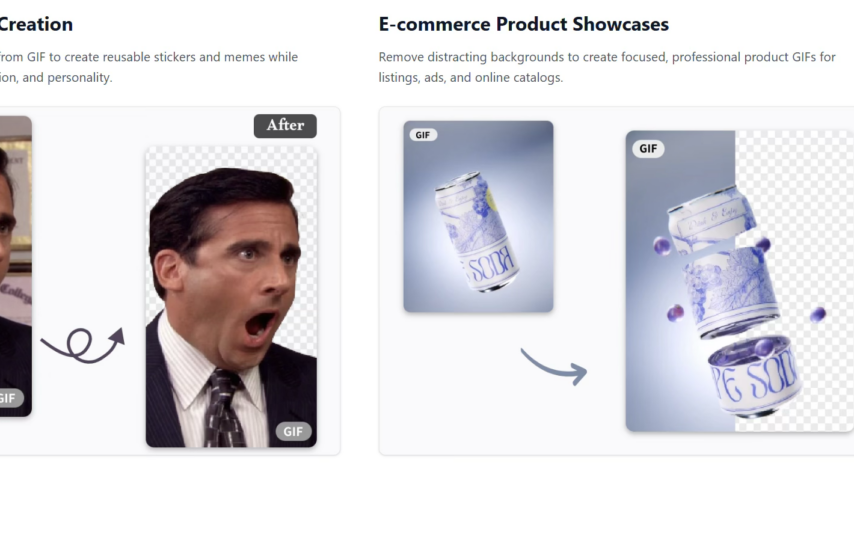

GIFs have become one of the most popular forms of visual communication online. From social media reactions to marketing animations and website elements, they help express ideas quickly and creatively. However, one common limitation is the background many GIFs come with distracting or unwanted backgrounds that reduce their visual appeal.
Whether you are a content creator, designer, marketer, or casual user, learning how to Remove GIF Background can significantly improve the quality of your animations. With modern AI tools, you no longer need complex software or professional editing skills to achieve clean, transparent GIFs.
This guide will walk you through everything you need to know about using a GIF Background Remover, including how it works, why it matters, and a simple step-by-step process designed for beginners.
Why Removing GIF Backgrounds Is Important
A GIF with a cluttered or solid background often looks less professional and harder to use in different contexts. Removing the background makes your GIF more flexible and visually appealing.
Here are some key benefits:
- Makes animations blend seamlessly into websites
- Improves social media post design
- Enhances professional presentations
- Increases marketing effectiveness
- Allows transparent overlays on videos and images
- Gives content a modern and clean look
For example, a product animation without a background can be placed on any webpage design without clashing with colors or layout. Similarly, transparent reaction GIFs look much better in messaging apps and content creation.
Understanding How GIF Background Removal Works
GIF files are different from static images because they contain multiple frames that play in sequence. Removing a background means editing every frame while maintaining smooth motion.
Modern AI-powered tools simplify this process by automating everything.
Step 1: Frame Analysis
The tool scans every frame of the GIF to understand movement and structure.
Step 2: Subject Detection
AI identifies the main subject—such as a person, object, or character.
Step 3: Background Separation
The background is separated from the subject using advanced segmentation technology.
Step 4: Frame Reconstruction
Each frame is rebuilt with the background removed while preserving animation quality.
Step 5: Transparent Export
The final GIF is exported with a transparent background, ready for use.
This process happens automatically in seconds, making it extremely beginner-friendly.
Where Transparent GIFs Are Commonly Used
Transparent GIFs are widely used across different industries and platforms.
Social Media Content
Creators use transparent GIFs to make posts more engaging and visually appealing.
Website Design
Web developers use GIFs with no background for banners, icons, and interactive elements.
Digital Marketing
Marketers include clean animations in ads and landing pages to improve conversions.
Messaging Apps
Users send transparent reaction GIFs for more expressive communication.
Educational Content
Teachers and trainers use GIFs in presentations without distracting backgrounds.
Tools You Need for GIF Background Removal
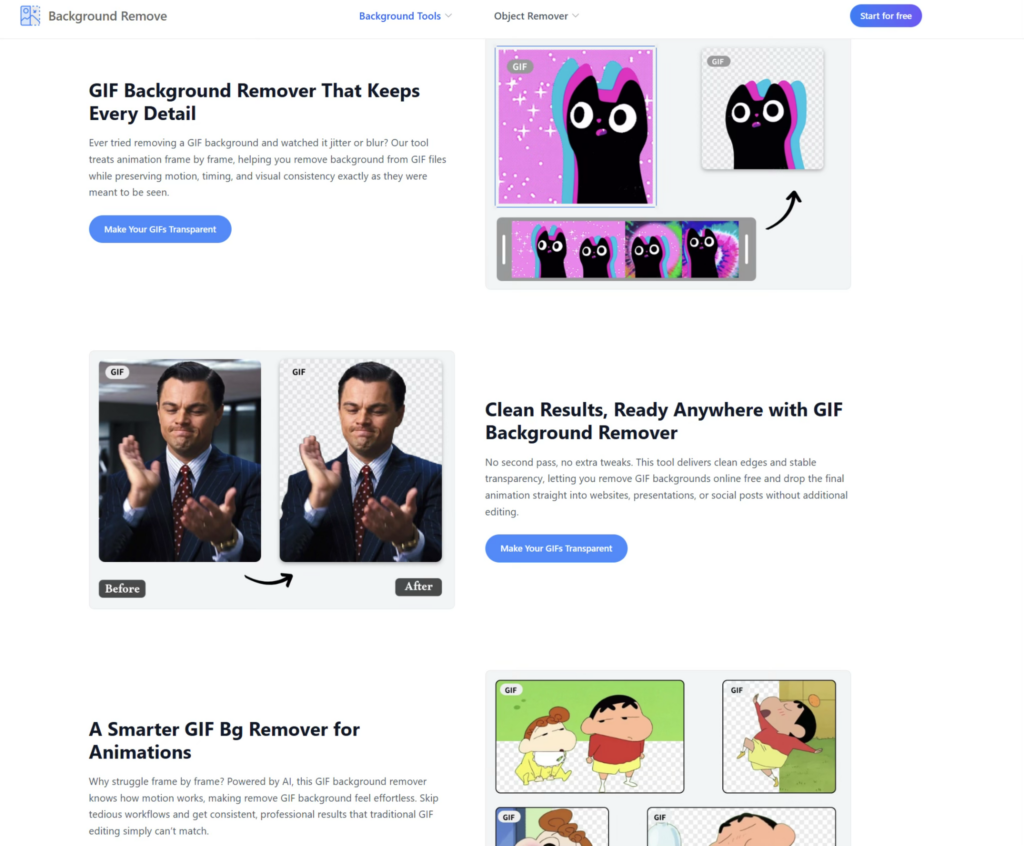
To remove backgrounds from GIFs, you don’t need expensive software anymore. Online tools powered by AI can handle everything automatically.
A good tool should include:
- Automatic frame-by-frame processing
- Accurate subject detection
- Transparent export support
- Fast processing speed
- Easy drag-and-drop interface
- No watermark or minimal branding
These features ensure smooth editing and professional-quality output.
Step-by-Step Guide to Remove GIF Background Easily
Here is a simple process anyone can follow, even without editing experience.
Step 1: Upload Your GIF
Start by selecting the GIF file from your device. Most online tools support standard GIF formats and file sizes.
Step 2: Let the AI Process the File
The system automatically analyzes each frame and identifies the main subject.
Step 3: Preview the Result
Once processing is complete, preview the GIF to check how the background removal looks.
Step 4: Refine if Needed
Some tools allow small adjustments to improve edges or fix minor errors.
Step 5: Download Transparent GIF
Export the final version with a transparent background and use it anywhere you want.
That’s it—no manual frame editing required.
Common Challenges in GIF Editing
Even though AI tools are powerful, there are a few challenges you might encounter.
Complex Backgrounds
Busy or moving backgrounds can make detection slightly harder.
Fast Motion
Rapid movement may cause slight edge imperfections.
Low-Quality GIFs
Pixelated or compressed GIFs may reduce accuracy.
Similar Colors
If the subject blends into the background, separation may not be perfect.
Despite these challenges, modern tools still deliver impressive results compared to traditional editing methods.
Tips for Better GIF Background Removal Results
To get the best output, follow these simple tips:
Use High-Quality GIFs
Clear animations improve AI accuracy.
Choose Simple Backgrounds
Less clutter makes separation easier.
Keep Subjects Centered
Centered objects are easier to detect and isolate.
Avoid Heavy Compression
High-quality files produce cleaner results.
Preview Before Downloading
Always check the final output before saving.
Advantages of Using Online GIF Background Removers
AI-powered tools have completely changed how GIF editing works.
No Technical Skills Required
Anyone can edit GIFs without learning complex software.
Fast Processing
AI completes tasks in seconds instead of hours.
Accessible Anywhere
You only need a browser and internet connection.
Cost-Effective
Many tools are free or affordable compared to professional software.
Professional Results
Even beginners can achieve studio-quality outputs.
These benefits make online tools the preferred choice for most users today.
How Businesses Use Transparent GIFs
Businesses are increasingly using GIFs in their digital strategies.
- E-commerce brands showcase products with clean animations
- Social media teams create engaging promotional content
- Startups use GIFs for app previews and demonstrations
- Marketing agencies design visually appealing ad creatives
- Bloggers enhance articles with lightweight animations
Transparent GIFs make content more flexible and visually consistent across platforms.
Why AI Is Better Than Traditional Editing
Before AI tools, removing GIF backgrounds required frame-by-frame manual editing using complex software. This process was time-consuming and required advanced skills.
AI changes everything by:
- Automating frame processing
- Maintaining motion consistency
- Reducing editing time dramatically
- Delivering more accurate results
- Making editing accessible to everyone
This is why AI-based GIF Background Remover tools are becoming the standard in digital content creation.
Choosing the Right Online Platform
When selecting a tool, always consider performance, ease of use, and output quality. A reliable Remove GIF Background solution should provide accurate subject detection and clean transparency without distorting animation.
One platform that users often explore is backgroundremove.io, which offers AI-powered tools designed to simplify background removal for both images and GIFs. It helps users achieve clean, professional results without needing editing experience.
For creators looking for a fast and efficient GIF Background Remover, backgroundremove.io is a practical option that supports smooth workflow and quick output generation.
The Future of GIF Editing with AI
AI technology continues to improve rapidly, and GIF editing is no exception. Future advancements may include:
- Real-time background removal while creating GIFs
- Improved motion tracking accuracy
- Instant preview rendering
- Better handling of complex animations
- Automated style enhancement
These innovations will make GIF editing even easier and more powerful in the coming years.
Final Thoughts
GIFs are a powerful way to communicate visually, but unwanted backgrounds can limit their effectiveness. Fortunately, AI tools now make it incredibly easy to remove them.
By learning how to Remove GIF Background, you can create cleaner, more professional, and more versatile animations suitable for websites, social media, marketing, and personal use.
With the help of a reliable GIF Background Remover, even beginners can achieve high-quality results in just a few clicks. Tools like backgroundremove.io are helping simplify this process, making advanced editing accessible to everyone.