

Catching rare Pokémon, joining global raids, and exploring different regions are some of the most exciting parts of Pokémon GO. However, not everyone has the time or ability to travel long distances every day. That’s why many players choose to use a GPS spoofing app, allowing them to change their GPS location while controlling movement.
In this guide, we’ll explain why PC-based location spoofers are becoming increasingly popular, what features to look for, and how to spoof Pokémon GO safely using a Pokémon Go spoofer.
Why Use a Pokémon GO Spoofer on PC?
A PC-based Pokémon GO spoofer offers several advantages over mobile-only solutions.
1. Play from anywhere
Teleport to any city or country to catch regional Pokémon, participate in exclusive events, or join remote communities without leaving home.
2. More precise GPS control
Managing your location from a computer provides greater accuracy and smoother movement than many mobile spoofing apps.
3. No jailbreak or root required
Modern PC spoofers connect directly to your iPhone or Android device, eliminating the risks associated with jailbreaking or rooting.
4. Simulate realistic movement
Instead of instantly jumping between locations, you can simulate walking, cycling, or driving at customizable speeds to create more natural gameplay.
5. Convenient route planning
Create custom routes with multiple stops and let the software automatically move your character while you focus on catching Pokémon.
What Makes a Good Pokémon GO Spoofer?
Not every GPS spoofer delivers a safe and reliable experience. Here are the most important features to consider when choosing one.
- No jailbreak or root required
- Supports both iOS and Android
- Smooth joystick control
- Multiple movement modes
- Adjustable movement speed
- Built-in cooldown timer
- Stable GPS simulation
- Easy-to-use interface
- Frequent software updates
- Compatible with the latest Pokémon GO versions
A tool that combines all of these features will make spoofing easier while reducing the risk of detection.
Best Pokémon GO Spoofer for PC: PoKeep Location Changer
Among the many GPS spoofing tools available today, PoKeep Location Changer stands out as one of the best Pokémon GO spoofers for PC. Designed specifically for location-based games and apps, PoKeep provides all the tools you need in one application. It works with both iPhone and Android devices, requires no jailbreak or root, and includes advanced movement simulation features to help you play more naturally.
Key Features of PoKeep Location Changer
- One-Click Teleport Mode
Instantly change your GPS location anywhere in the world by selecting a destination on the map.
- Joystick Mode
Control your character manually using a virtual joystick, making exploration feel much more natural during gameplay.
- Two-Spot Movement
Move automatically between two selected locations at your preferred speed.
- Multi-Spot Route Planning
Create custom walking routes with multiple waypoints for farming PokéStops, completing research tasks, or hatching Eggs.
- Jump Teleport Mode with Cooldown
Teleport between multiple saved locations while following an integrated cooldown timer that reminds you when it’s safer to perform your next action.
- Adjustable Speed
Simulate walking, cycling, motorcycling or driving by customizing movement speed to match realistic travel patterns.
- Favorites and History
Save frequently used locations and quickly revisit previous destinations without searching again.
- Wide Compatibility
Supports both iPhone and Android devices, including the latest operating systems, all from your Windows or Mac computer.
Pros and Cons
Pros
- Supports both iPhone and Android
- No jailbreak or root required
- Beginner-friendly interface
- Multiple movement modes
- Smooth joystick navigation
- Built-in cooldown timer
- Stable GPS simulation
- Provide a free trial version
Cons
- Requires a Windows or Mac computer
- Premium features require a paid license
How to Spoof Pokémon GO with PoKeep Location Changer
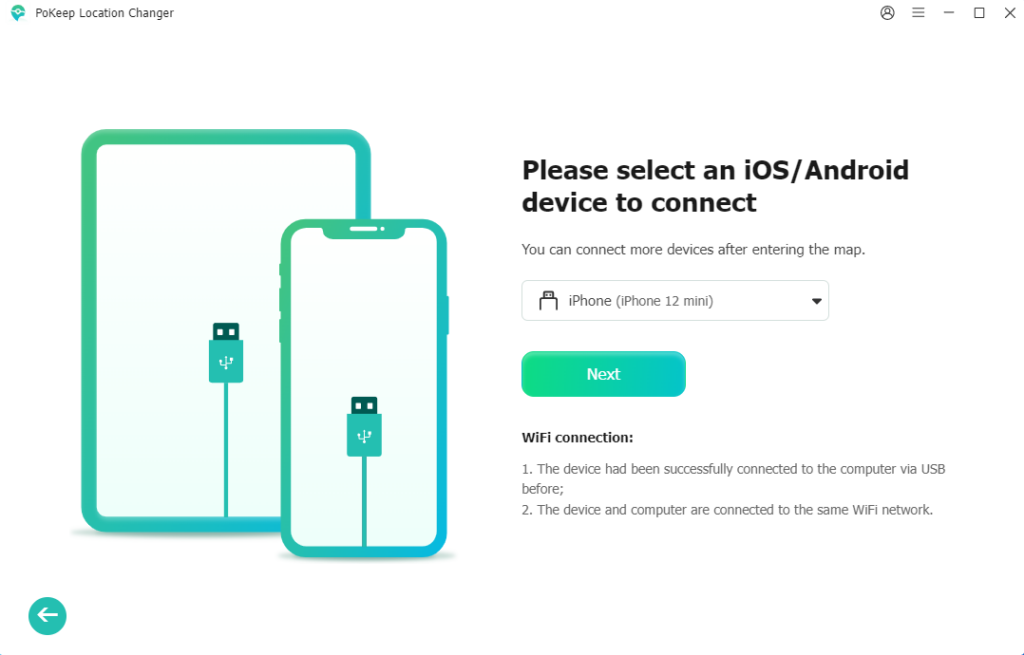
Step 1: Install and launch PoKeep Location Changer on your Windows or Mac computer. Connect your iPhone or Android device using a USB cable or a supported wireless connection.
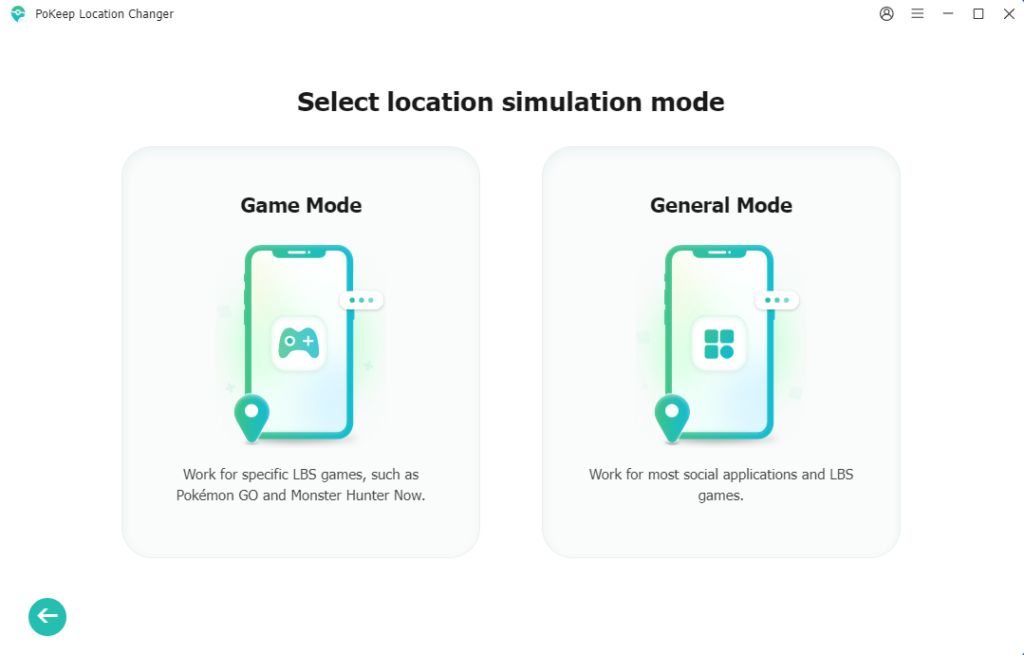
Step 2: Finish the necessary setup on your device according to the on-screen guide. Then choose a mode from Game Mode and General Mode. For Pokémon Go players, we recommend choosing Game mode for a more professional Pokémon Go spoofing.
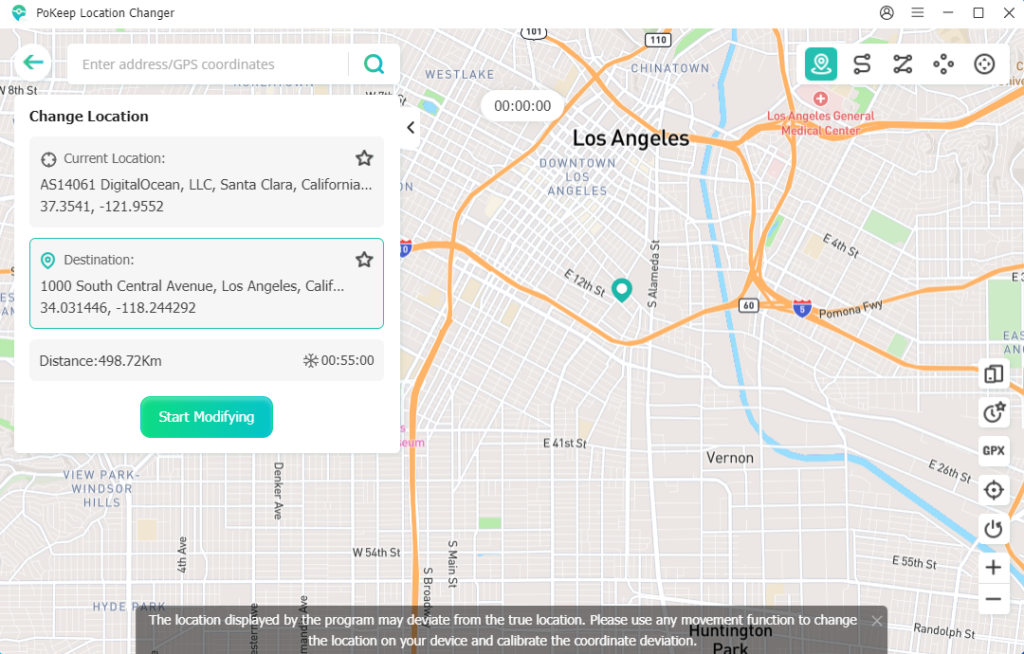
Step 3: Select Teleport Mode, click the location you want to visit or search for it directly on the map. Click Start Modifying to change your GPS location instantly.
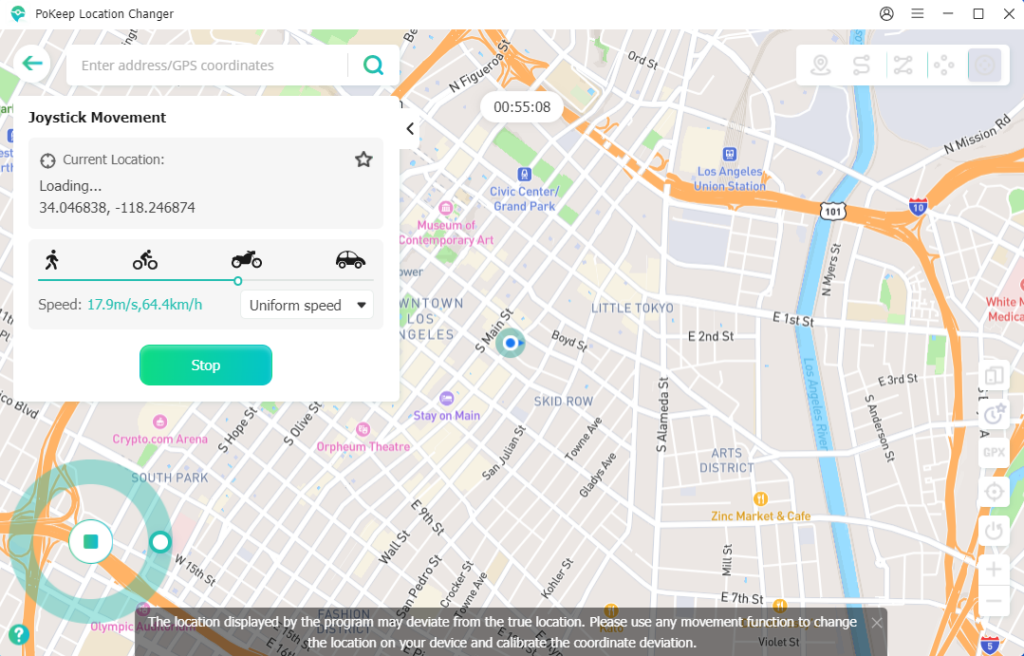
Step 4: Open Pokémon GO. Your in-game location will now match the selected destination. For a more realistic experience, you can switch to Joystick Mode or Multi-Spot Movement and simulate natural walking throughout the game instead of constantly teleporting.
After teleporting to catch rare Pokémon, you can use a Pokémon GO IV calculator to quickly evaluate their stats and decide which ones are worth powering up or evolving.
Tips to Spoof Pokémon GO Safely
Although GPS spoofing is widely used, it’s still important to follow good practices to minimize the risk of account restrictions.
- Respect cooldown times before catching Pokémon or spinning PokéStops after teleporting.
- Avoid making unrealistic jumps across the world within short periods.
- Simulate walking instead of teleporting constantly.
- Use reasonable movement speeds that resemble real travel.
- Keep both Pokémon GO and your spoofing software updated.
- Avoid switching frequently between multiple spoofing tools.
- Consider using saved routes for more natural gameplay patterns.
Final Verdict
A reliable PC spoofer makes Pokémon GO significantly more flexible, allowing you to explore new regions, catch rare Pokémon, and participate in global events without physically traveling.
Among today’s available options, PoKeep Location Changer offers one of the best combinations of ease of use, compatibility, and advanced movement features. If you’re searching for the best Pokémon GO spoofer for PC, PoKeep Location Changer is a dependable solution that provides smooth GPS control while keeping the spoofing process simple and convenient.