A product marketing manager at a mid-sized software company spent nine days building a deck for the Q3 partner briefing. Twenty-two slides. A competitive positioning chart that took two of those days on its own. She delivered it to eleven partner reps and one regional director, answered questions for twenty minutes, and got the best feedback she had received all year.
Then she attached the file to a follow-up email and it stopped existing.
That is the normal outcome, not a failure of that particular deck. Presentation files are built for a room, delivered in a room, and then sent to people who were not in the room, where they do almost nothing. Marketing teams keep producing them at volume anyway, because the alternative appears to be producing nothing.
What Actually Gets Sent Afterward
Look at what the recipient opens. Twenty-two slides. Headline, chart, three bullet fragments that made sense as prompts while somebody talked over them. A slide with one word on it and a photograph of a bridge, which landed perfectly in the room and now reads as a riddle.
The recipient scrolls to the pricing slide, screenshots it, closes the file. Whatever argument the deck was constructed to make never gets made, because the argument lived in the forty minutes of speech, and the speech was not saved anywhere.
Anyone who has sat in a partner enablement meeting knows the downstream version of this. Six weeks later a reseller pitches your product to their customer using slide fourteen, describing it in a way you would never have approved, because slide fourteen without narration supports several readings and they picked one.
Sales enablement teams try to close the gap with a speaker notes document. Almost nobody reads speaker notes. They exist for the person presenting, and the person receiving the file is not presenting.
The Narration Was Never in the File
This is worth stating plainly because it changes what the problem is. A slide deck is a visual accompaniment to a talk. The talk carries the content. When only the accompaniment is distributed, the content is missing, and no amount of redesigning the slides fixes it.
Teams do try. The usual response is to make a second, wordier version of the deck for sending, which then contains dense paragraphs on every slide and works neither as a presentation nor as a document. It gets built once and abandoned by the next quarter.
The other response is recording a video call and sending the replay. That produces a fifty-minute file with a slow start, an interruption at minute nine, and no way to find the pricing section. Watch rates on those are what you would expect.
How Do You Turn a PowerPoint Into a Video With Narration?
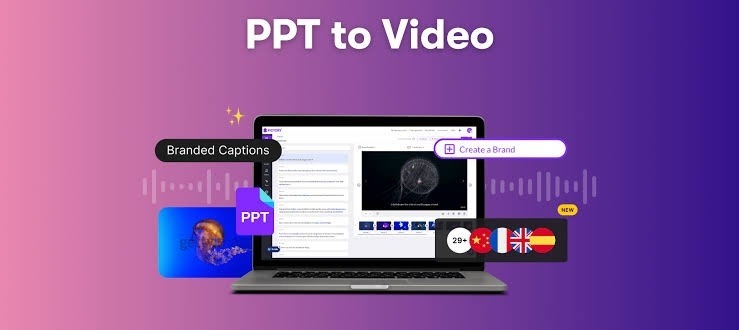
You import the existing .pptx or .pdf, let the system generate a script from the slide content or pull it from the notes you already wrote, choose a language and a length, and it produces a narrated video with the slides as scenes. There is no re-recording and no editing timeline. Tools built for this get filed under PowerPoint to video AI, which is an unglamorous name for an unglamorous job, and the input really is the file already sitting in your shared drive.
What comes out is closer to a briefing than a webinar recording. Each slide becomes a scene with narration attached, and you can preview any single scene before committing to the full render, which matters because slide six is usually the one that needs a rewrite.
The settings that change the output most are the unglamorous ones. There are fields for audience, speaker background, and training objective, and filling them in produces noticeably different narration than leaving them blank. A deck aimed at existing customers and a deck aimed at prospects who have never heard of the product should not be narrated identically, and the system has no way to know which one you meant unless you say so. Narrative style options include Formal, Analytical, Explanatory, and Persuasive, among others. For a partner briefing, Explanatory holds up better than Persuasive, which starts to sound like an ad read after three slides.
Length is a separate setting, from a one to three minute summary up to longer formats. Most decks that took forty minutes to present work better at five than at twenty. The talk had questions in it. The video does not.
Two Import Choices That Decide How Much Work Follows
The import step offers a choice that people click past and then regret.
Slides can come in as static images, which preserves your layout exactly and gives you nothing to edit afterward. Or they can come in as fully editable layers, which is available for .pptx files and lets you change text, reposition elements, and swap images inside the editor.
Static images are right when the deck is finished and brand-approved and you want it reproduced faithfully. Editable layers are right when you already know slide eleven has last quarter’s number on it and you would rather fix it here than go back to the source file, re-export, and re-import.
The script handling has a similar fork. You can generate the script automatically from slide content, import it from the notes field in the PPT, or start with no script at all and write it yourself. Teams that maintain real speaker notes should use them. Those notes are the closest thing to the actual talk that exists in writing, and they produce better narration than anything inferred from four bullet fragments.
Teams that write “TODO: expand” in their notes field should let the system generate a draft and then edit it, which is faster than writing from nothing and considerably faster than recording.
The Slide Where People Leave
The part that changes how a marketing team works is not the production step. It is that a shared video reports back.
The analytics on a shared video include impressions, total and unique views, average watch time, and completion rate. That last one has no equivalent in the deck workflow. A PowerPoint attachment tells you nothing after it leaves your outbox. You do not know whether it was opened, and you certainly do not know whether the recipient reached slide seventeen.
With a video you find out that seventy percent of viewers stop between two and three minutes in, and when you check what plays there, it is the architecture diagram. Not the pricing, not the competitive comparison. The diagram, which everyone on your team finds obvious because they have looked at it for a year.
That is a finding you can act on. It also tends to settle internal arguments that otherwise run on opinion, because someone always believes the deck is too long and someone always believes it is too short, and now there is a number.
Shared videos also carry a chat panel where viewers can ask questions, and password protection is available for anything that should not circulate freely, which covers most partner and pricing material.
Decks Cross Borders Faster Than Presenters Do
Any company selling outside one country has a version of this problem. The deck gets translated, the translation gets out of date, and the regional team quietly maintains its own edited copy that nobody at headquarters has seen since March.
A finished video can be translated into another language, with the script and the on-screen text handled together, and Leadde supports 88 languages and 175 dialects. It comes out as a new draft rather than overwriting the original, so the English version stays intact.
That does not make the translation unsupervised. A native speaker still has to check it before it goes out, particularly anywhere a product name or a regulated claim appears. But reviewing a translated draft and commissioning one from nothing are different jobs, and the regional team can do the first one in an afternoon.
The Parts That Stay Manual
Nothing here replaces a person presenting live. A partner briefing where the regional director asks a hard question in minute twelve and gets a real answer is doing something a video cannot do, and the follow-up video is for the eleven people who could not attend, not a reason to cancel the meeting.
Generated narration inherits whatever is wrong with the deck. A slide with an outdated figure produces confident, well-paced narration about an outdated figure, and the delivery makes it sound more authoritative than it did as a bullet point. Someone has to read the script against current facts before rendering. For pricing, legal, or regulated claims, that someone should be the person who owns those claims.
Slides built around a live demo do not convert well. If the deck exists to set up a screen share, the video version will have a gap where the interesting part was.
The generated presenters do not hold up to close attention, and for a founder’s announcement or anything where a specific person’s credibility carries the message, record yourself instead.
It also runs in a browser on a desktop machine rather than on a tablet. Chrome is what it is tuned for. Safari and Edge will open it, and some things behave less predictably there.
Start With a Deck You Already Delivered
Do not build something new to test this. Take the deck you presented most recently, the one you already know landed well, and put it through unchanged.
Watch the result end to end, including the slide you always rush past. Two things usually show up. One is a slide that made complete sense with you talking over it and makes no sense narrated, which tells you the slide was never carrying its own weight. The other is that the whole thing runs shorter than you expected, because the version in the room included questions and side conversations, and the version being sent does not need them.
Then send it to the people who were not in the room, and look at the completion rate a week later. The nine days that went into building it are already gone either way. What is still open is whether the deck ever gets past the twelve people who saw it live.