
Translating a PDF sounds simple until the document contains more than plain text. Tables shift, headings lose their hierarchy, images become disconnected from captions, and multi-column pages can turn into blocks of text that are difficult to follow. An online PDF translator such as PDFTranslator is designed to reduce this problem by translating the document while preserving its original structure as closely as possible.
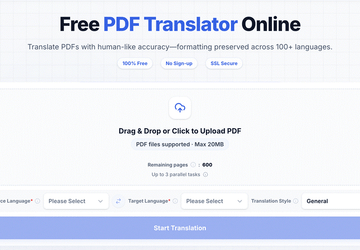
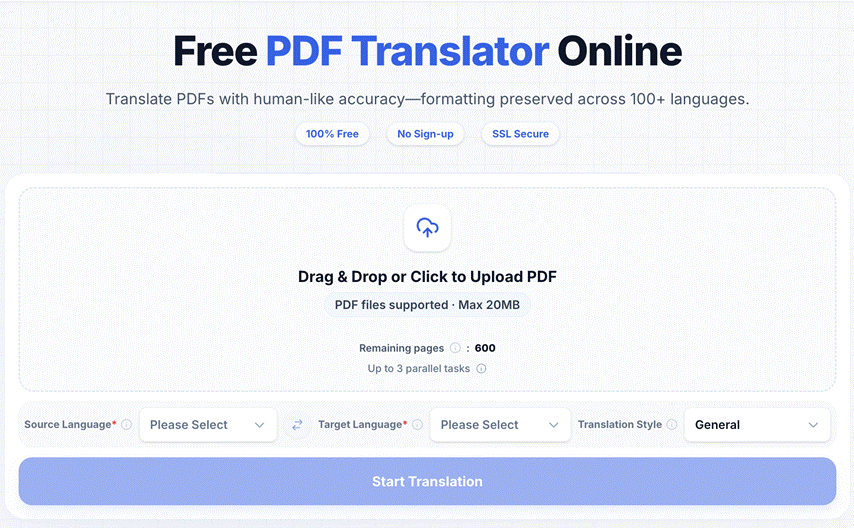
PDFTranslator supports more than 100 languages and aims to retain layout elements such as tables, images, fonts, headings, and multi-column formatting. It also provides 600 free pages per calendar month without requiring an account or credit card.
For students, researchers, consultants, and international teams, that makes the tool useful when the translated document still needs to look and behave like the original PDF.
Why PDF Formatting Often Breaks During Translation
A PDF is more than a container for words.
Many documents are carefully structured so that readers can understand how information relates across the page.
A research paper may contain numbered sections, figures, references, and multi-column text. A market report may use charts and tables. A product manual may depend on diagrams and step-by-step instructions.
Text Extraction Removes Useful Context
One common translation method is to copy text from a PDF and paste it into a general translation tool.
That can work for a paragraph.
It becomes much less practical for a complete document.
Once text is removed from the PDF, users may lose:
- heading hierarchy;
- table structure;
- image placement;
- page relationships;
- font emphasis;
- multi-column reading order.
The translated words may be understandable, but the document itself becomes harder to use.
Layout Preservation Saves Reformatting Time
PDFTranslator approaches the task at the file level.
Its translation process is designed to preserve the original layout, including tables, images, fonts, headings, and multi-column structures.
Tables Are a Good Example
Imagine translating a financial or research report containing several tables.
If the table cells are separated from their labels, the reader may have difficulty understanding which figure belongs to which category.
Keeping the structure intact makes the translated document easier to review.
Images Need Their Surrounding Text
The same applies to technical illustrations, product images, and charts.
A translated caption is more useful when it stays close to the image it describes.
This is one reason document-level translation can be more practical than translating extracted text.
Long Documents Create More Work Than Short Ones
A short PDF can sometimes be handled manually.
A 50-page report is different.
The longer the document, the more repetitive the copy-paste-reformat cycle becomes.
PDFTranslator is designed for long, text-based files such as research papers, textbooks, industry reports, contracts, and product manuals, with a maximum file size of 20MB.
The Difference Becomes Clear at Scale
For a three-page document, manually correcting formatting may take only a few minutes.
For a long report, users may need to:
- extract many sections;
- translate them separately;
- identify where each translated section belongs;
- rebuild headings;
- reconstruct tables;
- reconnect images and captions;
- review the final document.
A complete PDF translation workflow can reduce much of that manual reconstruction.
Academic PDFs Depend Heavily on Structure
Students and researchers are among the users most likely to work with long foreign-language PDFs.
Academic papers often contain:
- abstracts;
- methodology sections;
- formulas;
- figures;
- tables;
- references;
- footnotes.
The structure helps readers navigate the argument.
Translation Can Support the First Reading Pass
A student may use PDFTranslator to understand the overall content of a foreign-language paper before deciding which sections require closer attention.
The translated version can help identify:
- the research question;
- relevant findings;
- sections worth reading more closely;
- references that may be useful.
Important quotations, terminology, figures, and formulas should still be checked against the original source.
International Business Documents Have Similar Challenges
Business PDFs can be equally structured.
Cross-border teams may receive:
- market reports;
- product manuals;
- contracts;
- SOPs;
- employee handbooks;
- supplier documentation.
These documents are often created for practical use rather than casual reading.
A Translated Document Still Needs to Be Navigable
If an employee receives a translated manual, they may need to find a particular section quickly.
If a consultant translates an overseas report, charts and tables need to remain understandable.
If an international team translates an SOP, the sequence of steps should remain visible.
Preserving document structure supports these real use cases.
More Than 100 Languages Expand Access to Information
PDFTranslator supports over 100 major languages, including English, Spanish, French, German, Chinese, Japanese, and Korean.
This is useful because international document work rarely involves only one language pair.
Different Files May Come From Different Markets
A single professional may need to review:
- a Japanese technical document;
- a German industry report;
- a Spanish business file;
- an English academic paper.
Using one translation workflow across several languages can simplify that process.
Free Access Can Matter for Occasional PDF Translation
Not everyone translates PDFs every day.
Some users may only need to process a few papers, one report, or a temporary set of work documents.
PDFTranslator provides 600 free pages per calendar month without requiring registration, a credit card, or hidden fees.
No Account Means Less Setup
A simple task does not necessarily need a long onboarding process.
For occasional users, being able to open the tool and begin working immediately can make the experience more practical.
This is particularly useful for students, independent researchers, freelancers, and people handling one-off international documents.
File Privacy Should Be Part of Tool Selection
Online document processing always raises questions about file handling.
PDFTranslator uses SSL-secured transfer and states that uploaded files are automatically deleted within 24 hours after translation.
Users Still Need to Check Their Own Policies
That does not mean every document should automatically be uploaded to an online service.
Organizations should still consider:
- confidentiality rules;
- internal data policies;
- contractual restrictions;
- legal requirements;
- client expectations.
A public report and a confidential legal agreement clearly require different levels of caution.
Browser Tools Can Simplify the Rest of the PDF Workflow
Translation is sometimes only one step.
A user may also need to split a long PDF, merge several documents, or compress the final file before sending it.
PDFTranslator includes browser-based splitting, merging, and compression tools alongside translation.
One Example Workflow
A user might:
- receive a long international report;
- translate the PDF;
- review the relevant pages;
- split out the section needed for a colleague;
- compress the file before sharing.
Keeping these common PDF operations available in the same environment can reduce unnecessary tool switching.
Formatting Preservation Does Not Remove the Need for Review
A well-formatted translated PDF can still contain language that needs checking.
This is especially true for specialized documents.
Pay Extra Attention to High-Impact Content
Users should carefully review:
- names;
- dates;
- financial figures;
- legal language;
- technical terminology;
- quotations;
- specialized academic terms.
PDFTranslator’s own content guidance emphasizes professional review for important material rather than treating AI-generated translation as a perfect replacement for human judgment.
How to Get Better Results From PDF Translation
A few habits can make translated documents easier to work with.
Start With the Original File
Whenever possible, use the cleanest available PDF rather than a version that has been repeatedly exported or modified.
Review the Structure After Translation
Check headings, tables, images, and page flow before focusing only on individual sentences.
Verify Critical Sections
Return to the source document when accuracy matters.
Keep Both Versions
For research and professional work, retaining the original and translated PDFs side by side makes verification easier.
Final Thoughts
PDF translation becomes much more useful when the translated file remains readable as a document.
Text accuracy matters, but layout, tables, images, headings, and page structure also shape how people understand information.
PDFTranslator addresses this practical problem by translating PDFs into more than 100 languages while aiming to preserve the original formatting, with 600 free pages each month and no required registration.
For people working with research papers, reports, manuals, and other structured PDFs, preserving the document can save just as much time as translating the words themselves.