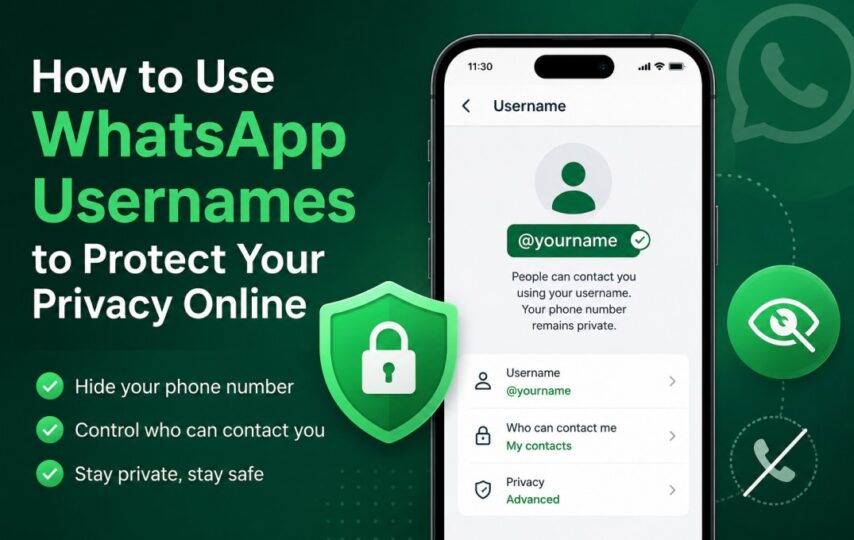

WhatsApp is preparing to introduce usernames, and with them a small but important change in the habits of ordinary communication. Before long, people will be able to speak to one another without first surrendering a telephone number, which in recent years has come to be demanded almost everywhere. Instead, a person may choose a public name and pass that along, much as people already do on Telegram or Instagram. Those who contact you through it will see only the chosen name, while the number itself remains out of sight.
The new system is meant to be optional. Anyone content with the present arrangement may continue using WhatsApp exactly as before. An account will carry a single username at a time, though it may later be changed without disturbing conversations or contacts. The telephone number will still exist beneath the surface, tied to the account for logging in and recovering access when necessary. Yet for everyday exchanges begun through a username, it will no longer be placed before strangers as a matter of course.
How to Create Your WhatsApp Username
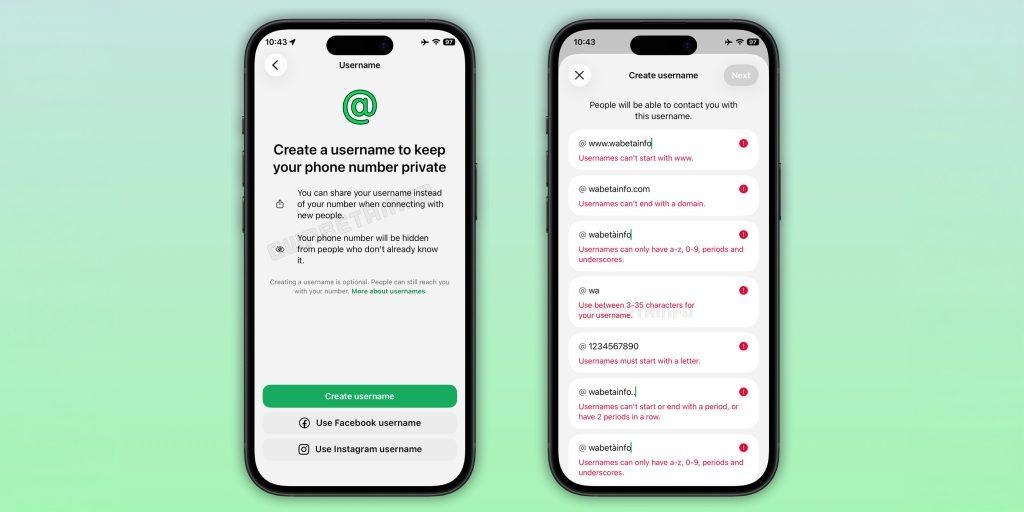
1. To begin, open WhatsApp on your phone, whether it is an Android device or an iPhone.
2. Then go to the Settings menu. On Android, you press the three small dots in the top corner and choose Settings from the list. On the iPhone, the Settings tab sits at the bottom of the screen, plain enough to find.
3. After this, tap your profile name. It stands at the top of the page and leads to the details of your account.
4. Somewhere in that menu you will soon see a new option marked “Username.” Press it.
5. You may then choose the name by which others will find you.
Username Rules Users Will Need to Follow
The rules are simple, though rather strict. The name must contain between three and thirty-five characters. It needs at least one letter. You may use numbers, full stops, and underscores as well, but little else. The name cannot begin with “www.” It cannot start or finish with a full stop. Nor may it contain two full stops together. WhatsApp also refuses names that end like internet domains, such as .com or .org.
Once you type a name that fits these conditions, WhatsApp checks it at once. If no one else has claimed it, you press Save or Done. The matter ends there. After that, you may give people the username instead of your telephone number, which many now prefer to keep to themselves.
Why the New Feature Could Matter to Millions of Users
The change will matter most to people who often speak with strangers. A man selling goods online, a woman answering messages in a local group, or anyone dealing with new acquaintances may now avoid giving out a private number at once. Instead, they can pass along a username and keep a certain distance, which many people have lately come to value.
WhatsApp has already begun introducing the feature to certain Android and iPhone users. The process appears gradual, as these things usually are. When the option reaches your account, you will have some choice in the matter. People may search for you by telephone number, by username, or by both together, according to whatever arrangement you prefer.
Conclusion
The introduction of usernames on WhatsApp is a minor tweak that could have a significant impact on the way millions of people engage in online communication. Now, WhatsApp seems to be ready to provide something that is becoming more and more important: a bit of separation between the public and the private. As with everything on the internet, it’s possible that picking a username will become a competitive sport in the near future.
The top names will disappear in seconds and those who are late will find that everyone has already got cool usernames. Nevertheless, the feature moves WhatsApp in the direction of the contemporary social communication style that is already prevalent on other platforms. Most significantly, it provides the everyday user with more control over who can access their private number, and in 2026, that’s progress.
FAQs
1. Will people still need my phone number to contact me on WhatsApp?
Not necessarily. Once users receive usernames on WhatsApp, they’ll be able to send a selected name rather than revealing a private number right away.
2. Can I change my WhatsApp username later?
Yes, WhatsApp is going to allow users to change their username without affecting chats or contacts. This means that your talks will not be lost if you ever choose another username.
3. What are the rules for choosing a WhatsApp username?
Usernames can be a minimum of three and a maximum of thirty-five characters long, and must include at least one letter. Certain symbols are allowed, while others are banned. WhatsApp also does not allow names that are similar to website domains. That is, the app is looking for usernames, not suspicious-looking internet addresses from the year 2009.
4. Why is WhatsApp introducing usernames now?
The feature is part of the trend of concern about digital privacy. A lot of users are fed up with having to enter their numbers on the internet with online sellers, local groups or random individuals who somehow message at midnight with “Hi dear.”