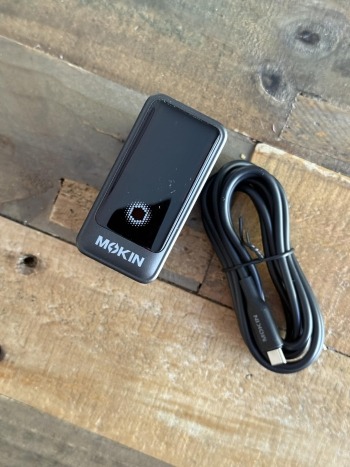

Picture this: it’s Sunday evening, and every member of your household is scrambling for a charger. Your teenager needs their tablet ready for school, your partner’s laptop is at five percent before a Monday morning presentation, and your own smartphone is buzzing with low-battery warnings. So you plug everything into that multi-port USB-C charger block sitting on the kitchen counter. But as the devices charge simultaneously, you notice the charger feels warm—maybe too warm. Is this normal? Could it damage your devices, or worse, pose a fire risk?
These concerns are far from hypothetical. Reports of charger-related overheating, fried batteries, and even household fires make headlines regularly. As families accumulate more USB-C powered gadgets, the question becomes urgent: can a standard USB-C charger block safely handle multiple devices at once without compromising performance or safety? The answer depends on several factors, from built-in protection circuits to temperature management technology. In this guide, we’ll break down the real risks, explain what safety features matter most, and walk you through practical steps to keep every device—and every family member—protected.
Understanding USB-C Charger Blocks and Multi-Port Chargers
A USB-C charger block is a compact power adapter equipped with one or more USB-C ports capable of delivering higher wattages than the older USB-A standard. Unlike previous-generation chargers that typically maxed out at 5 watts, modern USB-C charger blocks leverage Power Delivery (PD) technology to supply anywhere from 20 watts to over 100 watts per port—enough to fast-charge smartphones, tablets, and even power-hungry laptops through a single connection type.
Multi-port versions of these charger blocks take convenience further by combining several USB-C (and sometimes USB-A) outputs into one unit. For families juggling a growing ecosystem of devices, this means fewer adapters cluttering outlets and a centralized charging station that everyone can share. The demand for these solutions has surged as households now average eight or more connected devices, all competing for power each evening. When selecting a multi-port charger, compatibility matters: look for PD support and confirm the total wattage is sufficient to charge your specific combination of devices simultaneously without throttling speeds. Understanding these basics sets the foundation for evaluating whether your charger can handle the load safely.
The Critical Importance of Device Safety in Multi-Device Charging
When multiple devices draw power from a single charger block simultaneously, the electrical demands multiply—and so do the potential failure points. Overcurrent occurs when a charger supplies more amperage than a device’s battery can safely absorb, potentially swelling or permanently degrading lithium-ion cells. Short circuits, though less common in quality chargers, can result from damaged internal components or poorly manufactured circuitry, sending unregulated power surging through connected devices. Voltage fluctuations represent another hidden threat: if a charger cannot maintain stable output across all ports under load, sensitive components in smartphones or laptops may suffer incremental damage that shortens their lifespan long before you notice symptoms.
The financial stakes alone justify caution. A single household might have thousands of dollars worth of electronics plugged into one adapter—a flagship phone, a professional laptop, wireless earbuds, and a child’s tablet. A 2022 investigation by the U.S. Consumer Product Safety Commission linked substandard chargers to over 700 reported fire and burn incidents in a single year, with uncertified multi-port adapters disproportionately represented. Beyond property damage, these failures create genuine safety hazards in homes where chargers often sit on nightstands, couches, or near flammable materials.
This is precisely why reputable USB-C charger blocks now integrate multiple layers of electronic protection. Advanced models include overcurrent protection (OCP) that automatically limits amperage if demand spikes, overvoltage protection (OVP) that cuts output when voltage exceeds safe thresholds, and short-circuit protection that instantly disconnects power to prevent catastrophic failure. These mechanisms work invisibly in the background, acting as a safety net between your wall outlet and your family’s most essential devices. Understanding that these protections exist—and verifying that your charger includes them—is the first step toward confident multi-device charging.
Temperature Control: A Key Factor for Charger Safety and Longevity
Heat is the silent enemy of every charging setup. When a USB-C charger block powers multiple devices simultaneously, internal components work harder to convert and distribute electricity, generating thermal energy as a byproduct. This heat buildup isn’t merely uncomfortable to touch—it actively threatens both the charger’s longevity and the health of connected device batteries. Lithium-ion cells are particularly vulnerable to elevated temperatures; sustained exposure to heat above 40°C accelerates chemical degradation inside batteries, reducing their maximum capacity over months of use. In extreme cases, thermal runaway—a chain reaction where rising heat causes further heat generation—can lead to battery swelling, melting of internal charger components, or ignition of surrounding materials.
Modern USB-C charger blocks combat this threat through sophisticated temperature management systems. Embedded thermal sensors continuously monitor internal heat levels, triggering automatic power reduction or shutdown if temperatures approach dangerous thresholds. Some designs incorporate advanced semiconductor materials like gallium nitride (GaN), which operates more efficiently than traditional silicon, converting more energy into usable power and less into waste heat. Physical design choices also play a role: strategically placed ventilation channels, heat-dissipating aluminum alloy housings, and intelligent spacing between internal circuits all contribute to keeping operating temperatures low even under sustained multi-device loads.
The practical benefits of effective temperature control extend beyond safety. Chargers that run cooler maintain consistent power output over longer periods, meaning your devices charge at optimal speeds without throttling. Components experience less thermal stress, translating to years of reliable service rather than premature failure. When evaluating any multi-port charger for family use, pay close attention to how the manufacturer addresses heat management—it’s often the difference between a charger that performs safely under real-world conditions and one that becomes a liability hidden in plain sight on your desk.
How to Choose a Safe Multi-Port USB-C Charger Block for Your Family
Selecting a multi-port USB-C charger block that genuinely protects your family’s devices requires more than grabbing the cheapest option at the checkout counter. A systematic approach ensures you invest in a charger that delivers both performance and peace of mind for years to come.
Start by verifying safety certifications. Look for marks like UL (Underwriters Laboratories), CE, or FCC on the packaging and product itself. These certifications indicate that the charger has undergone independent testing for electrical safety, electromagnetic interference, and fire resistance. A charger without recognized certification has essentially skipped the quality control process—no matter how sleek it looks or how many ports it offers, it’s a gamble you shouldn’t take with devices worth hundreds or thousands of dollars.
Next, assess the total power output and how it distributes across ports. A charger rated at 100 watts total might sound impressive, but if plugging in a second device drops each port to 15 watts, your laptop won’t charge meaningfully while your phone is connected. Review the manufacturer’s specifications for power allocation under multi-device loads. The best chargers clearly document how wattage shifts when additional ports are occupied, letting you match the charger to your family’s actual usage patterns.
Evaluate the number and types of ports based on your household’s gadget inventory. Count how many USB-C devices your family uses daily versus legacy USB-A accessories like older fitness trackers or e-readers. A charger with four USB-C ports and one USB-A port might serve a tech-forward family perfectly, while another household might need a more balanced split. Prioritize chargers where at least one port supports high-wattage PD for laptop charging.
Confirm that the charger includes built-in temperature control and overheat protection. Check product descriptions for mentions of thermal sensors, automatic power throttling, GaN technology, or heat-dissipating housing materials. These features aren’t marketing fluff—they’re the mechanisms that prevent the dangerous scenarios discussed earlier. If a manufacturer doesn’t mention thermal management at all, consider it a red flag.
Finally, research the brand’s reputation through verified customer reviews and independent tech evaluations. Pay attention to long-term reliability reports rather than just initial impressions. A charger that works flawlessly for two weeks but degrades after six months of family use isn’t a bargain at any price. Established brands like MOKiN, which specialize in charging devices with documented safety features, typically cost slightly more upfront but save you from replacement costs and safety concerns down the road. Balancing budget with these criteria doesn’t mean buying the most expensive option—it means refusing to compromise on the features that keep your devices and home safe.
Best Practices for Safely Using Your USB-C Charger with Multiple Devices
Owning a quality multi-port charger is only half the equation—how you use it daily determines whether your family stays safe. The most common mistake is overloading a charger beyond its rated capacity. If your charger block is rated at 65 watts total, connecting a laptop that demands 60 watts alongside a tablet requesting 20 watts forces the adapter to either throttle output or strain its components. Match your simultaneous charging needs to the charger’s documented limits, and stagger high-demand devices when necessary.
Placement matters more than most people realize. Avoid tucking your charger between couch cushions, under pillows, or inside drawers while it’s actively powering devices. These enclosed spaces trap heat and eliminate the natural airflow that keeps internal temperatures manageable. Instead, place the charger on a hard, flat surface like a desk or countertop where air can circulate freely around all sides. Similarly, never stack books, papers, or fabric on top of an active charger.
Make it a monthly habit to inspect your charging cables and the charger’s ports for fraying, bent pins, discoloration, or a burning smell—all early warning signs of electrical degradation. A damaged cable can introduce resistance that generates localized heat at the connection point, creating risk even when the charger itself is functioning properly. Replace any compromised accessories immediately rather than waiting for visible failure. When devices reach full charge, disconnect them; leaving fully charged batteries connected to active power for extended hours generates unnecessary heat cycling. Finally, take five minutes to walk your family through these habits. Children and teenagers who understand why they shouldn’t charge phones under their pillows or yank cables sideways from ports become active participants in household safety rather than unknowing risk factors.
Powering Your Family’s Devices Safely and Confidently
Charging multiple devices from a single USB-C charger block doesn’t have to be a gamble with your family’s safety or your expensive electronics. The key takeaways are straightforward: prioritize chargers with verified safety certifications, confirmed overcurrent and overvoltage protection, and robust temperature control systems that prevent dangerous heat buildup during simultaneous use. These features work together to create a reliable safety net between your wall outlet and every device your household depends on.
Choosing the right charger means matching total wattage to your family’s real-world demands, verifying that thermal management technology is present and documented, and selecting brands with proven long-term reliability. Once you’ve made that investment, daily habits—proper placement, regular cable inspections, avoiding overloads, and educating every family member—ensure the charger performs safely for years rather than becoming a hidden hazard. Safe multi-device charging solutions absolutely exist, and with the criteria outlined in this guide, you can confidently power every smartphone, tablet, and laptop in your home knowing that both your devices and your family are protected.