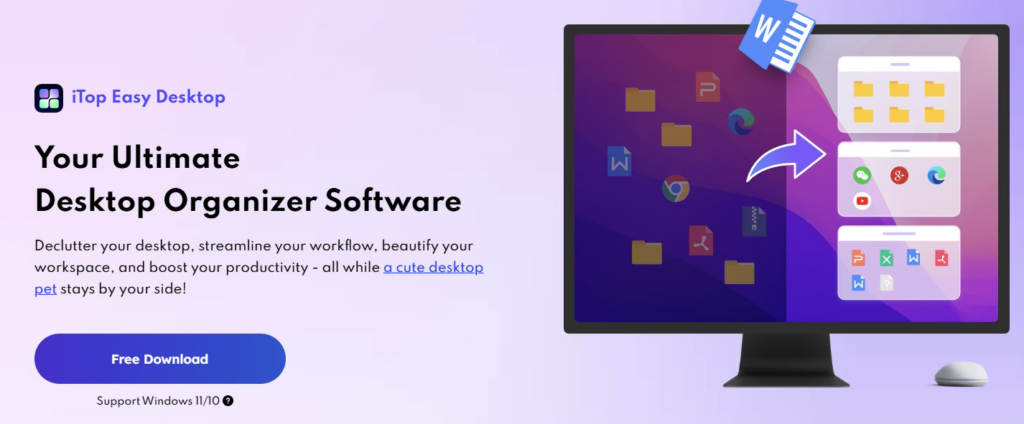
When my desktop is cluttered and disorganized, it becomes harder to find files quickly, making everyday tasks more frustrating and less efficient. I was struggling to keep their Windows workspace clean and efficient until I found iTop Easy Desktop.
This guide explains why a messy desktop hurts productivity, introduces iTop Easy Desktop, shares my experience before and after using it, and offers simple tips to keep your Windows desktop organized.
Why My Messy Desktop Hurts Productivity?
The truth is that my cluttered desktop impacts more than just appearance—it disrupts workflow by creating mental distractions before work even begins. It also affects system performance because Windows loads all desktop items at startup, slowing the computer. From my experience, desktop clutter increases the time spent searching for files and interferes with smooth workflow. One morning, while rushing to meet a client deadline, I wasted several minutes searching for an important contract hidden under dozens of desktop icons. It contributes to stress, reduced concentration, and confusion, and research confirms that visual clutter can lower attention and productivity. A clean desktop helps me think clearly, stay organized, and finish tasks faster and more effectively.
First Impression of iTop Easy Desktop
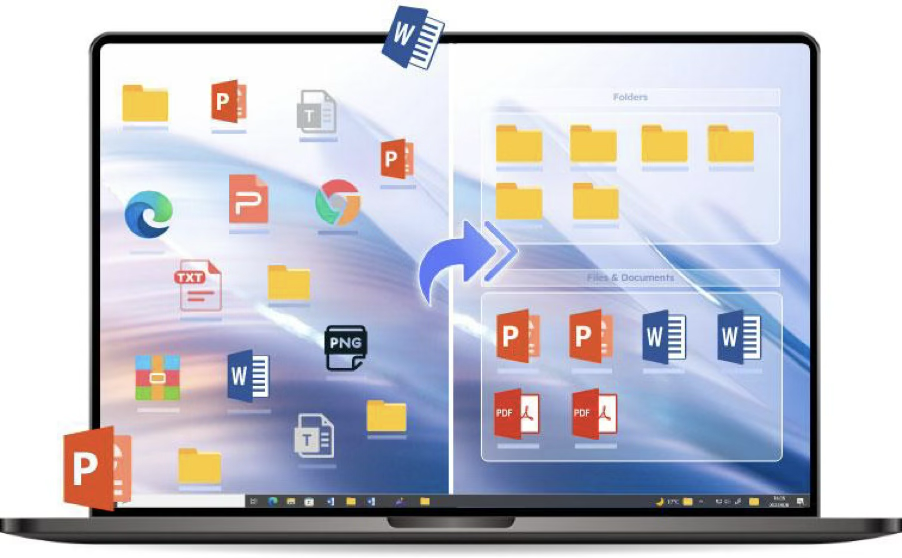
iTop Easy Desktop is a powerful yet lightweight desktop organizer software for Windows that extends beyond just sorting shortcuts. Available for free on Windows 10 and Windows 11, it runs smoothly without slowing down my system or affecting productivity. It automatically organizes my workspace, minimizing clutter and helping me focus better. Its smart organization tools and customization features simplify file management while creating a distraction-free desktop environment that improves productivity every day.
Features I Like
- Auto-Declutter Boxes automatically organize files, folders, and icons into customizable boxes based on type, date, or name.
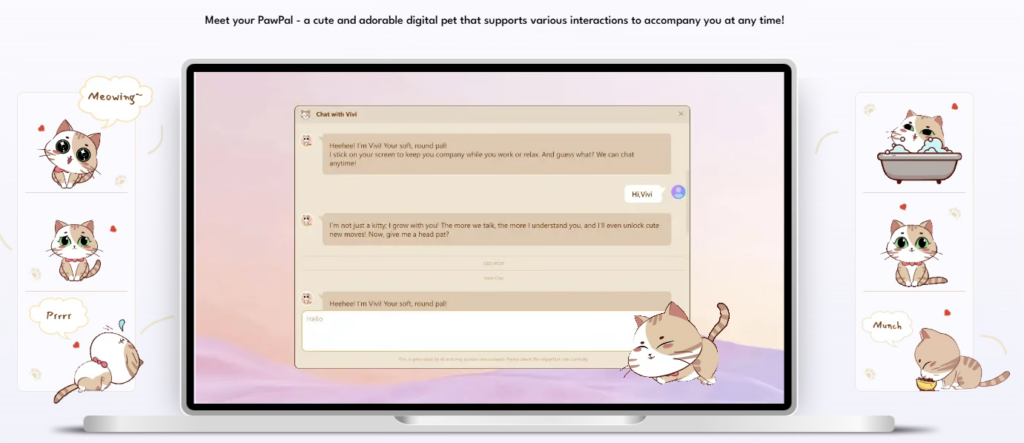
- AI PawPal Assistant offers reminders, search, and chat support through a customizable desktop pet.
- Built-in widgets provide quick access to tools such as a calendar, clock, weather, and a Pomodoro timer.
- Private Box lets you protect sensitive files and folders with a password.
- Extensive Wallpapers gives you access to over 22,000 HD static and dynamic wallpapers.
- ChatAI and Smart Search provide quick AI answers and fast file searches using hotkeys.
How iTop Easy Desktop Fixed My Windows Desktop
After installing the software, I used the auto-organization feature for the first time, and the difference was immediate. Within seconds, most of the clutter on my desktop was automatically sorted into clean and organized boxes. My desktop instantly looked simpler, cleaner, and easier to manage. Here’s the step-by-step process I followed so you can organize your desktop the same way.
Step 1: I installed iTop Easy Desktop in less than a minute via a clean, straightforward process.
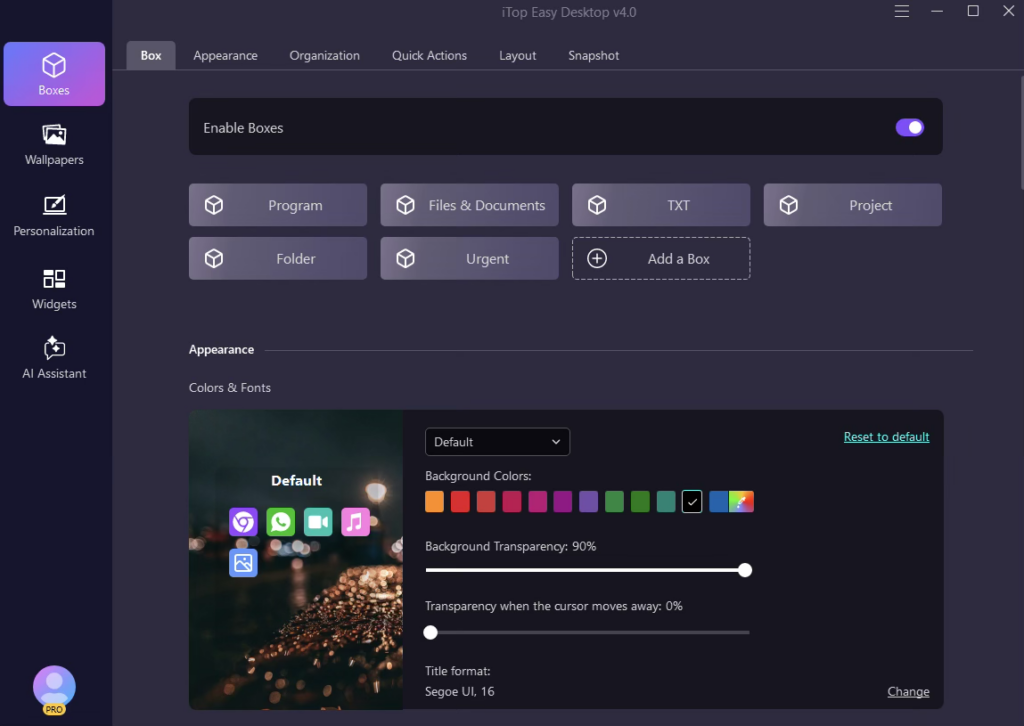
Step 2: I used the auto-organize feature, and within seconds, all my desktop icons were neatly arranged into labeled categories like documents, shortcuts, and screenshots.
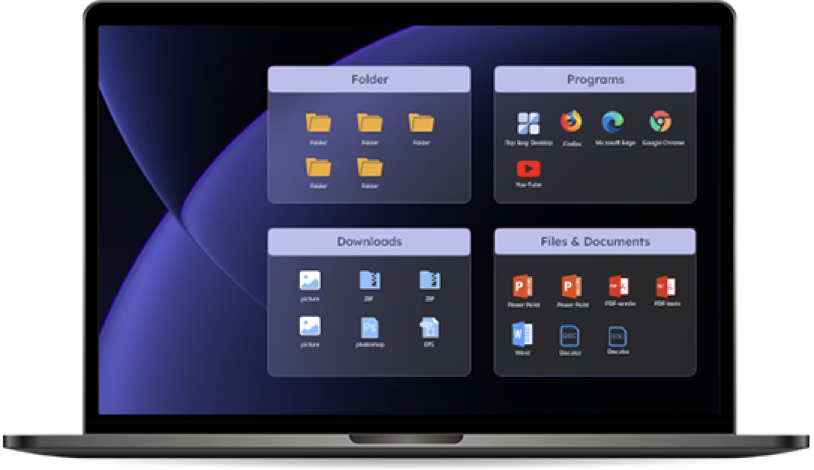
Step 3: I opened the widget panel and placed widgets such as weather, a clock, and sticky notes on my desktop for easy access. They eliminated the need for several browser tabs by keeping key information always visible and accessible.
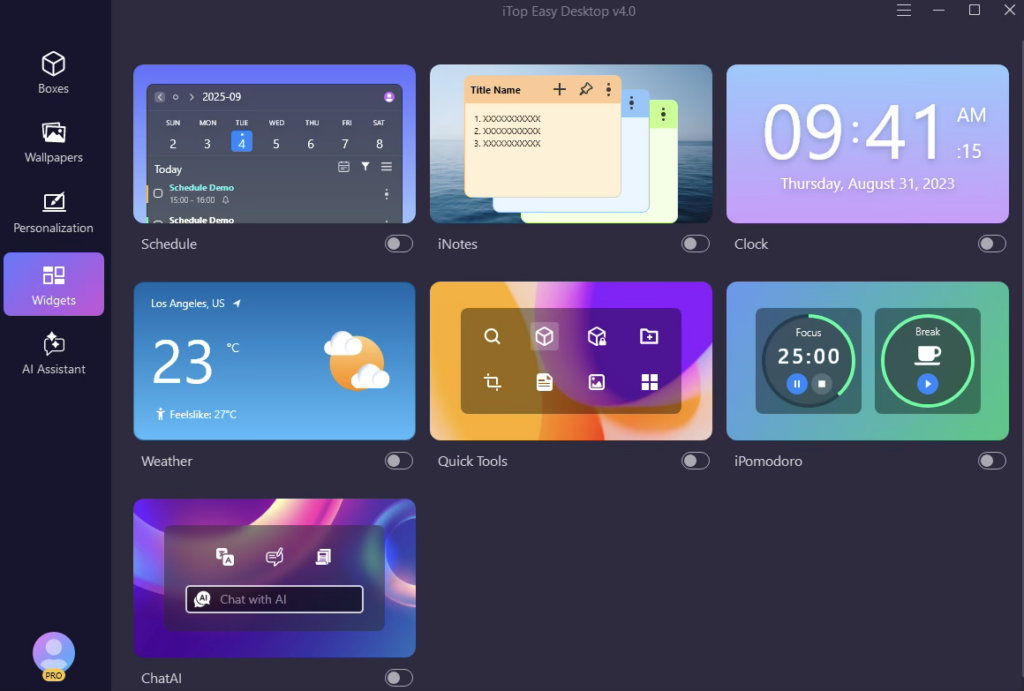
Step 4: I selected a built-in wallpaper and enabled the PawPal AI cat companion, which helps me stay organized with task reminders on my desktop.
Pros and Cons of iTop Easy Desktop
Like any software, iTop Easy Desktop has both strengths and limitations. After using it regularly for the past three months, I noticed several features that genuinely improved my workflow, as well as a few areas that may not suit every user. Here’s a clear breakdown of the pros and cons based on my personal experience with the software.
Pros
- Optimized for performance with minimal resource use.
- Core features are completely free and ad-free.
- The one-click Auto-organize feature helps save valuable time each day.
- Huge collection of wallpapers featuring dynamic backgrounds.
- Built-in widgets reduce distractions and boost productivity.
- PawPal AI offers convenient reminder features.
Cons
- Windows 10 and 11 are supported, but macOS is not.
- The interface needs a few minutes to get familiar with.
- The virtual PawPal pet may become distracting during deep-focus sessions.
Tips to Keep Your Windows Desktop Organized
Even with pc desktop organizersoftware and automatic organization tools, maintaining a clean desktop still requires a few good habits. The software helps reduce clutter, but staying organized becomes much easier when you regularly manage files and avoid letting unnecessary items pile up again. Here are the simple habits I follow to keep my desktop clean, organized, and stress-free every day.
- Sort files into specific folders based on type, such as documents, screenshots, and projects.
- Clear out old files and unused shortcuts on a regular basis.
- Keep only important apps and files on the desktop.
- Rename files in a simple, clear way to make them easier to locate later.
- Store large or old files in dedicated folders rather than on the desktop.
- Use widgets, sticky notes, or task tools to reduce browser tab clutter.
- Do a weekly cleanup of your desktop to keep your workspace organized.
- Enable auto-organize features to keep icons arranged neatly.
- Choose a simple wallpaper that makes icons easier to view.
Conclusion
In the end, iTop Easy Desktop transformed my cluttered desktop into a well-organized, tidy workspace. The auto-organization and customization tools allow me to spend less time searching for files and more time working efficiently. It is not a complete replacement for good habits, but it is a powerful support tool. iTop Easy Desktop truly helps create a cleaner and more productive environment.
FAQs
Q1. What problem does iTop Easy Desktop solve?
iTop Easy Desktop helps fix Windows desktop issues by sorting problem icons, files, and shortcuts into neat, organized groups. It helps users quickly find important items, reduce confusion, and maintain a clean, distraction-free workspace for better focus and productivity.
Q2. How does iTop Easy Desktop auto-organization work?
The auto-organization feature in iTop Easy Desktop automatically scans and groups desktop items into labeled boxes such as documents, shortcuts, and screenshots. One click is all it takes to turn a messy desktop into a structured layout for easier file access and management.
3. Does iTop Easy Desktop improve productivity?
Yes, iTop Easy Desktop improves productivity by keeping the desktop clean and organized, reducing time spent searching for files. Its auto-organization, widgets, and quick-access tools help users stay focused, manage tasks efficiently, and maintain a distraction-free workspace to improve workflow.