
Microsoft Outlook is widely used for both personal and business communication, but PST file corruption remains a common issue. When a PST file becomes damaged, users may lose access to emails, attachments, contacts, calendars, and other important mailbox data. To solve this problem, many users rely on specialized Outlook PST repair software.
In this review, we tested Stellar Repair for Outlook to evaluate its repair capabilities, usability, and overall performance.
Overview
Stellar Repair for Outlook is a professional Outlook PST repair tool designed to repair corrupt or inaccessible PST files and recover mailbox items safely.
The software supports recovery of:
- Emails
- Attachments
- Contacts
- Calendars
- Tasks
- Notes
- Journals
- Deleted mailbox items
- Personal folders
It is compatible with Microsoft Outlook 365, 2024, 2021, 2019, 2016, 2013, and earlier versions.
Features We Tested
PST File Repair
The software successfully repaired corrupted PST files during testing. It restored mailbox items while preserving the original folder hierarchy, making post-recovery navigation easier.
Even severely damaged PST files were scanned and repaired without major issues.
Deleted Email Recovery
One useful feature is its ability to recover deleted emails and mailbox items highlighted in red color. During testing, deleted emails and attachments were recovered successfully from the damaged PST file.
Large PST File Support
Large PST files often cause Outlook to slow down or become unstable. The software handled large PST files efficiently and completed the scanning process smoothly.
Preview Feature
Before saving recovered data, the software allows users to preview emails, contacts, attachments, and calendar entries. This helps verify recovery results before exporting the repaired data.
Multiple Export Formats
Recovered mailbox data can be saved in multiple formats, including:
- PST
- MSG
- EML
- RTF
- HTML
This flexibility is useful for backup, migration, and documentation purposes.
Advanced Features
The Technician edition includes additional advanced capabilities designed for IT administrators, enterprises, and service providers.
Key Technical Features
- Repair a large, corrupt PST file and save multiple formats
- Give a preview of the mailbox data before conversion
- Export recovered mailboxes directly to Office 365
- Save recovered data to live Exchange Server profiles
- Split large PST option to reduce oversized Outlook data files
- Supports technician-level mailbox migration workflows
User Experience
The interface is clean, simple, and beginner-friendly. The repair process only requires a few steps:
- Select the corrupted PST file
- Start the scan process
- Preview recovered mailbox items
- Save the repaired data
Navigation is straightforward, making the software easy to use even for non-technical users.
Repair Process Steps
The repair workflow is simple and does not require advanced technical expertise. Users can repair damaged Outlook PST files in just a few steps:
1. Select the Corrupted PST File
Browse and choose the damaged or inaccessible Outlook PST file from the system.
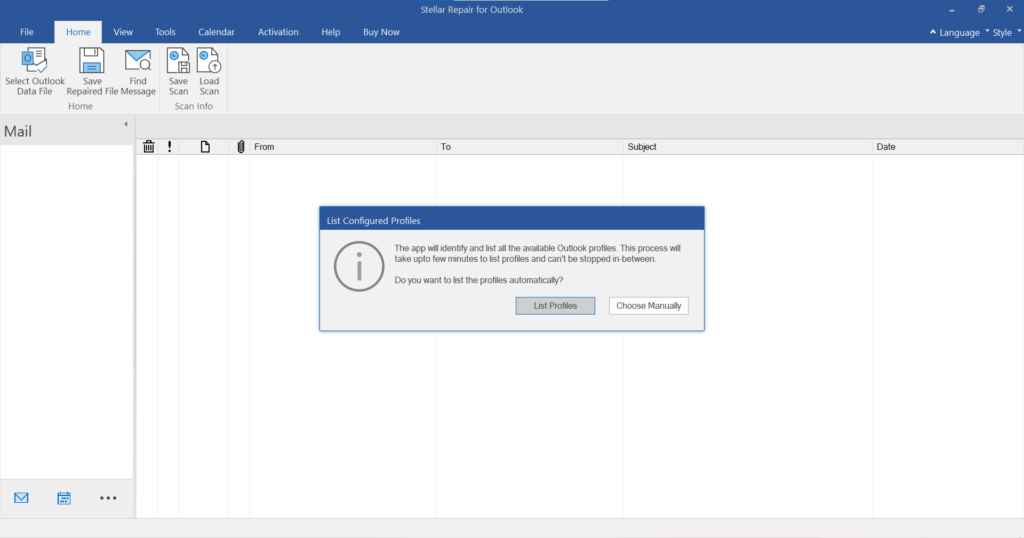
2. Start the Scan Process
The software scans the PST file using its advanced repair engine to detect corruption and recover mailbox data.
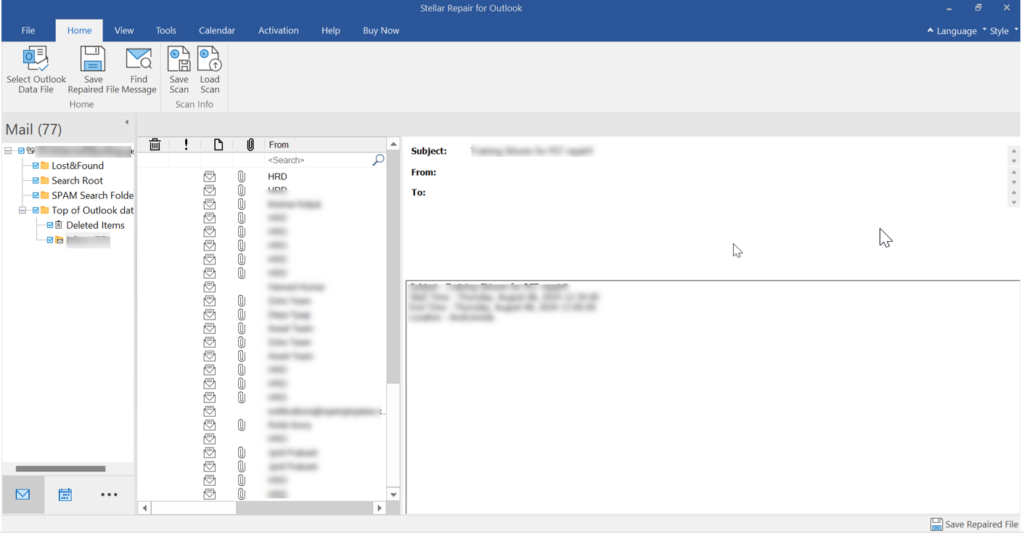
3. Preview Recovered Mailbox Items
After scanning, users can preview recoverable emails, attachments, contacts, calendars, and other mailbox items before saving.
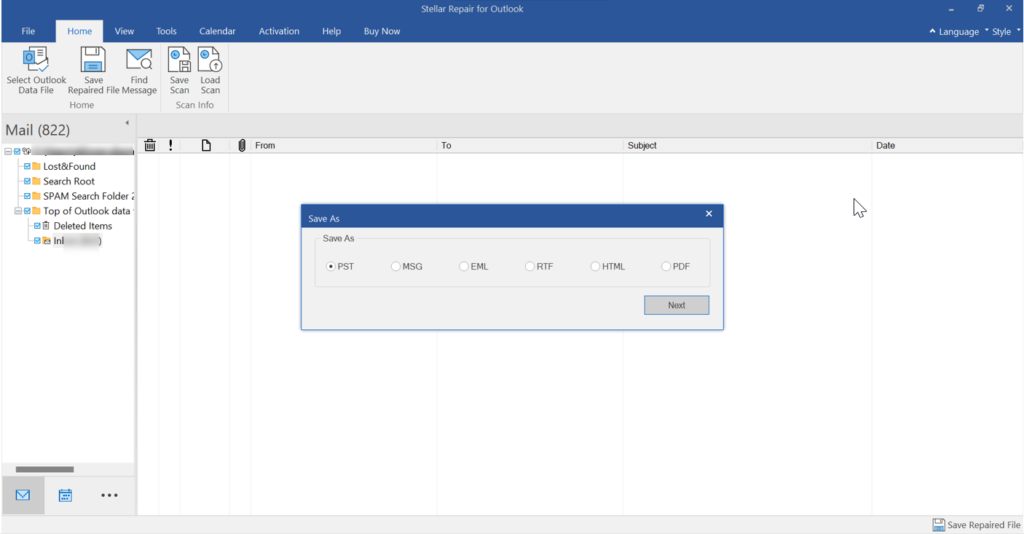
4. Save the Repaired Data
Export the recovered mailbox data into PST or other supported file formats such as MSG, EML, PDF, HTML, or RTF.
Key Technical Features
- Step-by-step guided repair workflow
- Automatic corruption detection during scanning
- Real-time mailbox preview before export
- Multiple saving and export options
- Simple navigation for non-technical users
Online PST Repair Tool
In addition to its desktop software, Stellar Repair for Outlook also provides an online PST repair solution for users who need quick and accessible mailbox recovery.
The online tool helps repair corrupt Outlook PST files without requiring complex manual troubleshooting or advanced technical knowledge. It is useful for users who want a faster repair process directly through a web-based environment while maintaining mailbox integrity during recovery.
Key Technical Features
- Free PST file upload supports up to 500 MB
- Web-based PST repair process with no complicated installation requirements
- Repairs inaccessible and corrupt PST files online
- Supports recovery of emails, attachments, contacts, and calendars
- Secure upload and recovery environment for mailbox data protection
- Quick scan technology for faster PST analysis and recovery
- User-friendly workflow suitable for both technical and non-technical users
- Maintains original mailbox folder hierarchy after recovery
- Compatible with large Outlook PST files
- Supports recovery from severely corrupted mailbox files
Performance
During testing, the software delivered stable and reliable performance. Emails, attachments, contacts, and calendar items were recovered successfully from damaged PST files.
The recovered mailbox retained its original folder hierarchy, which improved usability after recovery.
Scanning speed depends on PST file size and corruption level, but overall performance remained smooth throughout testing.
Pros
- Easy-to-use interface
- Repairs severely corrupted PST files
- Recovers deleted Outlook items
- Supports large PST files
- Multiple export formats
- Preserves original folder structure
- Compatible with major Outlook versions
Cons
- Some advanced features are available only in paid editions
- Full saving functionality requires activation
Final Verdict
Stellar Repair for Outlook is a reliable and practical solution for repairing corrupted Outlook PST files and recovering inaccessible mailbox data.
Its user-friendly interface, strong recovery capabilities, and broad Outlook compatibility make it suitable for both personal and professional users. Features like large PST support, deleted email recovery, technician-level tools, and online PST repair functionality add significant value to the software.
For users dealing with PST corruption issues, the software provides a straightforward and effective recovery solution.