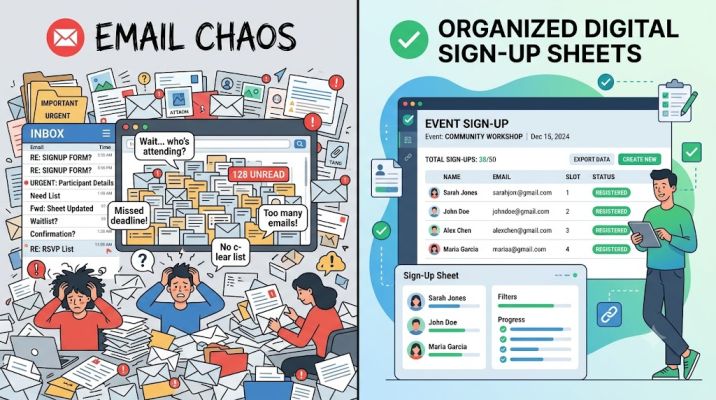

Email is often the default way to organize a group because everybody already knows how to use it. An organizer sends a message asking who is available, people reply with their preferences, and at first the process seems perfectly manageable. The problems usually appear as the responses accumulate. Someone changes their mind, another person replies only to the organizer, two people request the same slot, and somebody else joins the conversation after the schedule has already been updated. Using a sign up sheet creator can replace much of that back-and-forth with a single shared place where people can see what is required, choose from the available options and receive clear confirmation. The benefit is not simply convenience; it can fundamentally change how much administrative work is required to coordinate a group.
The difficulty with email is that it was designed for communication, not scheduling. Each response exists as a separate message, meaning somebody has to convert dozens of individual replies into a usable plan. If twenty volunteers are choosing between different shifts, for example, the organizer may need to read every message, update a spreadsheet or document and then check that no clashes have occurred. Every additional response creates another small piece of administration.
The workload becomes more obvious when people do not respond in the expected format. One person might simply say, “Any time after four works for me.” Another may list three preferred slots in order. Someone else could ask whether they can bring another volunteer, while another participant might reply to an earlier version of the email thread after the available options have already changed. None of these responses is particularly difficult on its own, but together they require constant interpretation.
A central sign-up sheet changes that dynamic by giving participants defined choices. Instead of describing when they are available and waiting for somebody else to allocate them, people can select from the options that remain open. The information becomes structured at the moment it is entered, rather than requiring an organizer to structure it afterwards.
This can make an especially large difference for groups managing limited-capacity slots. Imagine a community organization needs three volunteers at 9 a.m., four at midday and another three in the afternoon. With email, several people might request the same popular time before the organizer has had a chance to respond. Somebody then has to contact those who cannot be accommodated and ask them to choose again. With a live sign-up sheet, filled positions can become unavailable automatically, allowing participants to see their realistic choices before they commit.
That immediate visibility removes one of the most inefficient features of email scheduling: the gap between somebody making a request and discovering whether it has been accepted.
Email also creates problems with version control. An organizer may send an initial schedule on Monday, a revised version on Wednesday and another update on Friday after several cancellations. Participants can easily end up referring to different versions. Someone may open the original email and assume their slot is still correct even though a later message contains an important change.
A centralized sign-up system creates one current source of information. Instead of asking which attachment or email is the latest, organizers and participants can refer to the same schedule. If someone changes a booking, the updated information is reflected in the system rather than buried somewhere inside a conversation thread.
This is particularly useful when more than one person is coordinating an activity. Shared email inboxes can help, but they do not eliminate the possibility that two organizers will process the same request or make conflicting changes. One person may believe a slot is still available while another has already promised it to somebody else. A sign-up platform can give authorized organizers a common view of the schedule, reducing the need to continuously compare notes.
Cancellations illustrate the difference particularly well. In an email-based system, a participant sends a message saying they can no longer attend. The organizer then has to find the relevant schedule, remove that person’s name, determine whether a replacement is needed and potentially send another message asking who can fill the gap.
With an online sign-up process, some of these steps can happen much more naturally. Depending on how the system is configured, a participant may be able to cancel their own selection, making that space available again. Other people can then see that an opening exists without the organizer having to begin another round of emails.
This turns the schedule from a static document into something that can respond to changes.
Reminders provide another important advantage. Email-based organizing often depends heavily on the person coordinating the activity remembering to contact everyone at the right time. If an event was arranged three weeks ago, the organizer may need to find the original thread, check the latest participant list and send a reminder manually.
Scheduling software can automate much of that routine communication. A participant might receive confirmation when they first sign up and another message closer to the event. The organizer no longer has to perform the same repetitive task for every activity.
That automation becomes more valuable as the number of events increases. Sending one reminder email is trivial. Sending reminders for five volunteer shifts, three meetings and two upcoming events every week becomes a recurring administrative responsibility. Small tasks multiply quickly when they are repeated across an organization.
Email can also make it surprisingly difficult to answer simple questions. An organizer may be asked how many places are still available, whether anyone has volunteered for a particular role or who is attending at a specific time. If the information is spread across messages and a manually updated document, answering accurately requires checking several sources.
A structured sign-up sheet can make these details visible at a glance. Organizers can see where participation is strong and where gaps remain. That means their effort can be directed towards the areas that genuinely need attention rather than sending broad messages to everybody.
For participants, this can also improve the experience. Repeated group emails can become noisy, particularly when recipients use “reply all.” People who have already chosen their slot may continue receiving messages about availability that no longer concerns them. Important information can then become harder to distinguish from routine responses.
A dedicated sign-up system reduces that noise. Participants interact with the schedule when necessary, while communication can be reserved for information that genuinely needs to be communicated.
The benefit is particularly noticeable when organizing recurring activities. A weekly schedule handled by email effectively restarts the same conversation over and over again. An organizer asks for availability, waits for responses, compiles the results and distributes the finished schedule. The following week, the process begins again.
A sign-up sheet can provide a repeatable structure. Roles and time slots may be duplicated or recreated from an existing template, allowing the organizer to concentrate on exceptions rather than rebuilding the entire process. The savings from one week may appear modest, but across a year they can become substantial.
There is also less dependence on one highly organized individual. Email-based systems often work because one person keeps everything in their head. They remember who responded, who still needs chasing and which version of the spreadsheet is correct. That approach can be effective until that person is unavailable.
A more structured system makes the process easier for somebody else to understand. Information exists in an organized format rather than being scattered across one person’s inbox. This can be valuable for charities, schools, clubs, workplaces and community organizations where responsibility may move between different people.
None of this means email becomes unnecessary. It remains useful for explanations, updates and conversations that do not fit neatly into a sign-up form. The improvement comes from using each tool for the job it handles best.
If somebody needs to discuss a special requirement, email may be ideal. If fifty people simply need to choose between eight available shifts, asking them all to email their preferences creates unnecessary work.
Moving the selection itself into a structured system allows email to return to its original role: communication.
The difference can also improve accuracy. Manual copying introduces opportunities for mistakes. A participant requests the 3 p.m. slot but is accidentally entered at 3:30. A surname is missed. A cancellation is received but never transferred to the spreadsheet. These errors are understandable because the organizer is repeatedly moving information from one place to another.
Allowing participants to enter their own selection removes some of those handovers. The information they submit becomes the schedule rather than material that somebody else must interpret and re-enter.
For busy groups, efficiency often comes from removing exactly these small transfers of information. Individually they seem insignificant. Collectively they account for much of the time spent organizing people.
A good sign-up process therefore does not need to be complicated to represent a major improvement. Participants need to understand what is available, make their choice and know that it has been recorded. Organizers need a reliable view of who has signed up, where spaces remain and what has changed.
Email can technically accomplish all of those things, but usually only through continuous human administration.
A dedicated sign-up sheet shifts more of that work into the structure of the system itself. Responses are organized as they arrive, availability remains visible and changes are easier to track. Instead of spending time converting conversations into a schedule, organizers can spend their time dealing with the handful of situations that genuinely require personal attention.
That is where the real efficiency comes from. The goal is not simply to send fewer emails. It is to remove the repetitive coordination hidden inside those emails and replace it with a process that largely organizes itself.