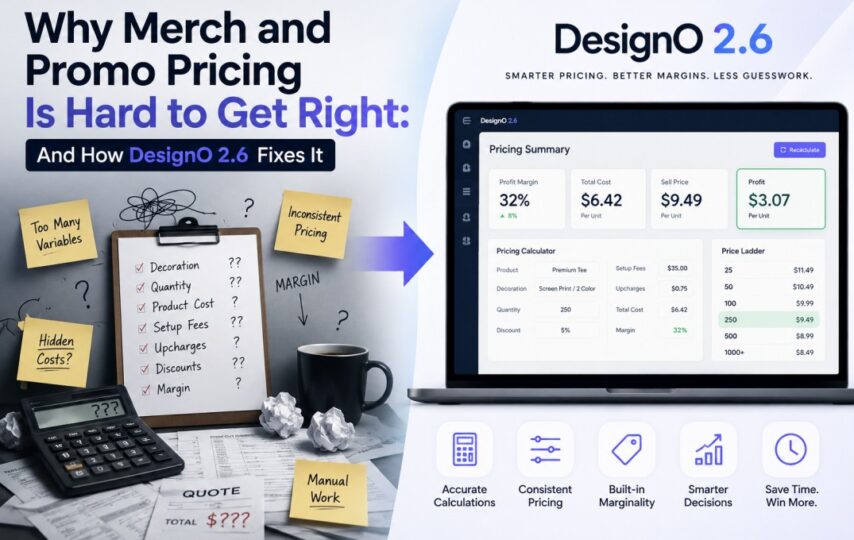

If you have ever sold promotional products online, you already know the pricing problem. A customer picks a hoodie. They choose a size, a color, a print location, and a quantity. They want to know what it costs. Simple enough on paper, but underneath that question are four variables that all affect the final price simultaneously, and most web-to-print platforms have never handled all four correctly at the same time.
DesignNBuy built DesignO 2.6 to solve exactly this problem.
The Four Variables That Make Merch Pricing Complicated
Promotional product pricing is not like standard print pricing. You are not just calculating paper size and quantity. Every order in the merch and promo space is shaped by four things working together.
- The number of colors in the artwork matters because screen printing requires a separate screen for each color, and embroidery requires more thread changes. More colors means higher cost, regardless of quantity.
- The art area size matters because a small left-chest logo takes far less time and material than a full-back design. Embroidery costs in particular are tied closely to stitch count, which scales with the size of the decoration area.
- The artwork setup fee is a fixed charge that applies to every order, regardless of how many units are being ordered. It covers screen preparation for print or digitization for embroidery. It is not a per-unit cost, but it must be included in the order total correctly every time.
- Order quantity drives tiered pricing, where the per-unit cost drops as volume increases. When a customer crosses a quantity break threshold, the new rate applies to the entire order, not just the additional units. This must calculate correctly at every level.
Get any one of these wrong and the order is either underpriced, costing the business money, or overpriced, creating a dispute with the customer.
What DesignO 2.6 Actually Changed
The pricing engine in DesignO 2.6 has been rebuilt to hold all four variables simultaneously and calculate the correct price for every possible product configuration.
When a customer selects a combination of size, color, material, and print options, the engine returns the right base price for that exact combination and applies add-on charges correctly on top of it. In earlier versions, those add-on charges could behave inconsistently depending on which variant was selected. That inconsistency is gone.
Quantity break pricing now applies correctly even when a product has multiple variant attributes in play. When an order crosses a threshold, the correct tier applies to the full order, consistently, every time.
Perhaps most importantly, the price a customer sees in the storefront is now the same price that appears in the cart, at checkout, and in the backend order management panel. That gap between storefront price and backend price has historically been one of the most common sources of customer disputes in merch businesses. DesignO 2.6 closes it.
The Platform Problem Nobody Talks About
Getting pricing right on one eCommerce platform is hard enough. DesignO 2.6 delivers consistent merch and promo pricing across Shopify, BigCommerce, Magento, and WooCommerce simultaneously, and that required solving four separate engineering problems.
Shopify manages pricing at the variant level with defined structural limits. BigCommerce uses a modifier system with its own rules for how add-on charges interact with base prices. Magento attaches pricing through custom options in its configurable product architecture. WooCommerce handles variable product pricing through its REST API with a data model that differs from all three others.
DesignO 2.6 handles all four through a unified pricing layer that translates the correct price into whatever format each platform expects. Businesses do not need to maintain separate pricing logic for each platform. It works the same way everywhere.
Who This Is For
If you run a merch or promo business on any of these four platforms and you have dealt with pricing errors, manual corrections, or customer disputes over mismatched totals, DesignO 2.6 is built for exactly that situation.
The updated Merchandise Pricing Engine is available now as part of the DesignO 2.6 release. No separate configuration is required for businesses already using DesignO for merchandise products.