
Here’s a number that should stop you cold: after just 22 minutes of continuous video monitoring, operators miss up to 95% of on-screen activity. Not 10%. Not 30%. Ninety-five percent. Research confirms that the slide begins as early as 12 minutes in, when missed activity already climbs to 45%.
If your team is working at poorly designed workstations, the wrong monitor heights, tangled cables, zero ergonomic support, those numbers get worse, not better. That’s the real cost of underinvesting in security control room consoles. It’s not just comfort. It’s operational survival.
How These Consoles Have Changed — Dramatically
Walk into a control room from thirty years ago, and you’d find fixed analog boards, a wall of wired phones, and maybe a handful of monitors bolted in place. Not exactly inspiring. Today’s environments are something else entirely.
From Fixed Boards to Modular Command Hubs
Early security control room consoles offered almost no flexibility. Limited cable routing. No adaptability. Zero thought given to the human sitting at the workstation for twelve hours straight. Modern security control room consoles are designed from the ground up around modularity, digital integration, and operator-centered ergonomics, a level of sophistication that those original designers simply never anticipated.
New Technology, New Demands
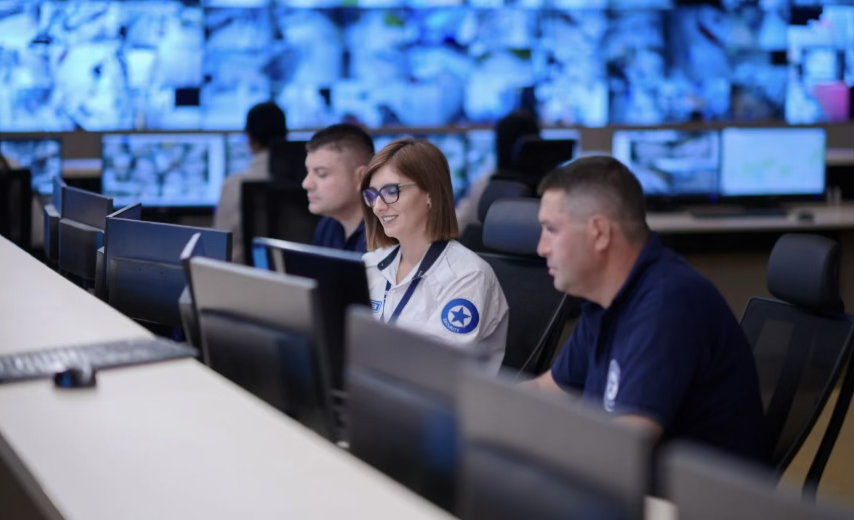
Networked surveillance monitoring systems, cloud-based video storage, and remote access capabilities have fundamentally changed what a console must handle. Operators today manage dozens of simultaneous feeds, AI-generated alerts, and multi-agency data streams, often without leaving their station. The console sitting at the center of that environment isn’t furniture. It’s the nerve center of your entire security ecosystem.
What Modern Security Control Room Consoles Actually Do
The evolution from analog switchboard to AI-ready workstation reshapes what your operators can realistically accomplish. But only when the console is designed to match those demands.
Centralizing Every Feed Into One Operator View
A properly configured console pulls CCTV feeds, access control alerts, and intrusion alarms into a single unified view. In large-scale environments, airports, transit hubs, and city-wide surveillance networks, that centralization isn’t a convenience. It’s critical.
Multi-agency operations benefit most when operators can access multiple surveillance monitoring systems without bouncing between disconnected platforms. Fewer context switches mean fewer missed alerts. The math is straightforward.
Faster Situational Awareness, Faster Response
Console layout directly affects how quickly your team acts. Monitors at the correct height. Controls within reach. Alert hierarchies that make visual sense. When those elements align, response times drop, sometimes dramatically. Managing high volumes of surveillance data means nothing if operators can’t act on it the moment it matters.
Selecting the Right Security Console Furniture
Once you understand what a well-designed console achieves operationally, the selection criteria become much clearer.
Build Quality and Smart Cable Management
Heavy-duty construction matters more than many buyers expect upfront. Consoles in 24/7 environments absorb continuous wear, equipment upgrades, repeated cable adjustments, and physical stress from daily use. Modular panel designs and integrated cable routing keep the workspace functional and clean over years of operation, not just at installation.
Ergonomics Aren’t Optional Anymore
Anti-glare surfaces, adjustable monitor arms, and sit-stand height options, these features carry real operational weight. A 2025 study found that 76% of control room operators report moderate to high fatigue during or after shifts, up significantly from 58% in 2020. That upward trend turns ergonomic security console furniture from a nice-to-have into a straightforward operational investment. Your team performs better when they’re not physically exhausted by hour six.
Control Room Design: The Bigger Picture
Getting the right furniture is half the equation. How you arrange and integrate it shapes everything else.
Designing for Long-Shift Performance
Thoughtful control room design addresses sightlines, acoustic separation between stations, and lighting quality. Glare from overhead fixtures erodes focus. Noise bleed between workstations creates cognitive interference. Poor posture support accumulates into fatigue that compounds over a full shift. Sit-stand consoles address physical strain directly, and that directly extends attentive performance where it counts most.
Pairing Ergonomics With Advanced Technology
Ergonomic layouts paired with AI-powered video analytics and smart alarm filtering transform a functional workstation into a genuine command hub. Digital evidence management, real-time analytics overlays, and integrated intercom systems become accessible from a single console without operators ever leaving their station. That kind of integration isn’t futuristic; it’s available now and worth demanding.
Non-Negotiable Features for Any Serious Console Purchase
Strong design sets the foundation. Built-in features lock in long-term performance. When evaluating security control room consoles, hold out for all of these:
| Feature | Why It Matters |
| Smart Cable Management | Reduces clutter, simplifies maintenance |
| Modular Layout | Adapts to changing tech and team size |
| Built-in Charging | Eliminates cable overload on desktops |
| Secure Storage | Protects sensitive hardware from tampering |
| Surge Resilience | Prevents downtime during power events |
Surge resilience, especially in any 24/7 environment, that protection is non-negotiable.
What’s Coming Next for Control Room Technology
Forward-thinking security teams aren’t just keeping up. They’re already preparing for the next wave of capability. AI-powered decision support interfaces are beginning to filter alert noise automatically, surfacing only the feeds demanding immediate attention.
Voice-assist and hands-free controls reduce physical strain during high-intensity incidents. Augmented reality overlays for map-based surveillance, once largely theoretical, are moving into early deployment across smart city environments.
IoT integration is expanding console functionality to include building automation, environmental monitoring, and network security, all managed from a single workstation.
Choosing the Right Supplier
With those capabilities arriving quickly, who you buy from matters as much as what you buy. Prioritize suppliers with verifiable experience in mission-critical environments, genuine customization capability, clear post-installation support commitments, and relevant compliance certifications. The most effective control rooms almost always result from close collaboration between security professionals, architects, and technology integrators.
The Bottom Line
Every choice you make around how you select, configure, and implement [security control room consoles, compounds into real operational impact — for better or worse. Ergonomic security console furniture, thoughtful control room design, and seamless integration with surveillance monitoring systems aren’t independent variables.
They work together, and they shape whether your team performs under pressure or falls behind when it matters most. Don’t treat the console as an afterthought. It’s where critical decisions happen in real time. Partner with experienced specialists, invest deliberately, and build a control room that’s genuinely prepared for what comes next.
FAQs
1. What ergonomic standards apply? NUREG-0700 and ISO 11064 are the benchmarks most referenced. Purpose-built consoles have achieved over 85% compliance with NUREG-0700 criteria, confirming that engineered design delivers measurable ergonomic performance.
2. Do these solutions work in small rooms? Yes. Many manufacturers offer modular configurations that scale efficiently into compact footprints without sacrificing functionality.
3. What about legacy surveillance monitoring systems? Modern consoles accommodate legacy systems through adaptable wiring channels, universal mounting hardware, and software-agnostic display configurations. A qualified integrator can confirm compatibility before anything is installed.