
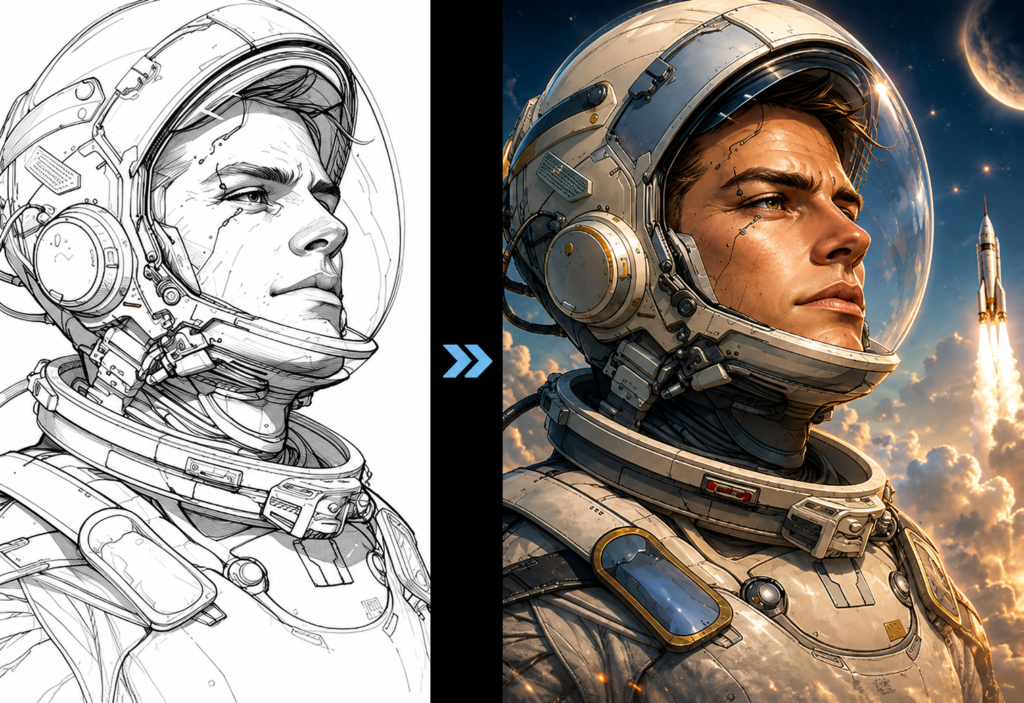
Artificial intelligence has changed the way people create visual content. Tasks that once required advanced editing software and years of design experience can now be completed in minutes with AI-powered tools. One of the most exciting developments is Image-to-Image AI, which allows users to transform existing images into completely new styles while preserving their original composition.
Whether you’re a blogger, marketer, designer, online seller, or content creator, Image to Image AI can help you produce high-quality visuals faster and with less effort.
In this guide, you’ll learn how Image-to-Image AI works, when to use it, and several practical tips for getting better results.
What Is Image-to-Image AI?
Unlike traditional AI image generators that create images entirely from text prompts, Free Image to Image AI starts with an existing image as the foundation.
The AI analyzes the structure, colors, lighting, and composition of your uploaded image before applying a new visual style based on your instructions. This approach gives users much greater control over the final output while maintaining important elements of the original picture.
For example, you can transform:
- Portraits into digital paintings
- Product photos into premium advertising visuals
- Landscapes into fantasy scenes
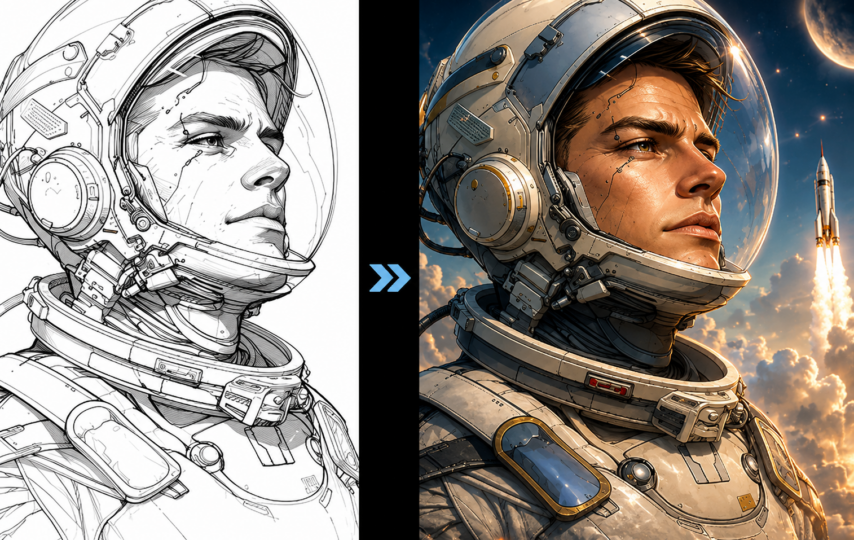
- Sketches into realistic artwork
- Everyday photos into artistic illustrations
Because the original composition is preserved, the results often appear more consistent and professional than generating an image entirely from scratch.
Why More People Are Using Image-to-Image AI
AI-assisted editing is becoming popular because it dramatically reduces both time and technical barriers.
Instead of learning complicated editing software, users simply upload an image and describe the desired style.
Some of the biggest advantages include:
Faster Creative Workflow
Creating multiple visual concepts no longer requires hours of manual editing. AI can generate several variations within seconds.
Beginner-Friendly
No professional Photoshop or Illustrator skills are required. Even first-time users can create polished visuals.
Endless Style Possibilities
Image-to-Image AI supports numerous creative styles, including:
- Oil painting
- Anime
- Cartoon
- Watercolor
- Pixel art
- Cinematic photography
- 3D illustration
- Fantasy art
- Pencil sketch
This flexibility makes it suitable for both personal creativity and commercial projects.
How to Transform an Image in Just a Few Steps
The process is surprisingly simple.
Step 1: Upload Your Image
Choose a clear image with good lighting and sufficient resolution.
High-quality source images usually produce cleaner AI results.
Step 2: Describe Your Desired Style
Next, tell the AI what you want to achieve. You can write a detailed prompt describing the scene, colors, lighting, textures, and artistic style, or simply describe the final look you’re aiming for.
For example:
- Transform the photo into a realistic oil painting with warm lighting and rich textures.
- Turn this portrait into a modern anime illustration while keeping the facial features consistent.
- Create a soft watercolor version with pastel colors and a clean background.
- Restyle the image into a futuristic cyberpunk city scene with neon lighting.
- Give the photo the look of a vintage magazine cover with subtle film grain.
Whether you provide a detailed prompt or a simple description of the desired outcome, clear instructions help the AI better understand your creative intent and produce more accurate results.
Step 3: Generate and Compare Results
ImageToImage AI generates the result.
Compare the outputs and select the one that best matches your vision.
Small prompt adjustments often produce significantly different styles.
Tips for Getting Better AI Transformations
Even powerful AI performs better when given quality input.
Use High-Resolution Images
Blurry or compressed photos often lead to distorted details.
Whenever possible, upload the highest-quality version available.
Keep the Subject Clear
If the image contains too many overlapping objects, the AI may struggle to understand the main focus.
Simple compositions generally deliver stronger results.
Experiment with Different Styles
Don’t settle for the first generation.
Try changing:
- Lighting
- Artistic style
- Color palette
- Background
- Detail level
Small prompt changes can dramatically improve the final image.
Preserve Important Elements
If you’re transforming portraits or products, mention which features should remain unchanged.
For example:
- Keep facial expression
- Maintain product shape
- Preserve camera angle
These details help create more consistent outputs.
Practical Use Cases
Image-to-Image AI isn’t only for artists. It has practical applications across many industries.
Content Creators
Generate unique blog illustrations, thumbnails, and social media graphics without hiring a designer.
Online Stores
Transform ordinary product photos into eye-catching promotional images.
Marketing Teams
Create campaign visuals quickly for seasonal promotions and advertisements.
Designers
Use AI as a rapid ideation tool before refining concepts manually.
Small Businesses
Produce professional-looking marketing materials on a limited budget.
Finding the Right Image-to-Image AI Tool
Not every AI platform delivers the same experience.
When choosing a tool, consider:
- Ease of use
- Image quality
- Processing speed
- Style diversity
- Privacy protection
- Commercial usage rights
If you’re looking for an intuitive solution that makes AI-powered image transformation accessible to everyone, Free Image to Image AI is an excellent place to start. Available through Image to Image AI Generator, it allows users to upload an existing image, apply creative transformations in just a few clicks, and generate high-quality results without requiring advanced editing experience.
Final Thoughts
Image-to-Image AI is making creative image editing more accessible than ever before. Instead of spending hours learning professional design software, users can focus on creativity while AI handles much of the technical work.
Whether you’re refreshing product photos, creating engaging social media content, illustrating blog posts, or simply experimenting with artistic styles, Image-to-Image AI provides a fast and practical solution for modern visual creation.
As AI technology continues to evolve, these tools will become even more capable, helping individuals and businesses produce professional-quality visuals with greater speed, consistency, and creative freedom. Starting with a clear image, thoughtful style instructions, and a willingness to experiment is often all it takes to unlock impressive results.