
Cracked screens, drained batteries, and unresponsive charging ports are among the most common reasons people consider fixing their phone themselves. With so many tutorials online and replacement parts just a click away, DIY repair can look like a fast, cheap alternative to a repair shop. It’s an appealing idea: save money, learn a new skill, and get your phone back in your hands the same day. But smartphones are precision devices, engineered with very little room for error, and a repair that goes wrong can end up costing far more than the original problem. Before you open up your phone, it’s worth understanding exactly what can go wrong, and what it actually takes to do the job properly.
Further Damage Is the Most Common Outcome
Smartphones are built with tightly packed components, fragile ribbon cables, and adhesive seals that aren’t designed to be opened repeatedly. A single misstep, like prying too aggressively at a screen edge or applying uneven pressure while reseating a part, can crack an undamaged component or sever a connector that had nothing to do with the original fault. What starts as a simple screen swap can quickly turn into a much bigger repair, often with a phone that no longer functions at all.
Repair tutorials tend to make the process look effortless, cutting from “remove the old part” to “fit the new one” without showing the fiddly, frustrating steps in between. Without hands-on experience, it’s easy to underestimate how little tolerance these devices actually have for trial and error. Industry estimates suggest that a meaningful share of DIY repair attempts end up causing more damage than the fault they were trying to fix, which is a sobering thought before you reach for a screwdriver.
Safety Hazards Shouldn’t Be Underestimated
Batteries carry the most serious safety risk in any phone repair. Lithium-ion cells can overheat, swell, or catch fire if punctured, bent, or crushed during removal, and that danger increases considerably with cheap, uncertified replacement batteries that skip the safety testing genuine components go through. Even a small nick to a battery’s casing during a routine swap can be enough to trigger a chemical reaction that’s difficult to control.
Cracked screens present their own hazard too, with sharp glass edges that can easily cut unprotected hands during disassembly. Heat is another factor: many repairs call for gentle warming to loosen adhesive, and using the wrong tool or applying heat unevenly can warp components or create burn risks. None of this means repairs can’t be done safely. It does mean going in with care, patience, and a real understanding of the risks involved, rather than treating it as a quick five-minute fix you can rush through on a kitchen table.
Warranties Rarely Survive DIY Attempts
Most manufacturers void a phone’s warranty the moment it’s opened by anyone other than an authorised technician. Mismatched screws, adhesive residue, or a part that doesn’t match original specifications are all signs a device has been tampered with, and once that’s flagged, future claims can be refused entirely, even for issues unrelated to your repair.
A DIY repair that seems like a money-saver upfront can end up costing far more if a related issue appears later and the warranty no longer covers it. It’s also worth checking the terms of any phone insurance policy you hold, since many providers apply similar exclusions once a device shows evidence of unauthorised repair work.
The Right Equipment Makes a Real Difference
Standard household tools aren’t built for the precision fasteners and delicate housings used in modern phones. Attempting a repair with the wrong screwdriver, or a flat-edged knife instead of a proper spudger, is one of the quickest ways to strip screws, crack casings, or damage internal connectors that a purpose-built tool would glide past safely.
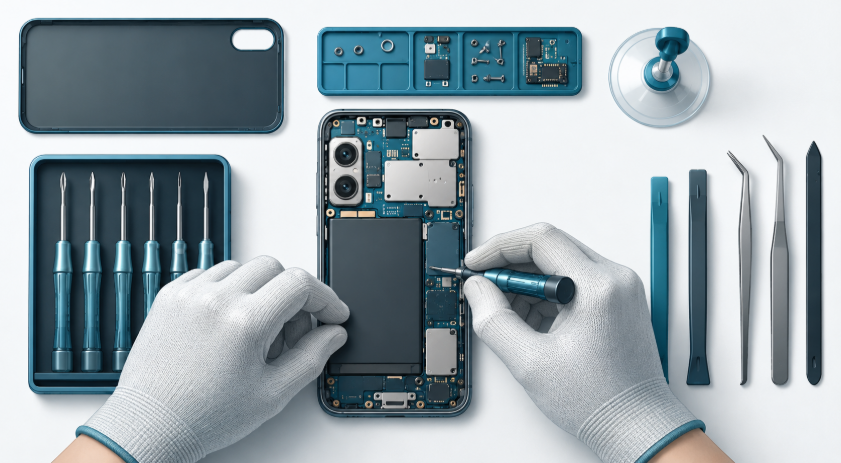
A proper set of Phone DIY Repair Tools — precision screwdrivers in the correct bit sizes, plastic prying tools, suction cups, tweezers, and heat-safe opening picks — is designed specifically for these tolerances, and using the right equipment significantly lowers the risk of accidental damage during a repair. It’s also worth having anti-static protection on hand, since a small static discharge can be enough to damage sensitive internal circuitry, something that’s easy to overlook when you’re focused on getting the case open.
Small Errors Cause the Most Damage
Even with good tools, technique is just as important as equipment. Some of the Common Mistakes in Phone Repairs include skipping the battery disconnection step before working near the motherboard, using too much heat to loosen adhesive, misaligning a replacement screen during reassembly, and losing track of which screw belongs where. Any one of these can lead to a short circuit, a misfitting component, or a phone that won’t power back on at all.
Working slowly, keeping parts organised on a labelled tray or mat, photographing each stage before moving on, and following a reliable guide step by step all go a long way toward avoiding these pitfalls. Rushing is almost always where things go wrong, particularly on repairs involving adhesive, ribbon cables, or components near the logic board.
Sourcing Genuine Parts Isn’t Always Simple
Many phone components are model-specific, and finding a genuine or high-quality replacement isn’t always straightforward. Cheaper, off-brand parts are widely available but often underperform, with issues like unresponsive touchscreens, batteries that degrade quickly, inaccurate colour reproduction on displays, or lower-quality cameras. In some cases, a poor-quality part can even damage surrounding components over time, creating problems that go beyond the original repair and leaving you back where you started, only with less money in your pocket.
When DIY Repair Might Make Sense
None of this is to say DIY repair should always be avoided. Simple, well-documented jobs, like replacing a phone case, adding a screen protector, or swapping an easily accessible battery on an older, out-of-warranty device, carry far lower risk than opening up a modern flagship phone with a sealed, glued-in display. If you’re patient, methodical, and willing to invest in decent tools and genuine parts, plenty of straightforward repairs are well within reach for a careful beginner.
The key is being honest about the complexity of the job in front of you. A cracked back panel on an older budget phone is a very different undertaking to replacing a battery on a device with a tightly sealed, glass-backed chassis.
Conclusion
DIY phone repair isn’t out of reach, and plenty of people successfully replace their own screens, batteries, and ports. But it comes with genuine risks: the chance of further damage, safety hazards from batteries and glass, a voided warranty, and the challenge of sourcing the right tools and parts. Anyone considering it should go in with realistic expectations, the proper equipment, and a clear sense of where repairs commonly go wrong.
If the repair involves anything beyond a straightforward part swap, or if the phone is still under warranty, it’s usually worth getting a professional quote first. Any money saved by doing it yourself isn’t much of a saving if the attempt ends up costing you the phone altogether. Weigh the complexity of the job, the value of the device, and your own comfort level before deciding whether to pick up the tools or hand it to someone who does this for a living.