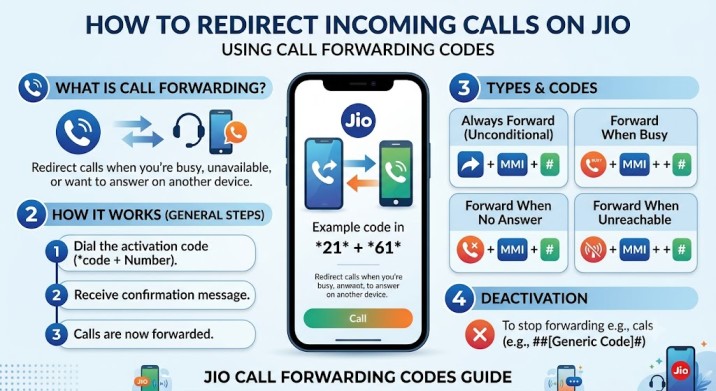

Jio has a call-forwarding option which allows you to forward incoming calls to another number. Useful when you don’t want to answer your phone, the battery is dead or you want to use a different phone to make calls. The feature can be turned on by entering a short code in the Phone app. Follow the steps below to enable call forwarding on a Jio number.
Ways to Set Up Call Forwarding on Your Jio Number
Call forwarding can be enabled either in the phone’s call settings or by dialing a code. The code below will call through to your number of choice for all incoming calls.
How to forward all incoming calls on Jio
To enable call forwarding for all incoming calls on Jio, follow the steps below:
Step 1: Launch the Phone app on your phone.
Step 2: Type *401*<10-digit number> (where <10-digit number> is the number you want your calls to go to).
Step 3: Press Call button to send the request.
Step 4: Once you accept the code, all incoming calls to your Jio number will get diverted to the number you dialed.
You can also forward calls only in certain situations. For example, you may want calls to go elsewhere when you are already on another call, when you do not answer, or when your phone is switched off or out of network coverage. To do this, keep the same code in Step 2 but replace the three-digit number with 405, 403, or 409, depending on the condition you want to use.
How to Turn Off Call Diversion on Jio
Step 1: Open the Phone app.
Step 2: Dial the four-digit code that matches the call-forwarding option you want to turn off. You can find the codes in the table below.
Step 3: Press the Call button. Jio will switch off the selected call-forwarding option.
- *402 – Turns off call forwarding for all incoming calls
- *406 – Turns off call forwarding when the line is busy
- *404 – Turns off call forwarding when you do not answer
- *410 – Turns off call forwarding when your phone is unreachable
Final Words
While it may not be the most eye-catching of features on your Jio connection, call forwarding can still be a lifesaver in times of chaos. If your phone is dead, you are in another call, or you have changed phones, there are a handful of keypad codes that will keep the important conversations going.
Better yet, Jio also allows you to easily disable the feature so you know where your calls are going. Consider it a safe alternative, one you hope you don’t need, but are happy to have on your side when things go wrong. After all, you don’t want to miss calls, but you don’t want to forward them forever, either.
FAQs
1. Does Jio charge extra for using call forwarding?
Call forwarding is available on Jio, but may incur extra fees based on the plan and type of call forwarded. The number to which the call is forwarded is different, so it is always better to find out the latest tariff information. It’s better to be safe than to get a surprise on your bill!
2. Can I forward Jio calls only when my phone is switched off or unreachable?
Yes. Jio allows you to forward calls under certain conditions like when your phone is off, out of network coverage, busy or you don’t answer. Just use the right forwarding code, rather than forwarding all incoming calls.
3. How do I stop call forwarding on my Jio number?
It is as simple as enabling call forwarding to disable it. Simply call the appropriate deactivation code via the Phone app and make the request. In no time, you will get your calls back on your Jio number, rather than a different one. No investigation is needed.
4. Can I activate call forwarding without the MyJio app?
Absolutely. You don’t need the MyJio app to enable or disable call forwarding. Using the USSD codes, you can turn on the feature from the dialer of your mobile phone, which is a fast and convenient process. There are times when the old fashion way is the quickest.
5. Will call forwarding affect my incoming calls?
Not exactly. Call forwarding doesn’t prevent incoming calls, it just forwards them to another number according to your settings. This is a convenient option if you’re not there, but be sure to turn it off later if you don’t want your calls to keep taking an unexpected detour.