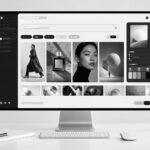

The minimalist approach to art revolves around saying more with less. It involves stripping the work down to essentials and emphasizes simplicity, harmony, and intent. While the creation of art that appears simple yet profound can prove difficult, the advent of AI changes this reality. With the help of applications such as Dreamina AI art generator, making modern designs simpler and more interesting.
Using AI tools allows users to refine their ideas, get rid of excess details, and make the most of them. Here are three ways through which you can perfect your minimalist art.
Why minimalist artwork feels so impactful in modern art
Minimalism in the visual arts stands out because it does not attempt to attract people’s attention but rather directs it. Given the current abundance of distractions in life, minimalist designs often appear fresh and purposeful.
Consider what makes minimalist art compelling:
- Effective usage of negative space
- Colorful palette
- Meaningful forms
- Harmony and balance
These attributes are easy to incorporate into your art with AI technology, as it will interpret your prompts and strip away any unnecessary complexity.
Technique 1: Simplify your vision before creating
The minimalist style starts from how you formulate your input. You should not generate anything complex; otherwise, your output might become chaotic.
You should start by simplifying your input. For instance, instead of writing “a busy city filled with people, lights, and buildings,” you might want to consider “one silhouette of a city skyline with a soft gradient light.” The following is a list of some tips that you should consider when formulating an input:
- Focus on a single subject or concept
- Minimize the number of elements involved
- Highlight a single emotion or mood
- Write concise descriptions
Your AI can respond well to purposeful and straightforward input. This way, the output will also reflect your preferences and visions.
Technique 2: Master colors and contrasts
When creating minimalist art, colors can play an important role depending on the type of minimalism you’re creating. With fewer elements used in minimalist artwork, the actual hues of the colors will make up a larger portion of the overall piece.
With minimal colors available to you, you’ll want to experiment with several shades of the same color. Brightly contrasting colors will create powerful artwork, while softer, subtly graduated colors will create more peaceful feelings. You should try:
- Black and white will create an everlasting and classic appearance
- Monochromatic color groups will give your piece greater depth
- A neutral color palette with one accent will make your artwork more striking
- Softly graduated tones will make your piece more contemporary
- Using just one color to create emotion will help guide your artwork’s overall visual direction.
Technique 3: Using negative space as the most powerful design element
Minimalism is much more than just omitting elements; it’s also creating space around the element and intelligently utilizing the space created by that element. Negative space is one of the most important aspects/elements of minimalistic artwork, allowing the viewer to see the work at a distance.
The value of using software programs based on artificial intelligence is that you can build prompts requesting characteristics for either close or distant spacing. For example, typing the request “wide spacing”, “centered arrangement”, or “isolated object” will help you to create your design style as a minimalist.
Things to keep in mind:
- Ease of viewing: the less cluttered, the easier it is to see.
- If there is proper spacing within your design, it will be easy to read.
- Both centered and asymmetrical arrangements are aesthetically pleasing.
- When creating minimalism, you are taken away from and added to the design.
Unconventional sources for minimalist ideas
Minimalism is not synonymous with blandness, only sophistication. Sometimes, however, the most inventive ideas are found in unexpected places.
For example, consider the use of a random anime character generator. Notice the unique coloring of one of the characters or the striking silhouette. Do not aim to create a copy but rather simplify the image into a minimalist style.
It will enable you to:
- Distill powerful visual identities
- Break down complex designs into shapes
- Create new color schemes
Creative inspiration does not have to be intricate; it only has to help make decisions creatively.
Transform minimalist designs with Dreamina
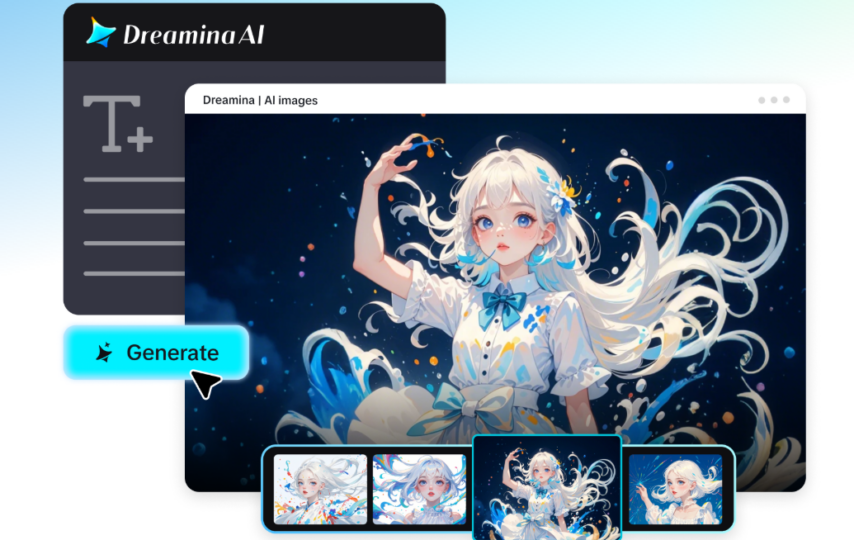
Step 1: Text prompt
When you’re on Dreamina, start your minimalist human character by creating a detailed prompt. You should write a description of your character’s appearance. You should keep in mind that you want a minimal design and a stylish appearance.
For example, your prompt should read: Create a professional model in a simple monochrome outfit in a minimalist studio with subtle lighting, a neutral background, balanced composition, smooth shadows, modern style, and an intricate/simple design.
Using this prompt for Dreamina will guarantee that you receive a minimalistic image of your character when they’ve been explained simply.
Step 2: Set the parameters for your character’s creation
First, choose which model you want. Next, for whichever location your character will be, choose the appropriate aspect ratio: square for social media, vertical for smartphones, and horizontal for banners. Set your preferred size and resolution (1K for quick image generation or 2K for a more accurate image). Lastly, click on the Dreamina logo to have your character created.
Step 3: Edit and download your character
After creating your character, fine-tune the image of your character using the built-in editing features within Dreamina. You can use inpaint to adjust specific areas of your character, extend the viewing area, delete elements you don’t want, and retouch your character to be more realistic. Once you’ve finished adjusting the character’s appearance, click the download icon and save your character.
From simple still designs to elegant moving visuals
The beauty of minimalist art is well translated into video form if done properly. With Dreamina AI video generator, you can translate your clean designs into visual videos that look great without complicating the idea behind it.
All you have to do is use prompts or image references to generate minimalistic video content by describing the visuals you want generated such as gradient transitions, geometry animations, light movements, among others.
This is ideal for:
- Modern branding visuals
- Non-distracting presentation backgrounds
- Minimalist social media videos
- Designer portfolios
The idea isn’t about animating something complicated but generating minimalist visuals using AI.
Small changes, big impact
A simple design has one characteristic: simplicity. Small details can greatly affect your design.
Examples of ways to enhance your designs:
– Utilize fewer words to create cleaner inputs for your prompts
– Pay attention to how you use light to add subtlety
– Make sure your compositions are properly balanced and harmonic
– Develop several different iterations of your design and identify the most cohesive or cohesive version
As you can see, ‘less’ is frequently ‘more’ when using a minimalist design approach.
Conclusion
Creating with a minimalist style will not result in less work; however, it will provide you with more intellectual options for your creative ideas. Use Dreamina to experiment with simplicity in your creativity.
You can use Dreamina to gain clarity and control, and to utilize negative space to develop contemporary, elegant, and powerful designs. Minimalism and AI offer unlimited opportunities for creation, whether with still images or moving video.