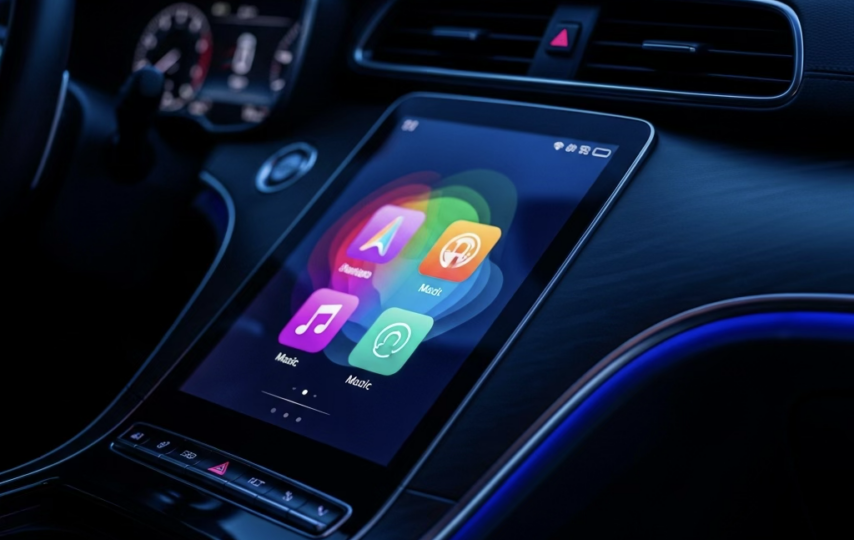

What Are Android Auto and Apple CarPlay Modules?
Understanding Smartphone Integration in Cars
Let’s be honest your car without smartphone integration feels a bit like a flip phone in a smartphone world. Android Auto and Apple CarPlay modules are essentially the bridge that connects your phone to your vehicle’s infotainment system, turning your dashboard into a smarter, safer control center. Instead of fumbling with your phone while driving, everything from navigation to messaging gets displayed right on your car screen. It’s like bringing your phone’s brain into your car but without the distractions.
At their core, these modules mirror essential smartphone apps such as Google Maps, Waze, Spotify, WhatsApp, and Apple Music directly onto your dashboard. Android Auto, developed by Google, allows Android users to interact with their device through a simplified interface, while Apple CarPlay does the same for iPhone users. Both systems prioritize hands-free control, which is crucial for safe driving.
What’s fascinating is how quickly these technologies have become a standard expectation. In fact, nearly 98% of new cars now support either Android Auto or Apple CarPlay, making them one of the most in-demand features in modern vehicles. This shift shows just how much drivers rely on seamless connectivity, and honestly, once you’ve used it, it’s hard to go back.
Why Modules Are Becoming Essential
Here’s the catch not every car comes equipped with these features, especially older models. That’s where aftermarket Android Auto and CarPlay modules step in. Think of them as an upgrade kit for your car’s brain. They allow you to retrofit modern infotainment capabilities into vehicles that weren’t originally designed for them.
The demand for these modules is skyrocketing, and it’s not just a trend it’s a necessity driven by user expectations. Studies show that almost 50% of car buyers would avoid purchasing a vehicle that doesn’t support smartphone integration. That’s huge. It means connectivity isn’t just a bonus anymore it’s a dealbreaker.
Modules also give you flexibility. You don’t have to buy a new automobile simply to get tech updates. You can install a system that does the same things for a lot less money. Whether it’s a wireless connection, larger touchscreen, or improved audio experience, these modules bring your car into the modern digital ecosystem without breaking the bank.
How Android Auto Works
Key Features of Android Auto
Android Auto is like having Google sitting in your passenger seat minus the small talk. Once connected, it transforms your car’s display into a simplified, driver-friendly interface designed to minimize distractions. You get access to navigation, music, calls, and messaging all optimized for safe driving.
One of its standout features is Google Maps integration, which is widely considered one of the most accurate navigation tools available. Real-time traffic updates, rerouting suggestions, and voice-guided navigation make it incredibly reliable. Add to that support for apps like Spotify, YouTube Music, and WhatsApp, and you’ve got a complete in-car ecosystem.
Android Auto also supports split-screen functionality, allowing you to view maps and media simultaneously. This multitasking ability gives it a slight edge for users who prefer customization and flexibility.It’s not only about how well it works; it’s also about having control.
Voice Control and AI Integration
Now here’s where things get really interesting. Android Auto leverages Google Assistant, which is arguably one of the most advanced voice assistants available today. You can send messages, play music, or even ask for nearby gas stations all without taking your hands off the wheel.
With the introduction of AI-powered features and Google’s Gemini integration preview, Android Auto is evolving into something smarter. Imagine your car suggesting routes based on your schedule or reminding you about errands mid-drive. That’s not science fiction anymore, it’s happening now.
This focus on hands-free interaction is crucial because it reduces driver distraction significantly. After all, the goal isn’t just convenience, it’s safety.
How Apple CarPlay Works
Core Features of CarPlay
Apple CarPlay takes a slightly different approach; it’s less about customization and more about simplicity. If Android Auto is like a Swiss Army knife, CarPlay is like a sleek iPhone clean, intuitive, and easy to use.
CarPlay mirrors your iPhone interface onto your car’s screen, giving you access to apps like Apple Maps, iMessages, Apple Music, and third-party apps like Spotify and Google Maps. Everything is neatly organized, making it easy to navigate even while driving.
What really sets CarPlay apart is its seamless integration with the Apple ecosystem. If you’re already using an iPhone, it feels natural like an extension of your device.
CarPlay Ultra and Future Innovations
Apple isn’t stopping there. The latest evolution, CarPlay Ultra, takes integration to the next level by controlling not just the infotainment system but also vehicle functions like speed displays, fuel levels, and climate control. It’s basically turning your entire dashboard into an Apple-powered interface.
This shift signals a future where your car becomes an extension of your digital life. And honestly, that’s both exciting and a little mind-blowing.
Android Auto vs Apple CarPlay: Key Differences
Interface and Usability
| Feature | Android Auto | Apple CarPlay |
| Interface | Customizable | Clean & Minimal |
| Voice Assistant | Google Assistant | Siri |
| Navigation | Google Maps | Apple Maps |
| App Support | Wider | More curated |
Android Auto is all about flexibility, while CarPlay focuses on simplicity. It really comes down to personal preference and your smartphone.
App Ecosystem and Compatibility
Android Auto supports a broader range of third-party apps, making it ideal for users who want more options. CarPlay, on the other hand, offers a more controlled and polished experience.
Interestingly, Apple CarPlay has slightly higher customer satisfaction (840 vs 832), which suggests users appreciate its ease of use.
Why Car Modules Are Gaining Popularity
Demand for Smart Infotainment Systems
Here’s a stat that really puts things into perspective: 83% of people who have access to CarPlay or Android Auto actually use it regularly. That’s not just adoption, that’s dependency.
Drivers today expect their cars to function like smartphones. Music, navigation, calls it all needs to be seamless. Anything less feels outdated.
Statistics and Market Trends
The numbers don’t lie. Apple CarPlay users are projected to reach over 61 million by 2026, while Android Auto continues to grow steadily. This growth is fueling demand for aftermarket modules, especially in older vehicles.
Types of Android Auto and CarPlay Modules
Wired vs Wireless Modules
Wired modules are reliable but require a USB connection. Wireless modules, on the other hand, offer convenience just hop in and go.
Wireless tech is becoming the standard, driven by consumer demand for seamless experiences.
OEM vs Aftermarket Solutions
OEM systems come pre-installed, while aftermarket modules offer flexibility. The latter is ideal for upgrading older cars without replacing the entire system.
Tesla-Style CarPlay Screens Explained
What Makes Tesla-Style Screens Unique
If you’ve ever seen a Tesla dashboard, you know how futuristic it feels. That large vertical touchscreen isn’t just for looks, it transforms how you interact with your car. Now, you don’t need a Tesla to get that experience. Modern aftermarket solutions bring that same vibe to regular vehicles.
A great example is this collection of Tesla-style CarPlay screens designed specifically for upgrading older dashboards:
👉Android Auto and CarPlay Module Collections
These screens combine Android Auto and Apple CarPlay functionality with a sleek, high-resolution display that feels straight out of a luxury EV. Instead of small, outdated infotainment systems, you get a massive interface that makes navigation, media, and apps easier to access and far more enjoyable to use.
Benefits of Upgrading Your Dashboard
Upgrading to a Tesla-style screen isn’t just about aesthetics, it’s about transforming your driving experience. Larger displays mean better visibility for maps, clearer media controls, and a more intuitive interface overall.
It also adds value to your car. Think of it like renovating your kitchen; it doesn’t just look better; it functions better too.
Installation of Android Auto and CarPlay Modules
DIY vs Professional Installation
Installing a module can be as simple as plug-and-play or as complex as rewiring your dashboard. DIY kits are great for tech-savvy users, but professional installation ensures everything works perfectly.
Compatibility Considerations
Not all modules fit all cars. Always check compatibility before purchasing to avoid headaches later.
Features to Look for in a CarPlay Module
Screen Quality and Performance
Look for high-resolution displays, responsive touchscreens, and fast processing speeds. Laggy systems defeat the purpose.
Connectivity and App Support
Wireless connectivity, Bluetooth, and support for multiple apps are must-haves.
Advantages of Using Android Auto and CarPlay Modules
Safety Benefits
Hands-free controls reduce distractions, making driving safer.
Convenience and Productivity
From navigation to messaging, everything becomes easier and more accessible.
Common Issues and Troubleshooting
Connectivity Problems
Bluetooth drops, USB issues are common but usually easy to fix.
Software Compatibility Issues
Always keep your system updated to avoid bugs.
Future of In-Car Connectivity
AI, Automation, and Smart Dashboards
The future is all about smarter cars. AI will play a huge role in making driving more intuitive.
Integration with Electric Vehicles
As EVs grow, integration with systems like CarPlay Ultra will become standard.
Conclusion
Android Auto and Apple CarPlay modules have completely transformed the driving experience. What used to be a simple commute is now a connected, intelligent journey powered by your smartphone. Whether you’re navigating traffic, streaming music, or sending messages hands-free, these systems make it safer and more convenient than ever. And with aftermarket solutions like Tesla-style screens, even older vehicles can enjoy cutting-edge technology without needing a full upgrade.
FAQs
1. Can I install Android Auto or CarPlay in an older car?
Yes, aftermarket modules make it possible to upgrade almost any vehicle.
2. Is wireless CarPlay better than wired?
Wireless is more convenient, but wired connections are often more stable.
3. Do I need the internet for Android Auto or CarPlay?
Some features like navigation require data, but basic functions can work offline.
4. Are these modules safe to use while driving?
Yes, they are designed for hands-free operation to reduce distractions.
5. Which is better: Android Auto or Apple CarPlay?
It depends on your smartphone. Android users prefer Android Auto, while iPhone users benefit more from CarPlay.